
Hey guys,
Good afternoon!
In this post I will show you how to quickly resolve .NET Framework DLL Assembly signing issues in SQL Server. This error occurs when some SQLCLR routine uses a DLL from the server's .NET Framework and after a system update, the CLR user loses Unsafe Assembly permissions or some DLL is updated.
Demonstration of the problem
When this error occurs, all of your CLR SPs that use the affected DLL will display the error message below:
Could not load file or assembly or one of its dependencies. Assembly in host store has a different signature than assembly in GAC (Exception from HRESULT: 0x80131050)

Solution
To resolve this signature problem, let's grant the Unsafe Assembly permission to the CLR user again and then change the Assembly of the DLLs that are showing an error pointing to the DLL that our CLR routine expects.
USE [master]
GO

GRANT UNSAFE ASSEMBLY TO CLR_User

USE [CLR]
GO

ALTER ASSEMBLY [System.DirectoryServices]
FROM 'C:\Windows\Microsoft.NET\Framework\v2.0.50727\System.DirectoryServices.dll'

ALTER ASSEMBLY [System.DirectoryServices.Protocols]
FROM 'C:\Windows\Microsoft.NET\Framework\v2.0.50727\System.DirectoryServices.Protocols.dll'
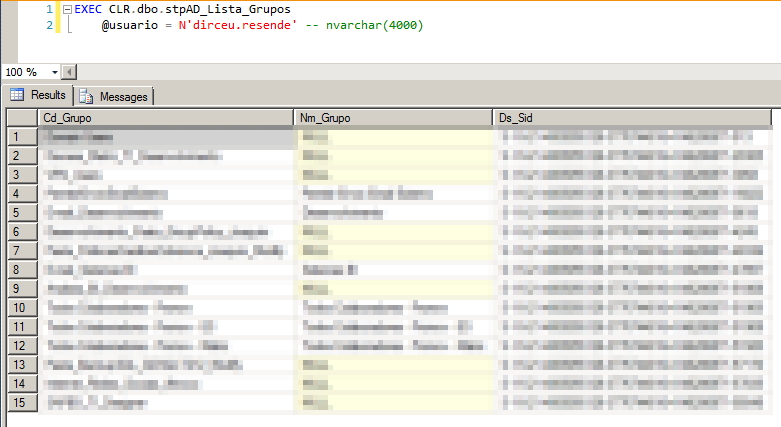
From now on, we can use our SP again:
That's it, folks!
Until next time!
sql server, sql, Could not load file or assembly or one of its dependencies. Assembly in host store has a different signature than assembly in GAC (Exception from HRESULT: 0x80131050), assembly, gac
sql server, sql, Could not load file or assembly or one of its dependencies. Assembly in host store has a different signature than assembly in GAC (Exception from HRESULT: 0x80131050), assembly, gac

Comentários (0)
Carregando comentários…