Introduction
Hey guys!!
In this article I would like to share with you what I explained in a Telegram group, which is how SQL Server dynamic ports work, which many people have the wrong conception of how this works.
While some people think that SQL Server assigned a new port every time the service starts, others think that this process only happens on the first startup. I will demonstrate in this article, what is the real behavior of SQL Server in relation to dynamic and static ports.
If you want to find out the current SQL Server port, be sure to visit my article How to identify the port used by the SQL Server instance.
To better understand how SQL Browser works and what it is for, read the article SQL Server – How to connect using the DAC connection (Dedicated Admin Connection) without the SQL Browser.
How SQL Server Dynamic Port Works
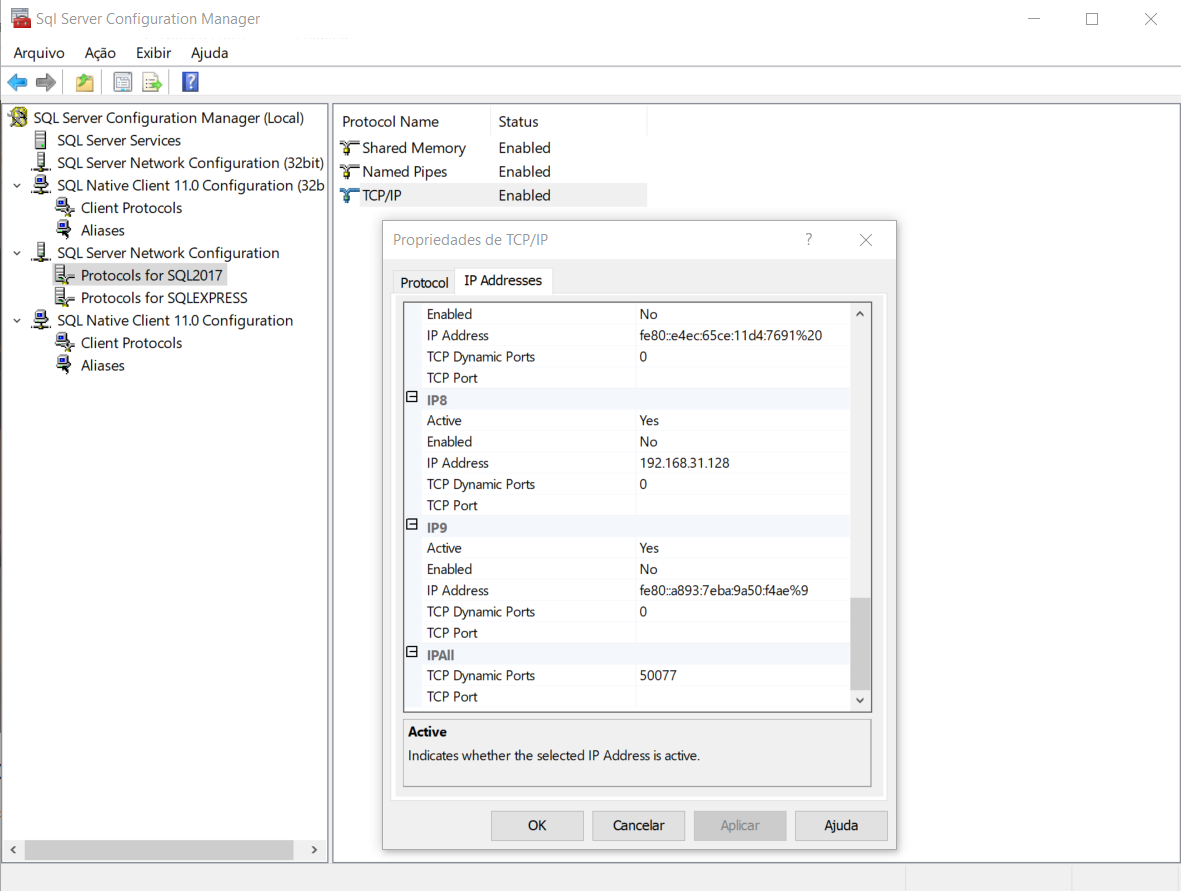
The first step is to check whether SQL Server is configured to use dynamic or static ports. To do this, simply open SQL Server Configuration Manager:
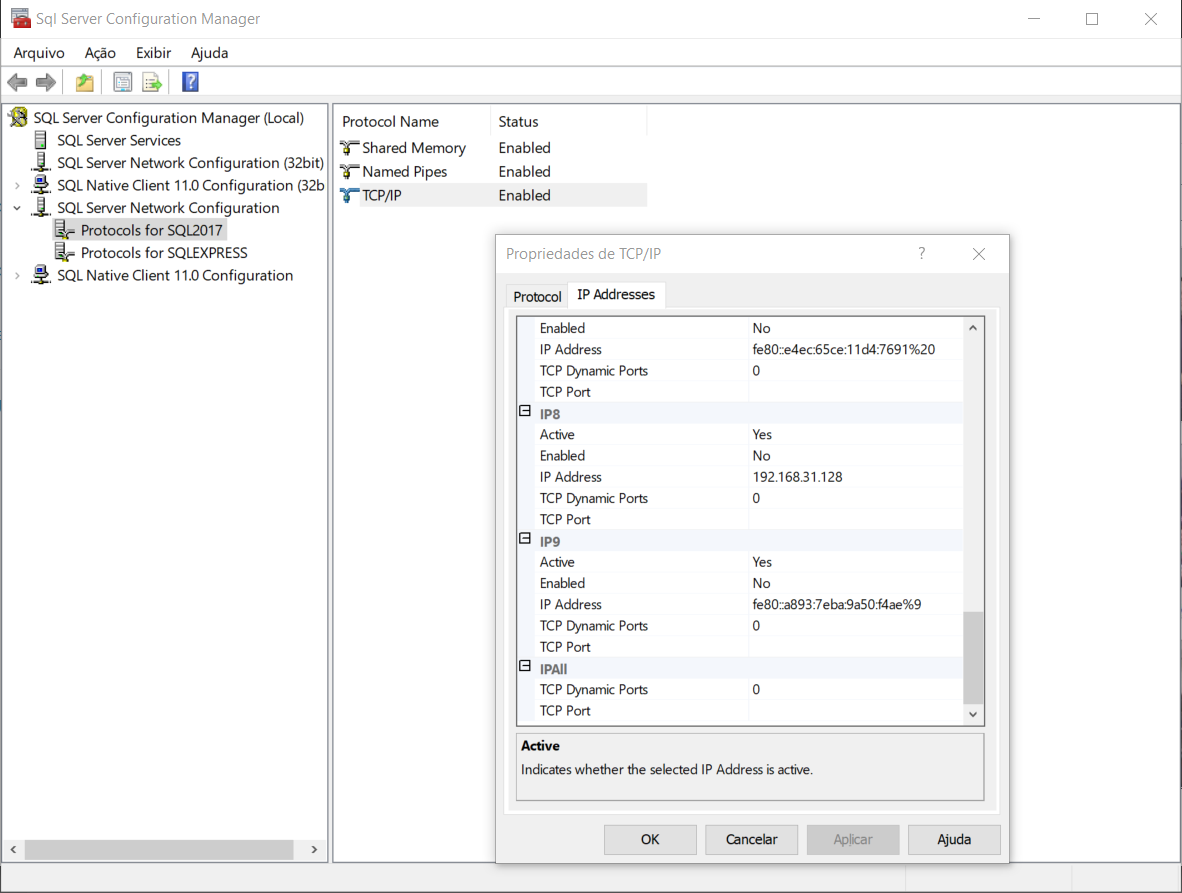
If the “TCP Dynamic Ports” field in SQL Server Configuration Manager has a value of 0 (zero), it is because SQL Server is configured to use dynamic ports and this is the first time the service has started (or you have just changed this configuration). I'll restart the SQL service and see what happens.
After restarting the SQL Server service, let's check what happened to our SQL Server port:
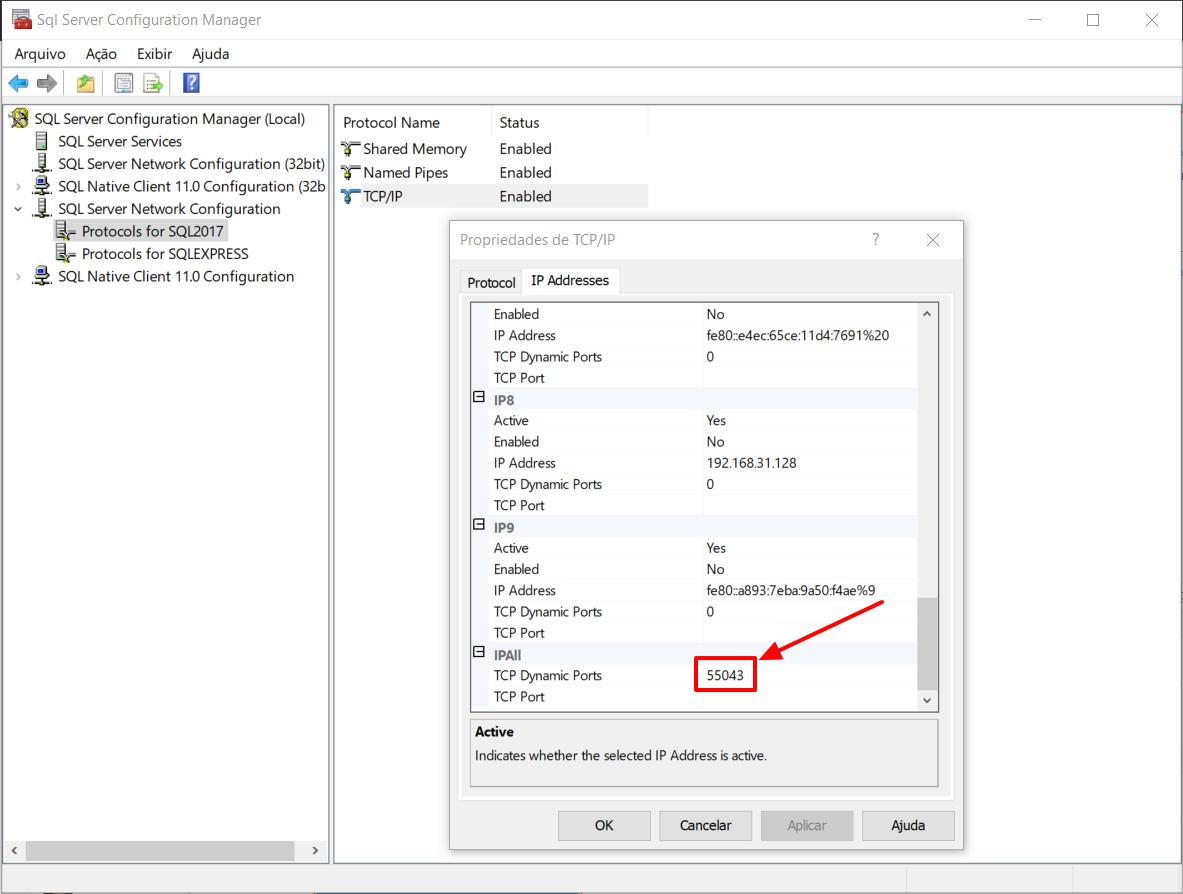
The TCP Dynamic Port has been changed from 0 to a random port that SQL Server requests from the OS (in this case, port 55043).
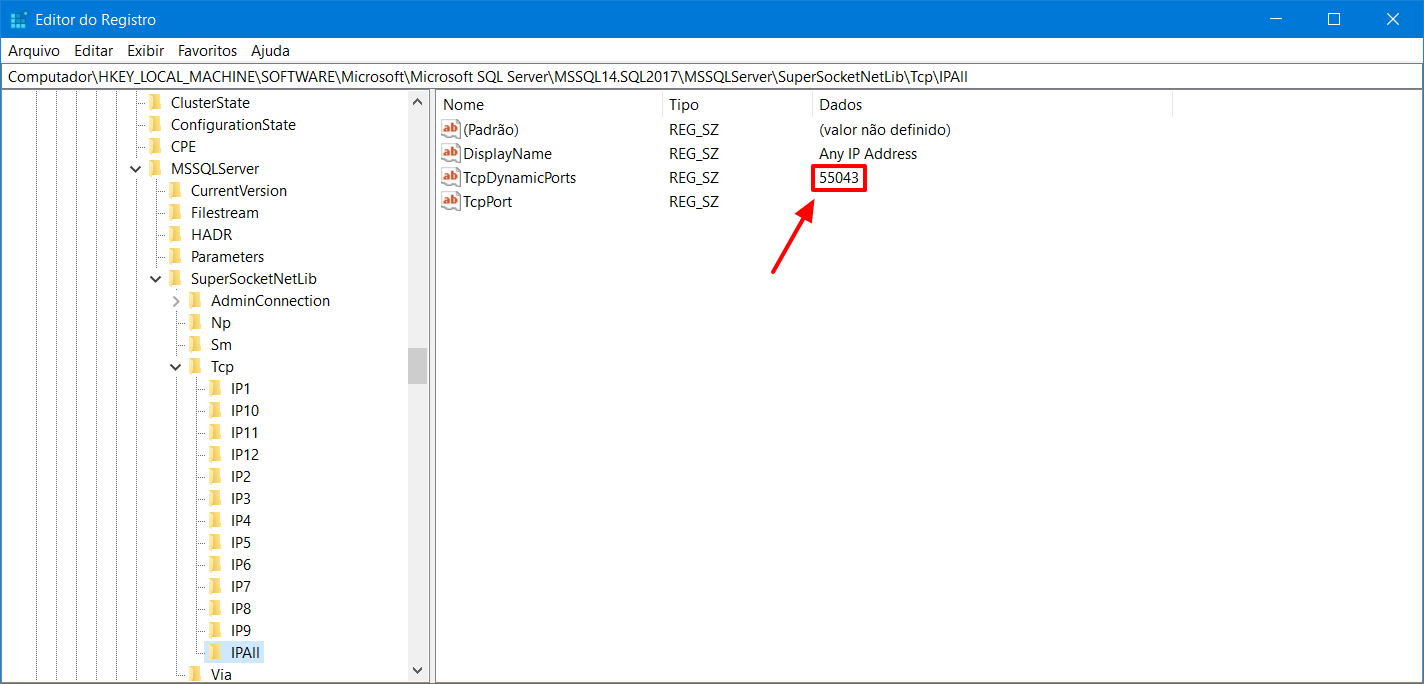
This port number is recorded in the Windows registry:
If I restart SQL Server again, we see that the dynamic port number HAS NOT CHANGED:
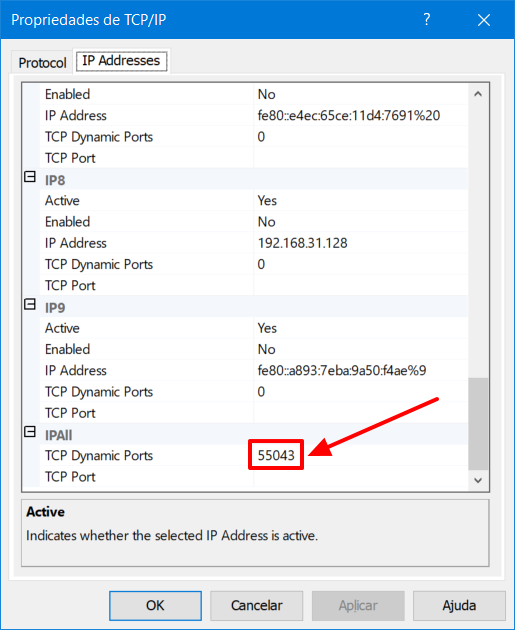
After the OS returns, SQL will store this port number in the Windows registry and will always use this same port the next time the service is started. But is it always true?
After using the SQL port in another process
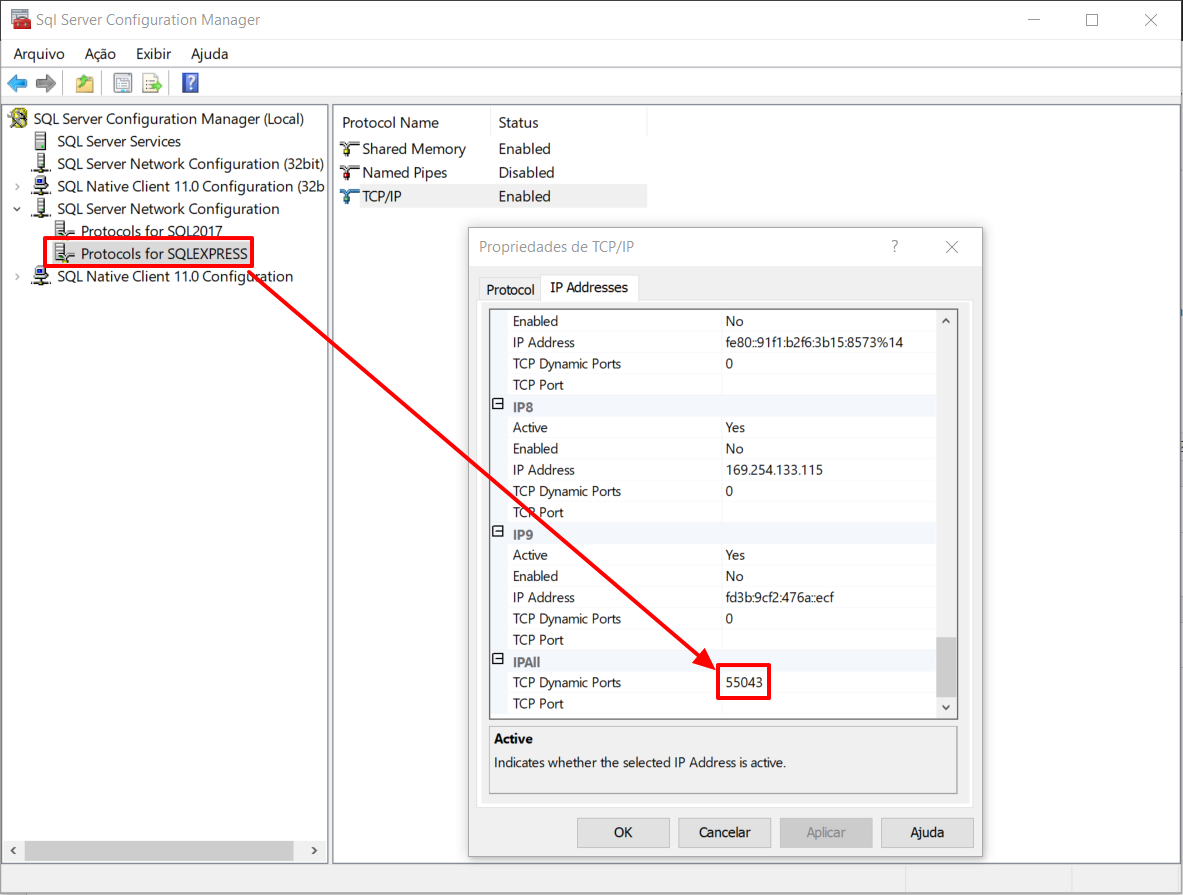
Now I want to understand how SQL Server behaves when the service tries to start and the port selected the first time the service was started is already in use. To do this, I will stop all SQL Server services and change the service of the “SQLEXPRESS” instance to use the port of the other instance (55043):
After starting the SQLEXPRESS service and then SQL2017, we can notice that the port number of the SQL2017 instance was generated again, being associated with another port number:
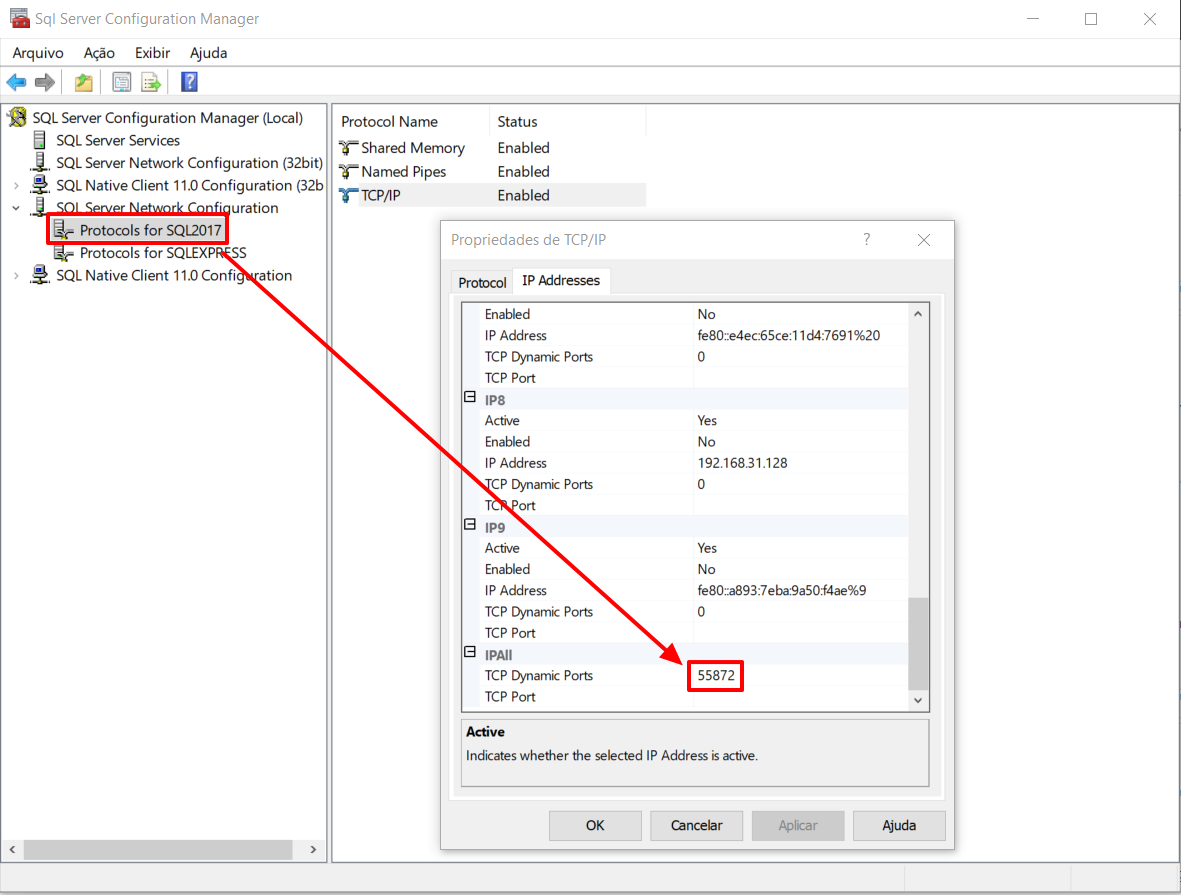
After the OS returns, SQL will store this port number in the Windows registry and will always use this same port the next time the service is started until one day, this port is already in use by another process. If this happens, the dynamic port number returns to 0 and a new port will be assigned to this SQL Server instance by the Operating System.
Define a static port
If you want to stop using a dynamic port in SQL Server and start using a static port, simply configure on the previous screen so that the “TCP Dynamic Ports” field is empty (no value filled in) and in the “TCP Port” column you define which port this instance will be active and waiting for connections:

It is worth remembering that using a static port, SQL Server will always try to use the same port, defined by you. If the chosen port is in use, the SQL Server service will return an error (which can be found in the SQL ERRORLOG):
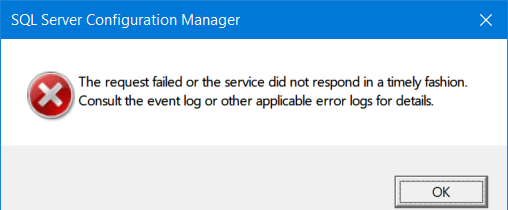
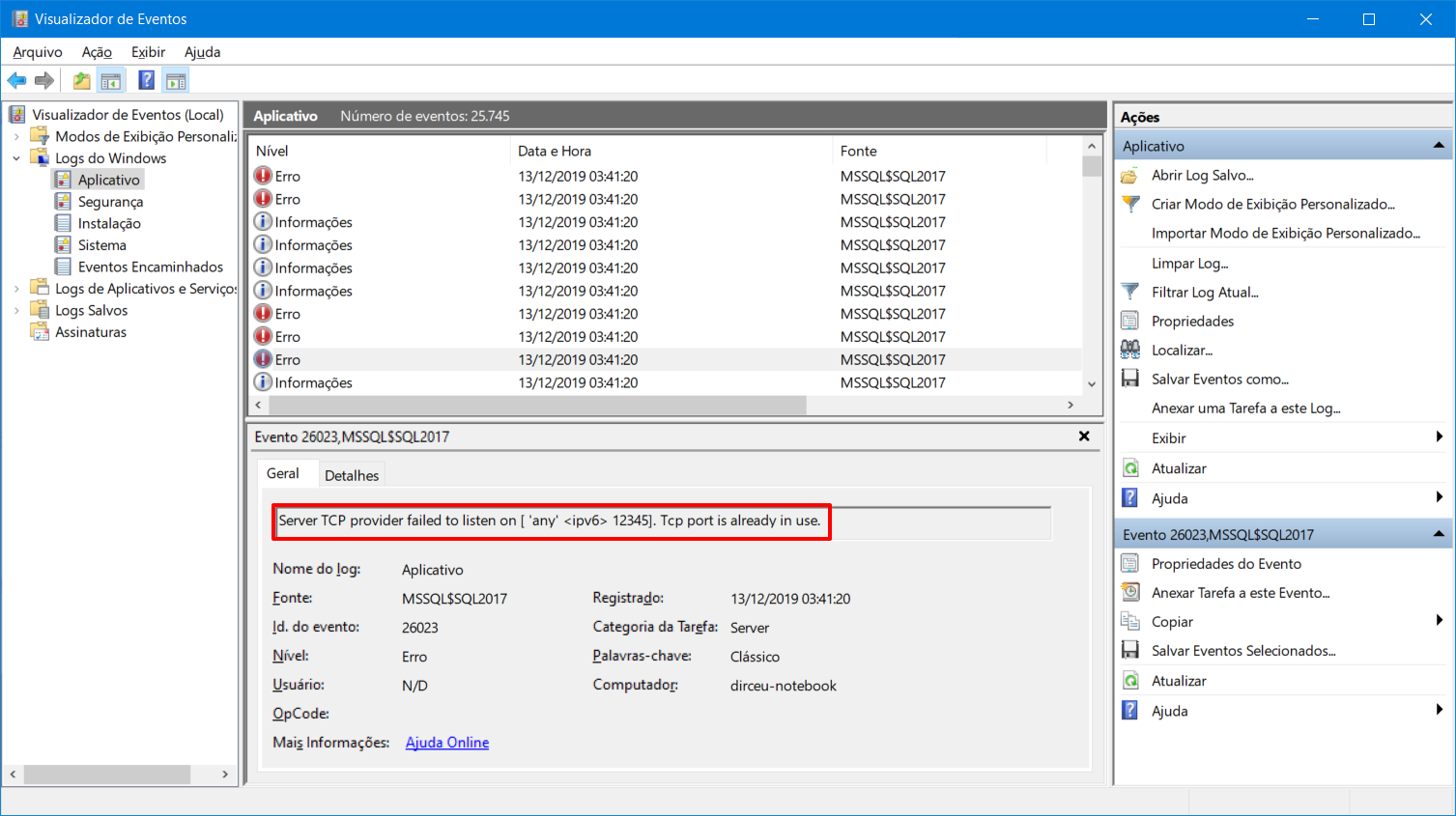
Error message transcript:
TDSSNIClient initialization failed with error 0x2740, status code 0xa. Reason: Unable to initialize the TCP/IP listener.
TDSSNIClient initialization failed with error 0x2740, status code 0x1. Reason: Initialization failed with an infrastructure error. Check for previous errors.
Could not start the network library because of an internal error in the network library. To determine the cause, review the errors immediately preceding this one in the error log.
SQL Server could not spawn FRunCommunicationsManager thread. Check the SQL Server error log and the operating system error log for information about possible related problems.
Static port x Dynamic port
One of the biggest dilemmas for those starting out in SQL Server is the definition of a dynamic vs. static port. I will prepare a summary to make your decision easier:
| Dynamic port (TCP Dynamic Ports) | Static Port (TCP Ports) |
|---|---|
| It has a value of "0" in the "TCP Dynamic Ports" field at first startup, a fixed port number (randomly generated) after the first execution. Returns to 0 if the previously assigned port is in use. | Fixed value in the "TCP Ports" field, defined by the user (and "TCP Dynamic Ports" field is blank) |
| Port may change if it is busy when the service starts (although this is not so common) | Port does not change, even if it is busy when the service starts (it will give an error) |
| Firewall rules must be redone if the port changes. And you must wait for the service to upload to identify which port will be associated with the service on the first startup | Firewall rules are configured only once and do not change again. Furthermore, they can be configured even before installing SQL Server, as the port number can already be defined before installing. |
| Used by default for named instances (e.g. localhost\sql2017) | Used by default for the default instance (e.g. localhost) |
| There is no default port | Default port 1433 for the default instance |
That's it, folks!
A big hug and see you later.

Comentários (0)
Carregando comentários…