
Hey guys,
Good afternoon!
In this post I will share with you a problem I had while developing some CLR routines in C# in a new environment I created using VMware, Windows 7 x64 and Visual Studio 2015 Community Edition.
The problem
The problem occurs when I try to build or publish my assembly to the database. This type of problem is not exclusive to the CLR but to Visual Studio + .NET Framework, affecting C# developers as well.
The error message that occurs is this:

Task could not find “sgen.exe” using the SdkToolsPath “” or the registry key “HKEY_LOCAL_MACHINE\SOFTWARE\Microsoft\Microsoft SDKs\Windows\v8.0A\WinSDK-NetFx40Tools-x86”. Make sure the SdkToolsPath is set and the tool exists in the correct processor specific location under the SdkToolsPath and that the Microsoft Windows SDK is installed
It's pretty clear that what's happening is that Visual Studio can't find the sgen.exe executable. Let's understand why.
The solution – Solving the problem
Doing a quick Google search, I identified some “solutions” pointed out by users:
- Install Visual Studio 2010: I think going back in time and using Visual Studio 2010 is not cool... Mainly because in VS 2010 I can't even publish the CLR to a SQL Server 2014 database
- Install the Windows SDK: It could even be a possible solution, but the SDK is not available for all platforms, like Windows Server 2012, for example, so it would not be a definitive solution.
- Disable serialization assembly generation: I tested this solution and it really works. The error no longer occurs.
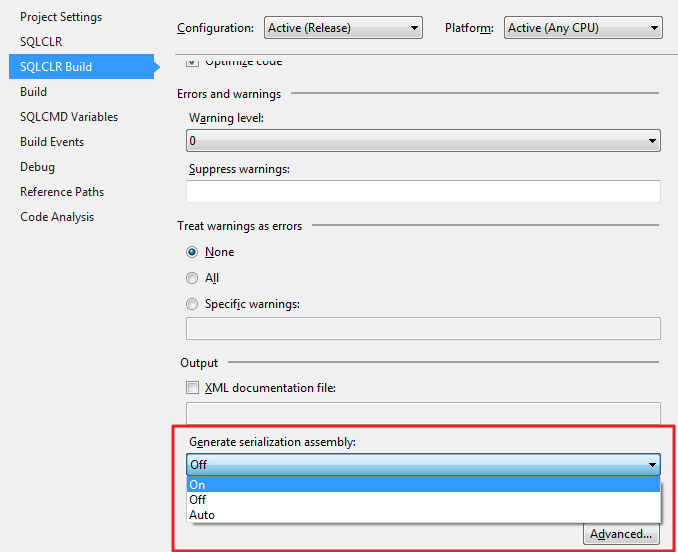
Microsof Visual Studio 2015 - SdkToolsPath Error Fix - Disable Serialization Assembly
However, as I use WebServices and XML serialization, it is not an option for me, since if I do not generate the serializer my project will present execution errors.
Well, as none of them seemed to me to be a solid solution, let's look for a new alternative. Analyzing some more answers and publications, I was able to identify this way to definitively resolve the problem:
- Open RegEdit on your computer
- Access this registry key: Computer\HKEY_LOCAL_MACHINE\SOFTWARE\Microsoft\MSBuild\ToolsVersions\4.0
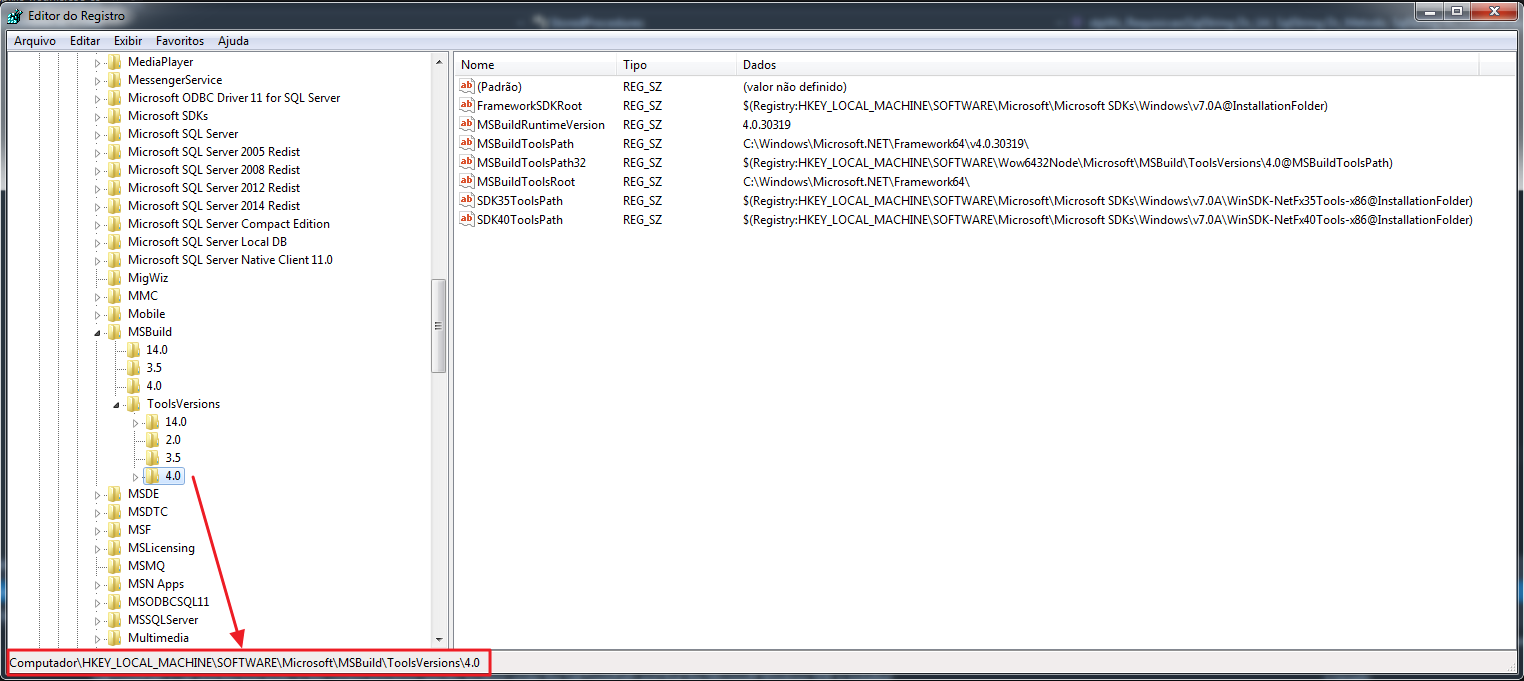
Microsof Visual Studio 2015 - SdkToolsPath Error Fix 1 - Note that the key SDK40ToolsPath points to another registry key, which is where the files are actually located. If you are using the .NET Framework 2.0 or 3.5 in your project, you should look at the SDK35ToolsPath key
- Open this registry key and see the directory for the SDK files
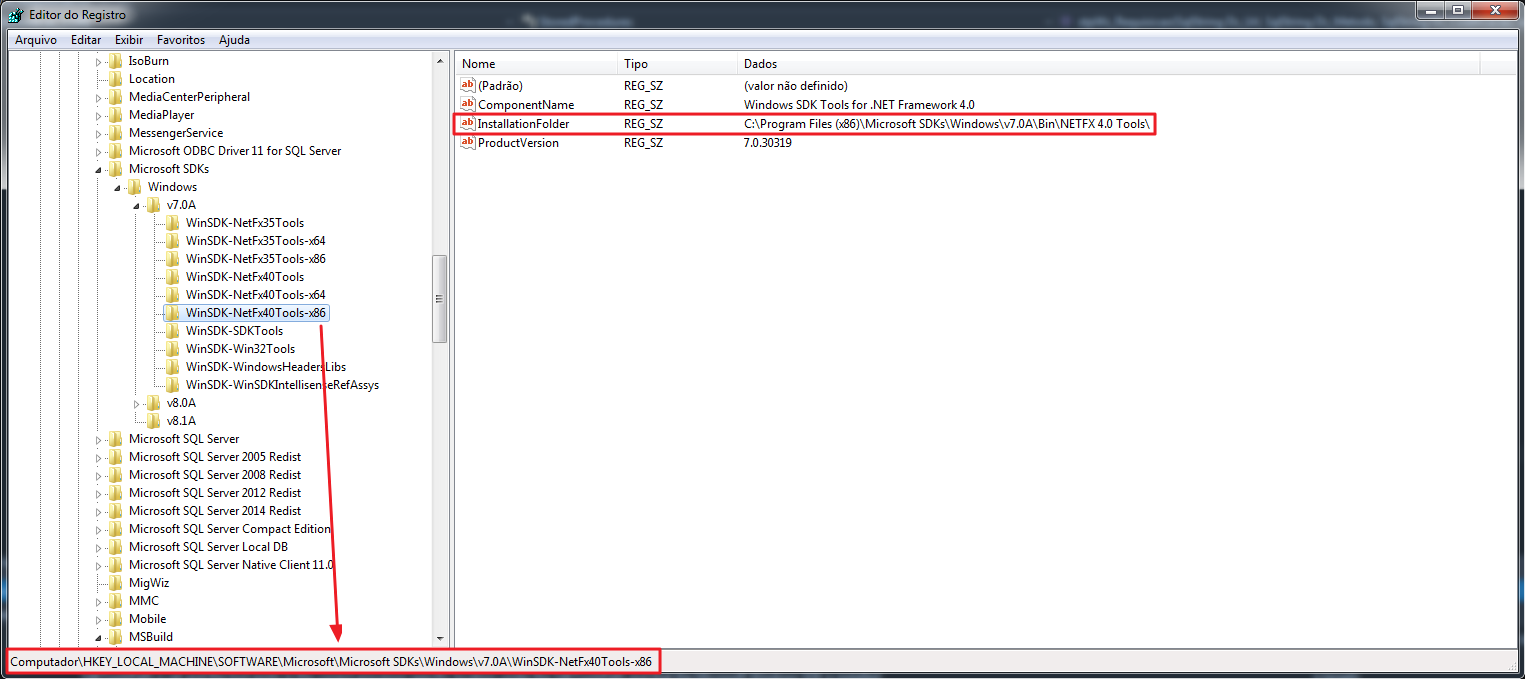
Microsof Visual Studio 2015 - SdkToolsPath Error Fix 2 - Now open the directory under the “InstallationFolder” key in Windows Explorer. As expected, the sgen.exe executable is not in that directory.
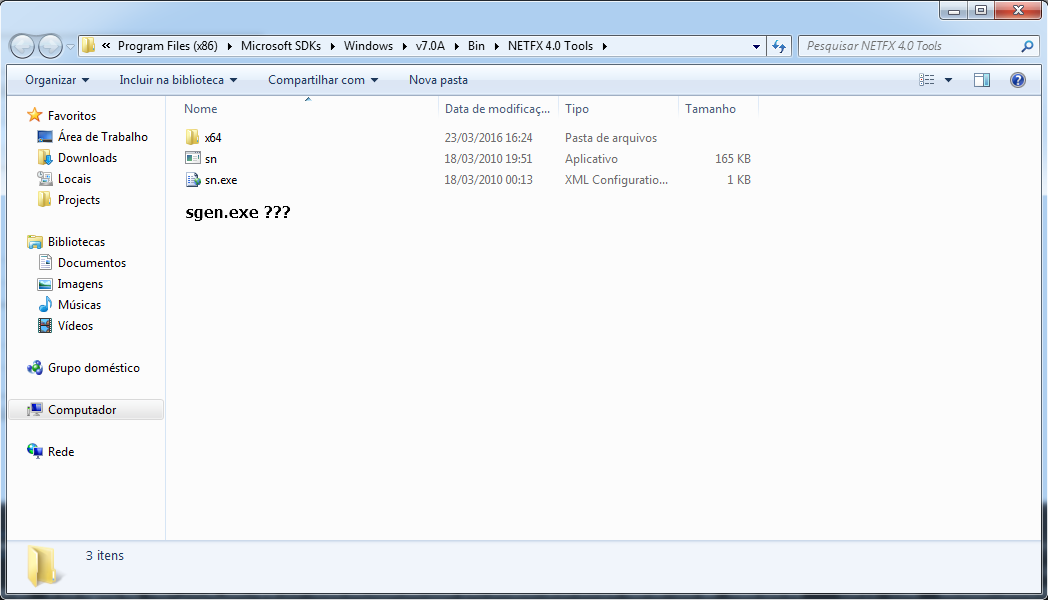
Microsof Visual Studio 2015 - SdkToolsPath Error Fix 3 - Go to the folder of another SDK that has this file, copy the executable and paste it back into this folder. I believe that as the executable is stand-alone (it has no dependencies), it can be any version. I suggest always getting the most recent version, respecting the platform's macro version.
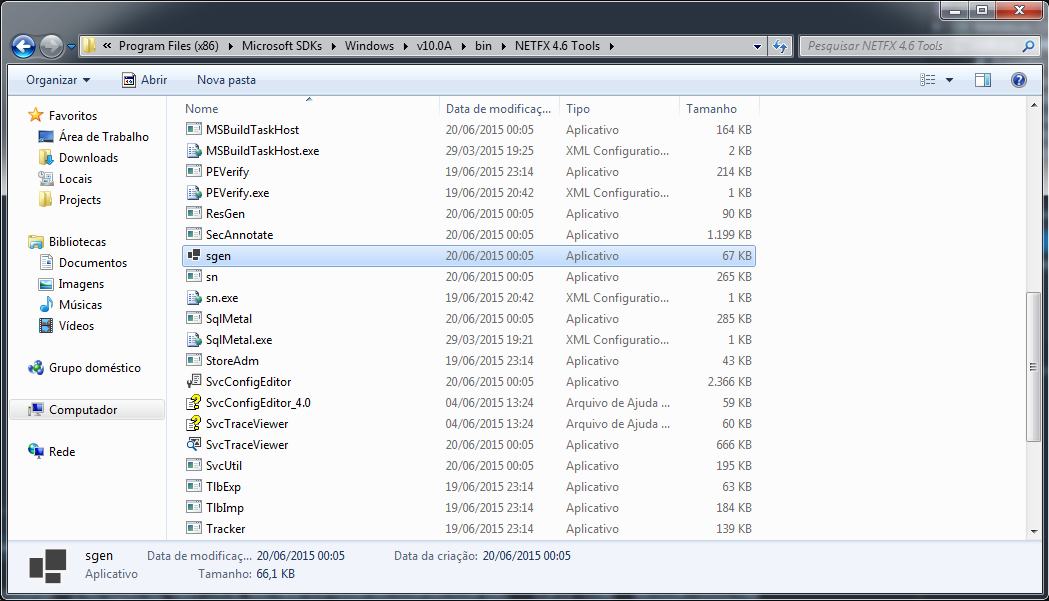
Microsof Visual Studio 2015 - SdkToolsPath Error Fix 4 - After copying the file, you can now normally compile your project in Visual Studio.
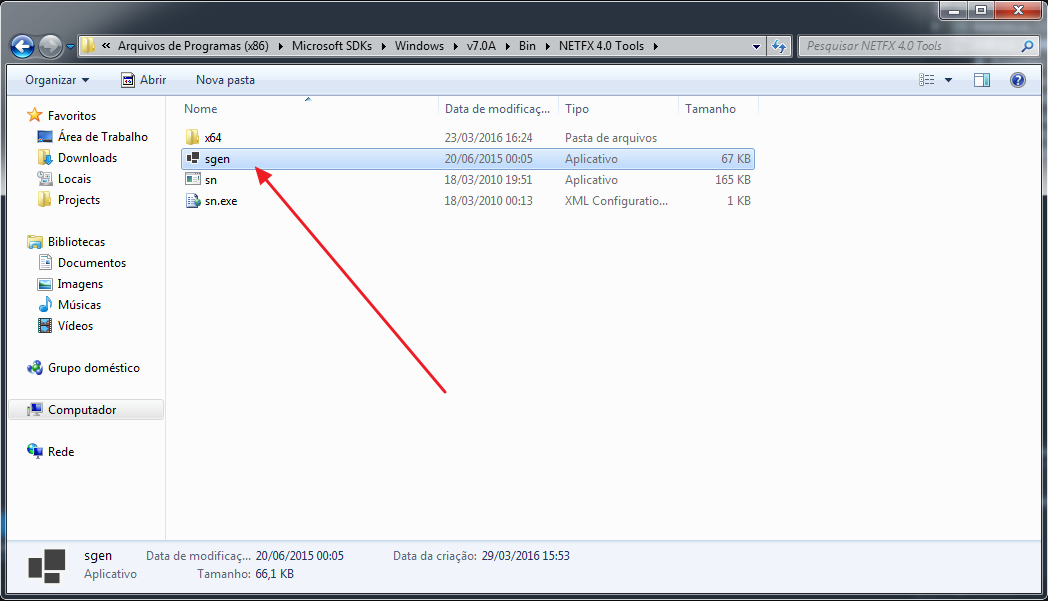
Microsof Visual Studio 2015 - SdkToolsPath Error Fix 5 
Microsof Visual Studio 2015 - SdkToolsPath Error Fix 6
Thanks for visiting and see you in the next post.

Comentários (0)
Carregando comentários…