
During this post, I will demonstrate how to create and restore backups in the Oracle Database using the exp and imp tools, which allow you to generate full backups from one owner and restore them to another server.
Setting environment variables in Windows
SET ORACLE_SID=ORCLTESTE
SET ORACLE_HOME=C:\oracle\product\11.2.0\dbhome_1
SET NLS_LANG=AMERICAN_AMERICA.AL32UTF8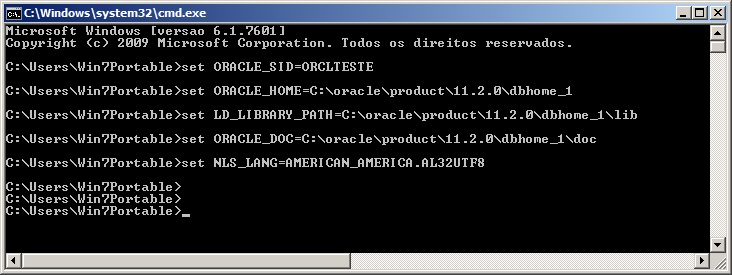
Defining environment variables in Linux
EXPORT ORACLE_SID=ORCLTESTE
EXPORT ORACLE_HOME=/oracle/product/11.1.0/db_1/
EXPORT NLS_LANG=AMERICAN_AMERICA.AL32UTF8
Export Parameters
I will demonstrate here how to export the database data to a dump file, which can be used to restore the data and replicate the database on another instance/server.
Here are some parameters:
- file = file.dmp: Defines the name of the dump file that will be generated. If not informed, the file name will be “EXPDAT.DMP”
- log = file.log: Defines the name of the log file that will be generated. If not informed, no log will be generated.
- owner =
, : Defines the name of the owner(s) that will be exported - full = y: Indicates whether the entire database should be exported, with users, tablespaces, grants, etc.
- grants = y: Defines whether privileges granted by the owner will be exported
- indexes =y: Defines whether index objects will be exported
- compress =y: Defines whether the dump file will be compressed to reduce the size of the final file
- consistent = y: Defines whether Oracle will prevent data changed during export from being exported in the dump file. This operation will use the undo area to store these changes and apply them to the database after export.
- constraints = y: Defines whether the PK and FK contraints will be exported in the dump file.
- direct = y: Defines whether the exported data will skip the Oracle parse layer (SQL command-processing layer – evaluating buffer), which validates the syntax of the commands and makes the export faster (about 10% generally)
- feedback = 0: Defines how many records the exp utility will display the progress on the screen. 0 is disabled.
- filesize = 10MB: Sets the size limit per file. If 2 MB is specified, for example, exp will break the dump file into 2 MB files, which need to be entered in the FILE parameter. If not informed, the dump file will consist of only 1 file.
- flashback_scn: Allows you to generate the export with the data through the SCN, where you obtain the current value from the database and guarantee that the data will not change after the export. To find out the current value of the SCN, simply run the query
select current_scn from v$database; - flashback_time: Allows you to generate the export with data from a specific date.
- tables = regions: Allows you to define the tables that will be exported
- query = “condition”: Allows you to define a condition to export the data. The TABLES parameter must be informed and the condition must be applicable to all these tables.
- parfile = “file path”: Allows you to define a parameter file for export, where each parameter must be on one line and the utility will read this file and execute the exp command using these parameters.
Parfile example:
userid=usuario/senha

file=exp_HR_20150319.dmp

log=exp_HR_20150319.log

owner=hr

full=n

buffer=409600000

rows=n

statistics=none

direct=y

consistent=y
- statistics = none: Allows you to define whether the statistics generated by the database for performance should be exported or not. The options are none, compute and estimate.
- triggers = y: Defines whether table triggers should be exported
- tablespaces = tablespace1,tablespace2: If informed, this parameter causes exp to generate data from all tables that are allocated in the informed tablespaces
- buffer = 4096: Defines the size (in bytes) of the buffer used by export to fetch the lines (Only applies when direct=n)
- help =y: Help and documentation information
Exporting the data – Generating the backup file
# Gerando backup de um owner, sem dados, apenas tabelas (rows=n)
exp usuario/senha file=exp_HR_20150319.dmp log=exp_HR_20150319.log owner=hr buffer=409600000 rows=n

# Gerando backup dos owners HR e SYS, com dados (rows=y)
exp usuario/senha file=exp_HR_20150319.dmp owner=hr,sys full=n rows=y statistics=none direct=y consistent=y

# Gerando backup de todos os objetos de todos os owners da instância (full=y)
exp usuario/senha file=exp_HR_20150319.dmp full=y rows=y statistics=none direct=y consistent=y

# Gerando backup de todos os objetos de um owner, em 3 arquivos de no máximo 10 MB
exp usuario/senha file=exp_HR_20150319_1.dmp,HR_20150319_2.dmp,HR_20150319_3.dmp filesize=10MB

# Gerando backup dos dados a partir de uma query
exp usuario/senha file=exp_HR_20150319.dmp tables=hr.jobs query=\"where max_salary <= 10000\"

# Gerando backup dos dados usando um arquivo de configuração (PARFILE)
exp parfile="C:\parfile.dat"

# Como eu costumo utilizar - Crio um arquivo parfile.dat com o userid
exp parfile="C:\parfile.dat" file=exp_<owner>_<instancia>.dmp log=exp_<owner>_<instancia>.log buffer=409600000 statistics=none direct=y consistent=y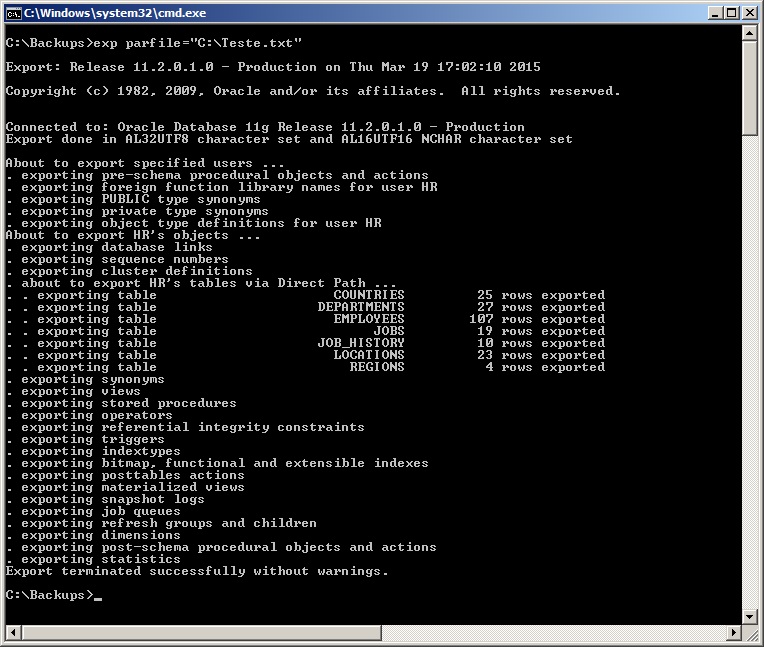
Import Parameters
I will demonstrate here how to import database data from a dump file.
Here are some parameters, in addition to those shown above for export, which are also applicable to import:
- commit = n: If commit=y, imp will perform a commit after each data insertion block. Otherwise, the commit will be performed for each imported table
- compile = y: Defines whether imp will compile the procedures, functions and triggers after their creation.
- fromuser = user: Identifies the origin owner(s) of the data that was exported
- touser = user: Identifies the destination owner(s) where the data will be imported. Owners must exist on the target instance before executing the import
- full =y: Imports the entire dump file, without object filters
- ignore = y: Defines whether imp will ignore errors when creating objects or stop and abort the operation in case of error
- show =y: Defines whether imp will just list the contents of the dump instead of importing it
- statistics = value: Defines the way in which the imp will import the statistics collected from the bank into Export. The possible options are: Always (Always imports statistics), None (Does not import or recalculate statistics), Safe (Imports statistics if they are not questionable. Otherwise, recalculates) or Recalculate (Does not import statistics, but recalculates them)
Importing data to new owner – Environment preparation
Before performing the import, we will need to create the users and the tablespaces used by that user in the target instance.
Note that the size of tablespaces and datafiles must be calculated so that there is enough space to receive the source data. You can obtain this data by replicating the same values from the source tablespaces or by activating the datafile's autoextend option, which causes it to increase in size as necessary. Additionally, I set the user's quota on the created tablespace to unlimited, so that he can allocate the entire tablespace if necessary.
This is not a good practice, as you, as a DBA, must evaluate the space allocation in the export/import process, but for testing it is ideal.

Commands used:
create tablespace TS_novo_hr datafile 'C:\ORACLE\ORADATA\ORCLTESTE\novo_hr.dbf' size 10M;
create user novo_hr identified by teste default tablespace TS_novo_hr;
ALTER DATABASE DATAFILE 'C:\ORACLE\ORADATA\ORCLTESTE\NOVO_HR.DBF' autoextend on;
alter user novo_hr quota unlimited on TS_novo_hr;
Importing data to new owner
# Exemplo simples, importando do owner HR para NOVO_HR e gerando arquivo de log
imp dirceu/dirceu file=exp_HR_20150319.dmp log=imp_HR_20150319.log fromuser=hr touser=novo_hr

# Realizando o import sem trazer estruturas adicionais
imp dirceu/dirceu file=exp_HR_20150319.dmp log=imp_HR_20150319.log fromuser=hr touser=novo_hr grants=n commit=n ignore=y analyze=n constraints=n indexes=n

# Como eu costumo utilizar - Crio um arquivo parfile.dat com o userid
imp parfile="C:\parfile.dat" file=exp_<owner>_<instancia>.dmp buffer=409600000 log=imp_<owner>_<instancia>.dmp fromuser=<owner> touser=<owner> grants=y commit=n ignore=y analyze=n constraints=y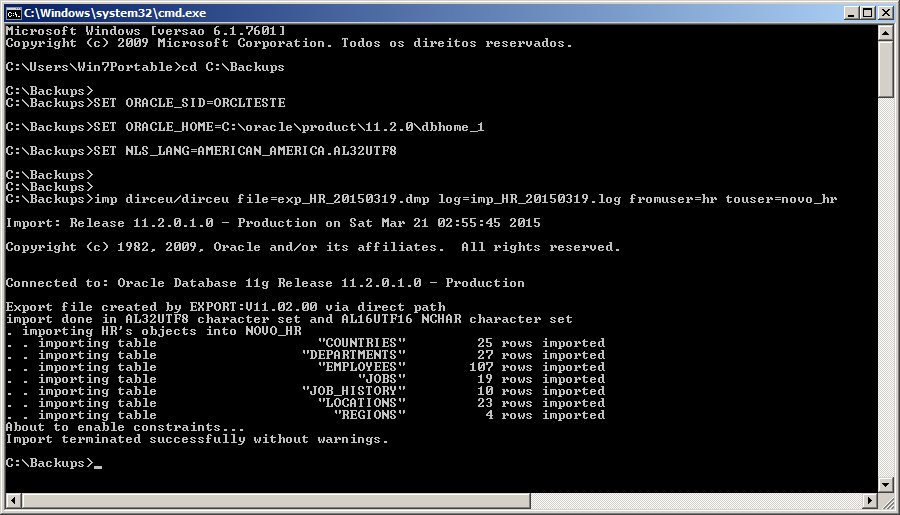
Importing structure and data for existing owner
An operation widely used for replication or creation of new environments, importing structure and data for an existing owner consists of deleting all objects below the owner of the target environment and carrying out the import.
Deleting an owner's entire structure can be complicated at times, which is why many DBA's prefer to use the drop user <usuario> cascade; command to delete the user and its objects quickly and easily.
I particularly don't like this solution, since I don't have control over what will be deleted, much less a log of this operation. To do this, I created a script that performs this task and creates a new script with commands to drop all objects from the owner and records a log with each operation performed (script attached at the footer of the post):
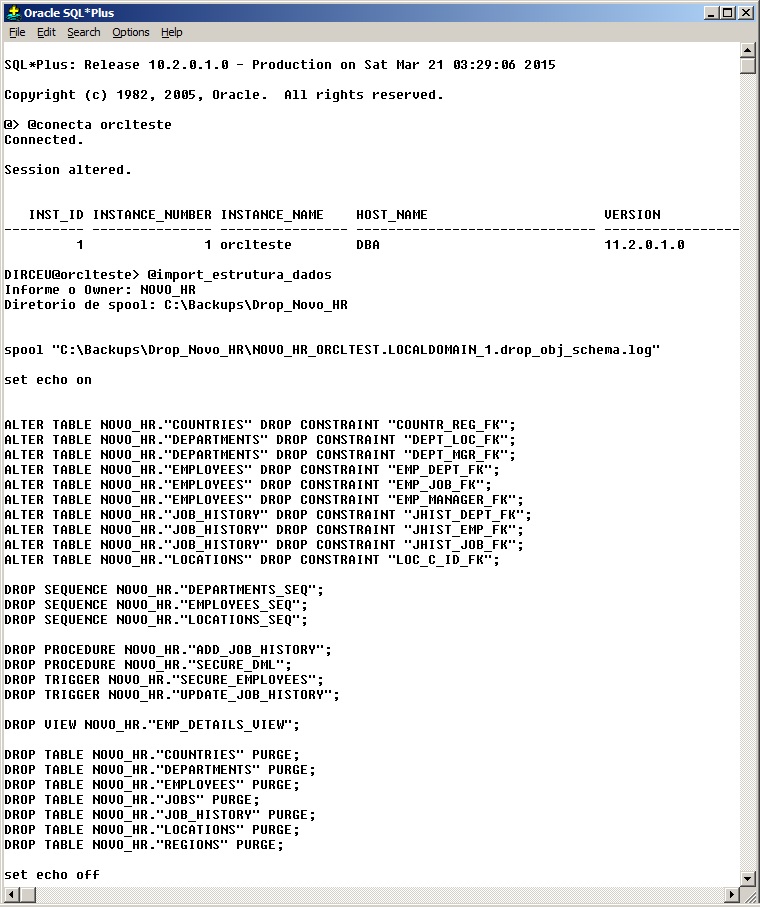
After executing the generated script, deleting all the owner's objects, you can import normally, which will recreate all the owner's objects according to what exists in the dump file. (Remember to check the size of the tablespaces and datafiles, as mentioned above)
# Como eu costumo utilizar - Crio um arquivo parfile.dat com o userid
imp parfile="C:\parfile.dat" file=exp_<owner>_<instancia>.dmp buffer=409600000 log=imp_<owner>_<instancia>.dmp fromuser=<owner> touser=<owner> grants=n commit=n ignore=n analyze=n constraints=y
Importing only data for existing owner
This is a more complex operation than the structure and data dump and aims to update the data in an environment, without changing its structure in the target environment. To accomplish this, we will need to delete all data from the tables, disable contraints and triggers, delete sequences (script attached at the footer of the post).
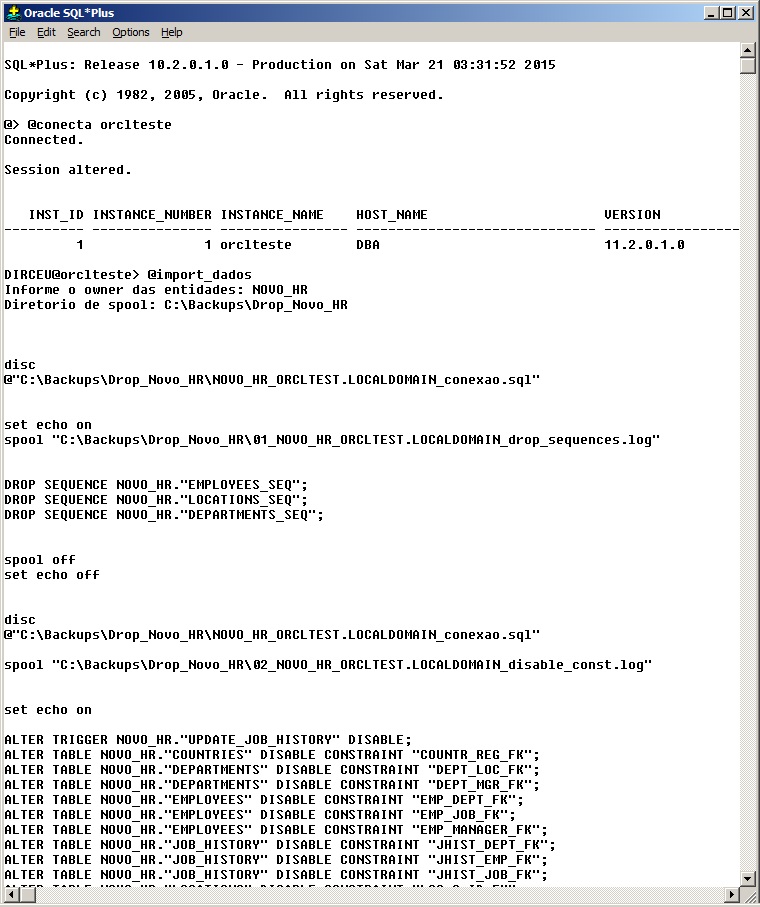
As you know, if there are new objects in the source environment in which the data export was generated, these objects will be created in the import. Therefore, we will need to create a script to delete these new objects that can be created if this situation occurs.
The easiest way to do this is to use the software Toad for Oracle, which allows visual comparison and script generation to match environments. This script must be validated by you, so that it only handles the removal of new objects created (if any). There is no cake recipe here, as each environment and owner requires personalized scripts for each situation.
If there is a difference between objects, the data import will fail. You, as a DBA, must alert the requester that the import will not be possible or apply the Toad script to equalize the environments, and after the import, apply the Toad script to return the changes and keep the environment structure as it was before.
# Como eu costumo utilizar - Crio um arquivo parfile.dat com o userid
imp parfile="C:\parfile.dat" file=exp_<owner>_<instancia>.dmp buffer=409600000 log=imp_<owner>_<instancia>.dmp fromuser=<owner> touser=<owner> grants=n commit=n ignore=y analyze=n constraints=n
Some tips for Import
- show parameter archive: Checks the location where transaction logs (archivelog) are stored, so you can check if there is space available to store the logs that will be generated by Import. Otherwise it will fail.
- Check the size of the UNDO tablespace to calculate whether it will support the UNDO operations that will be generated by Import
- Check the size of the owner and its largest object. It must not be larger than the undo tablespace
- Check if there are disabled contraints before Import. After import, contraints may become invalid or present data inconsistency errors. You need to ensure that these errors already existed in the database before Import.
- Check and compare the size of the source and target tablespaces and datafiles to ensure that the data will not overflow your tablespace or datafile on the target instance.
- The scripts with this step by step are available here.
select sum(bytes)/1024/1024 || ' mb' from dba_segments where owner = 'HR';
select owner, sum(bytes)/1024/1024 || ' mb' from dba_segments where owner = 'HR' group by owner;
select distinct tablespace_name from dba_segments where owner = 'HR' order by tablespace_name;


@tablespace_tamanho
HR


@info_tablespace
undo


select owner, segment_name, segment_type, bytes/1024/1024 || ' MB'
from dba_segments
where bytes = (
	select max(bytes)
	from dba_segments
	where owner = 'HR'
	and segment_type not like '%LOB%'
) and owner = 'HR';

select owner, segment_name, segment_type, bytes/1024/1024 || ' MB'
from dba_segments
where bytes = (
	select max(bytes)
	from dba_segments
	where owner = 'HR'
	and segment_type like '%LOB%'
) and owner = 'HR';

show parameter archive

@free_asm

select * from dba_constraints where status = 'DISABLED' and owner = 'HR';
select * from v$instance;
select * from gv$instance;
Scripts used to import structure and data and only data
For more detailed technical information, please check the Oracle Official Website – Export and Import.

Comentários (0)
Carregando comentários…