Hey guys!
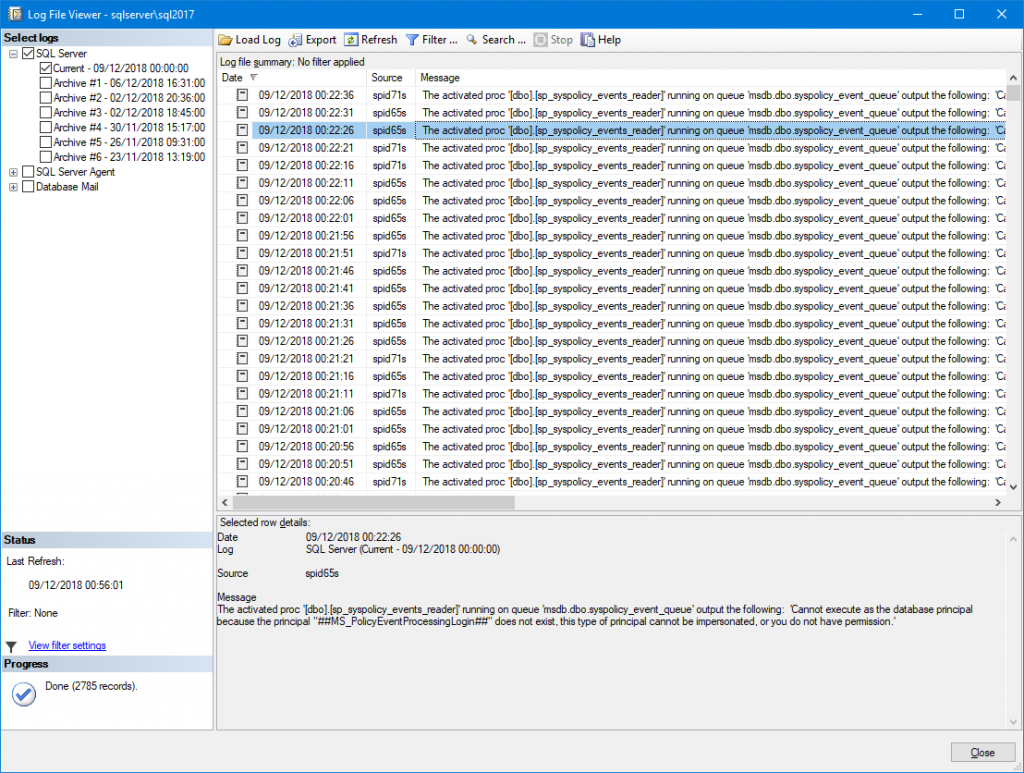
In this article I would like to share a situation that occurred during customer service where I work, that is, another real day-to-day case. We had a database occurrence that went into suspect mode (nothing to do with this post) and when I analyzed the SQL Server log to look for more information about the database that was marked as suspect, I saw a lot of error occurrences with the following message:
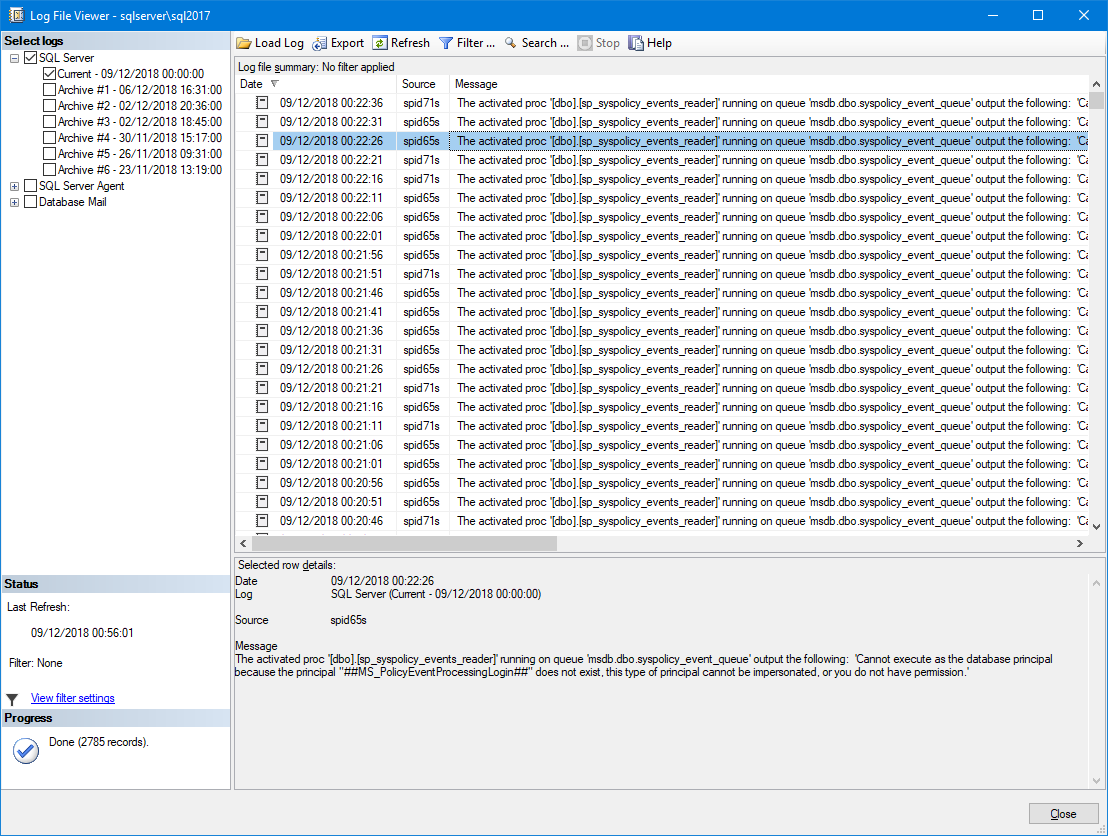
The activated proc ‘[dbo].[sp_syspolicy_events_reader]’ running on queue ‘msdb.dbo.syspolicy_event_queue’ output the following: ‘Cannot execute as the database principal because the principal “##MS_PolicyEventProcessingLogin##” does not exist, this type of principal cannot be impersonated, or you do not have permission.’
Example:
Understanding the problem
Analyzing the error message, we can see that this is probably a permission issue or the default system user “##MS_PolicyEventProcessingLogin##” is orphaned. As I explained in more detail in the article Identifying and resolving orphaned users in SQL Server with sp_change_users_login, a user is “orphaned” when he loses the association between the instance login and the bank user, usually after BACKUP/RESTORE processes or when a user's login is deleted.
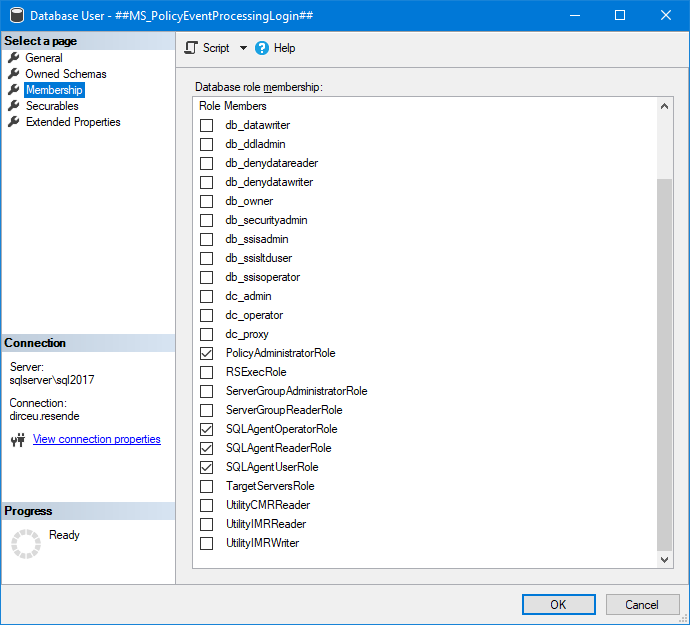
The ##MS_PolicyEventProcessingLogin## login is installed by default on SQL Server (disabled), responsible for some internal tasks in the instance, such as reading Service Broker events and managing policies.
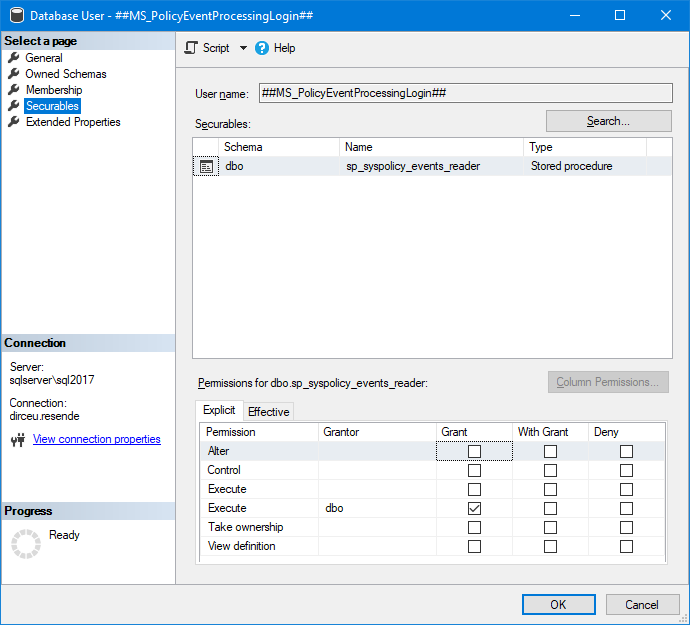
As we can see in this user's permissions, he has EXECUTE access to the Stored Procedure sp_syspolicy_events_reader:
If we try to execute this Stored Procedure as the user ##MS_PolicyEventProcessingLogin##, through an IMPERSONATE method (To learn more about IMPERSONATE, access this post), we see the following error message:
USE [msdb]
GO

EXECUTE AS USER = '##MS_PolicyEventProcessingLogin##'
GO
Msg 15517, Level 16, State 1, Line 1
Cannot execute as the database principal because the principal “##MS_PolicyEventProcessingLogin##” does not exist, this type of principal cannot be impersonated, or you do not have permission.
Which is exactly the error message we are dealing with. Hmmmm..
These error messages in the SQL Server log are generally generated in instances that use Service Broker to exchange messages (especially when there are MANY error records frequently) after some BACKUP/RESTORE process of the msdb database.
If your instance does not use Service Broker, even if this user is orphaned, you probably will not notice this problem.
Identifying the problem
As I explained in the article Identifying and resolving orphaned users in SQL Server with sp_change_users_login, to identify whether the user ##MS_PolicyEventProcessingLogin## is orphaned, we can use the query below:
SELECT
    A.[name] AS UserName,
    A.[sid] AS UserSID
FROM
    msdb.sys.database_principals A WITH(NOLOCK)
    LEFT JOIN sys.sql_logins B WITH(NOLOCK) ON A.[sid] = B.[sid]
WHERE
    B.[sid] IS NULL
    AND A.[name] = '##MS_PolicyEventProcessingLogin##'
Result:

If the query returns any lines, it is because the user ##MS_PolicyEventProcessingLogin## is orphaned and we will need to correct this problem by associating the msdb database user with the corresponding login.
Simulating the problem
If you want to test and/or simulate this problem in your environment, simply activate the Service Broker (activate Database Mail, for example) and execute the commands below:
USE [master]
GO

CREATE LOGIN [teste] WITH PASSWORD = 'teste123', CHECK_EXPIRATION = OFF, CHECK_POLICY = OFF
GO

USE [msdb]
GO

ALTER USER [##MS_PolicyEventProcessingLogin##] WITH LOGIN = [teste]
GO

DROP LOGIN [teste]
GO


EXECUTE AS USER = '##MS_PolicyEventProcessingLogin##'
GO

EXEC dbo.sp_syspolicy_events_reader
GO

REVERT
GO
After a few minutes, your SQL Server log will probably look like this:
Fixing the problem
Now that we understand the situation that is occurring and have identified that these errors generated in the SQL Server log are due to the user ##MS_PolicyEventProcessingLogin## being orphaned, let's fix this problem.
To do this, simply associate the login with the user, with the command below:
USE [msdb]
GO

ALTER USER [##MS_PolicyEventProcessingLogin##] WITH LOGIN = [##MS_PolicyEventProcessingLogin##]
GO
You can also use sp_change_users_login to fix orphaned users:
USE [msdb]
GO

sys.sp_change_users_login 'Auto_Fix', '##MS_PolicyEventProcessingLogin##'
GO
Result:
The row for user ‘##MS_PolicyEventProcessingLogin##’ will be fixed by updating its login link to a login already in existence.
The number of orphaned users fixed by updating users was 1.
The number of orphaned users fixed by adding new logins and then updating users was 0.
Observation: I prefer to use ALTER USER, as sp_change_users_login is marked as deprecated and can be removed in future versions of SQL Server.
After making these changes, messages should have stopped occurring in the SQL Server log. Since I'm stubborn, I want to make sure it's actually working instead of waiting for the error messages to stop:
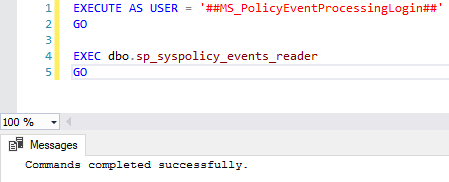
Now, I'm calm. 🙂
I hope you enjoyed this article and see you next time!
Big hug!

Comentários (0)
Carregando comentários…