
Hey guys!
On November 15th, Microsoft made publicly available a preview (beta) version of SQL Operations Studio, a modern tool, running in 64 bits, renewed for managing SQL Server instances, whether Windows, Linux, Mac, running on Virtual Machines, Docker, Azure or physical machines.
Developed from Visual Studio Code and packaged through Electron, the proposal of SQL Operations Studio (MSOS) is to be a very lightweight, portable tool (does not require installation), cross-platform (runs on Windows, Linux and Mac) and highly customizable and open-source (Github), allowing suggestions and active action from the community in the development of the product.
To view the SQL Operations Studio source code on Github or even download the ready-to-use executable binaries, access this link.
Microsoft product video
The end of SQL Server Management Studio (SSMS)?
After the announcement of this tool, many people wondered if this would be the end of Management Studio (SSMS), but Microsoft itself made a point of stating that this is not in their plans.
SQL Operations Studio is still in preview version, that is, it is not the final version of the product yet and therefore, we may encounter some bugs and problems during use, such as problems with Intellisense not recognizing database objects or some keyboard shortcuts not working as expected. Furthermore, many important features present in SSMS, such as SQL Agent, Extended Events and several Wizards are not yet present in MSOS, making it still necessary to use SSMS in many day-to-day tasks.
Connecting to SQL Server using MSOS
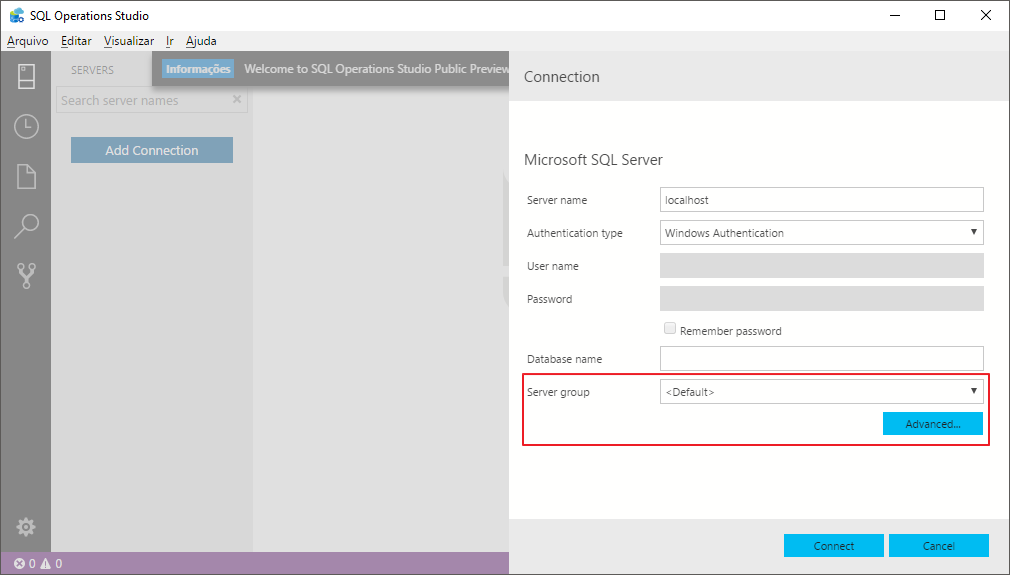
Connection screen – We can use SQL and Windows AD authentication and also create groups of servers
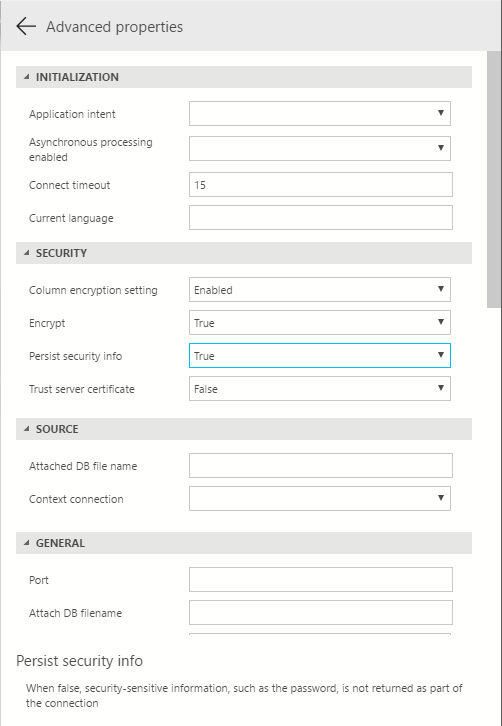
Advanced connection options
What I liked most about SQL Operations Studio
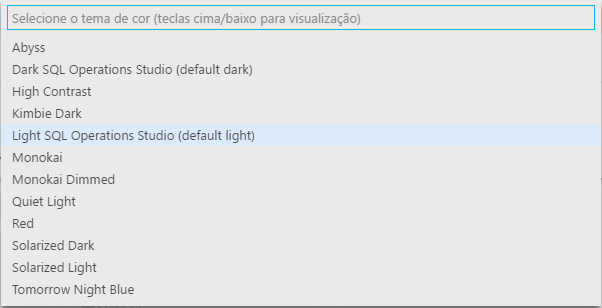
Various themes to choose from, depending on your preference

Dashboard of your instance
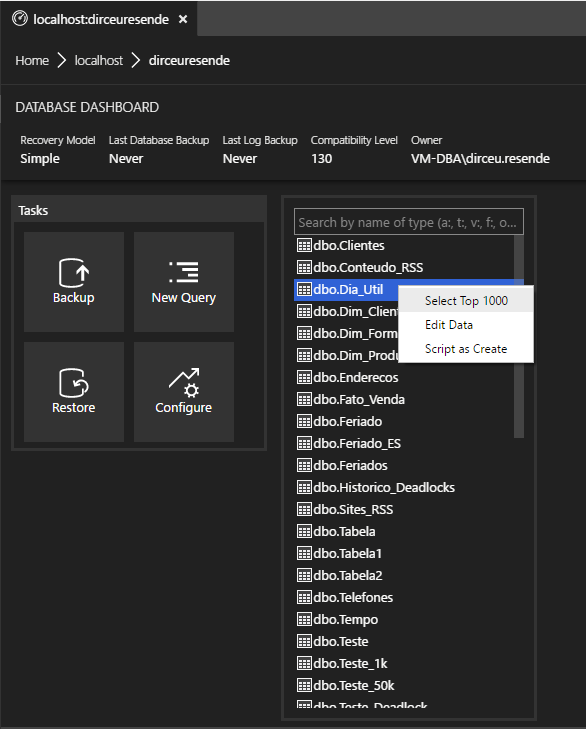
Dashboard of your database

Preferences Screen – Everything parameterized by code (JSON)
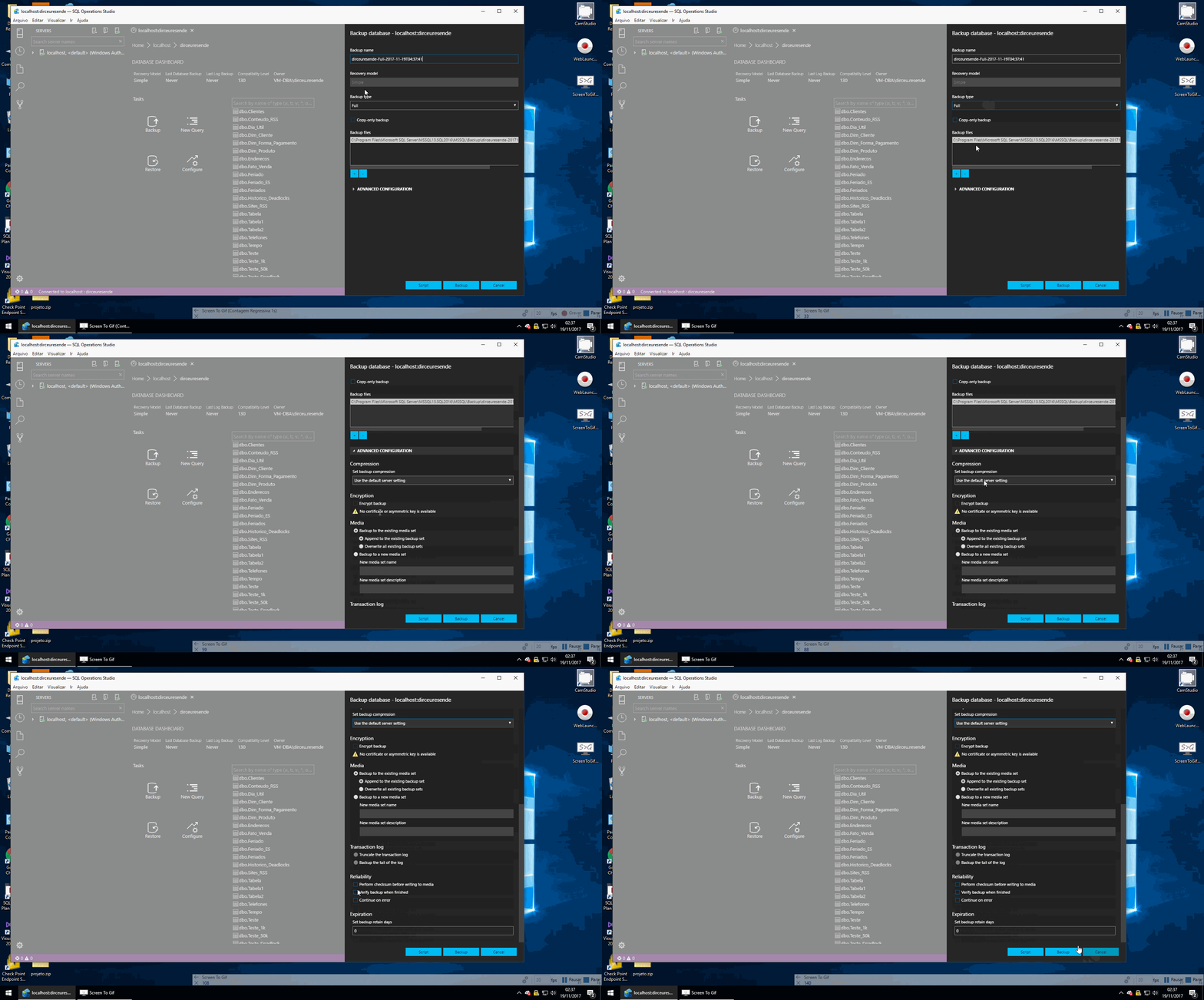
Backup Wizard
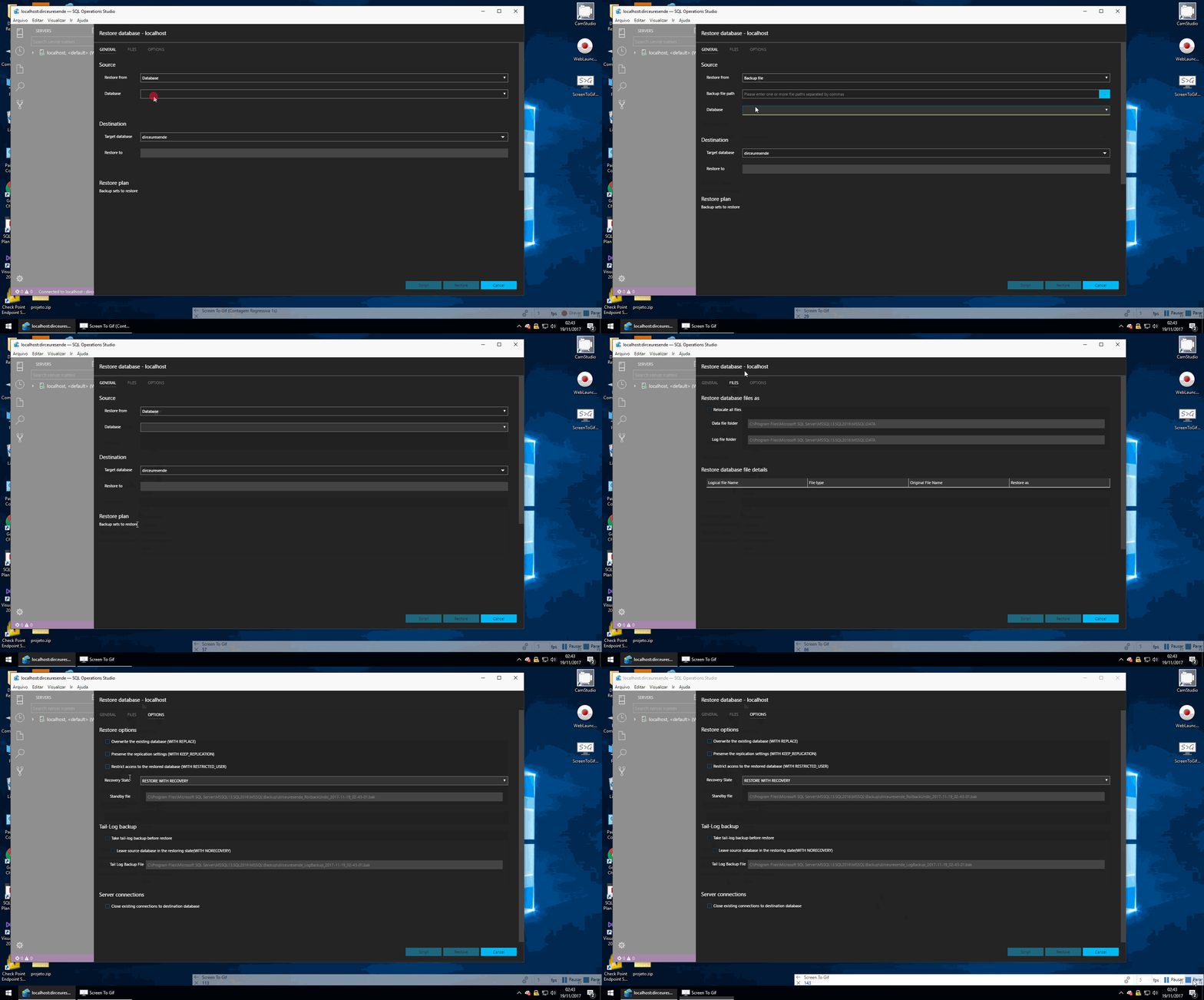
Restore Wizard
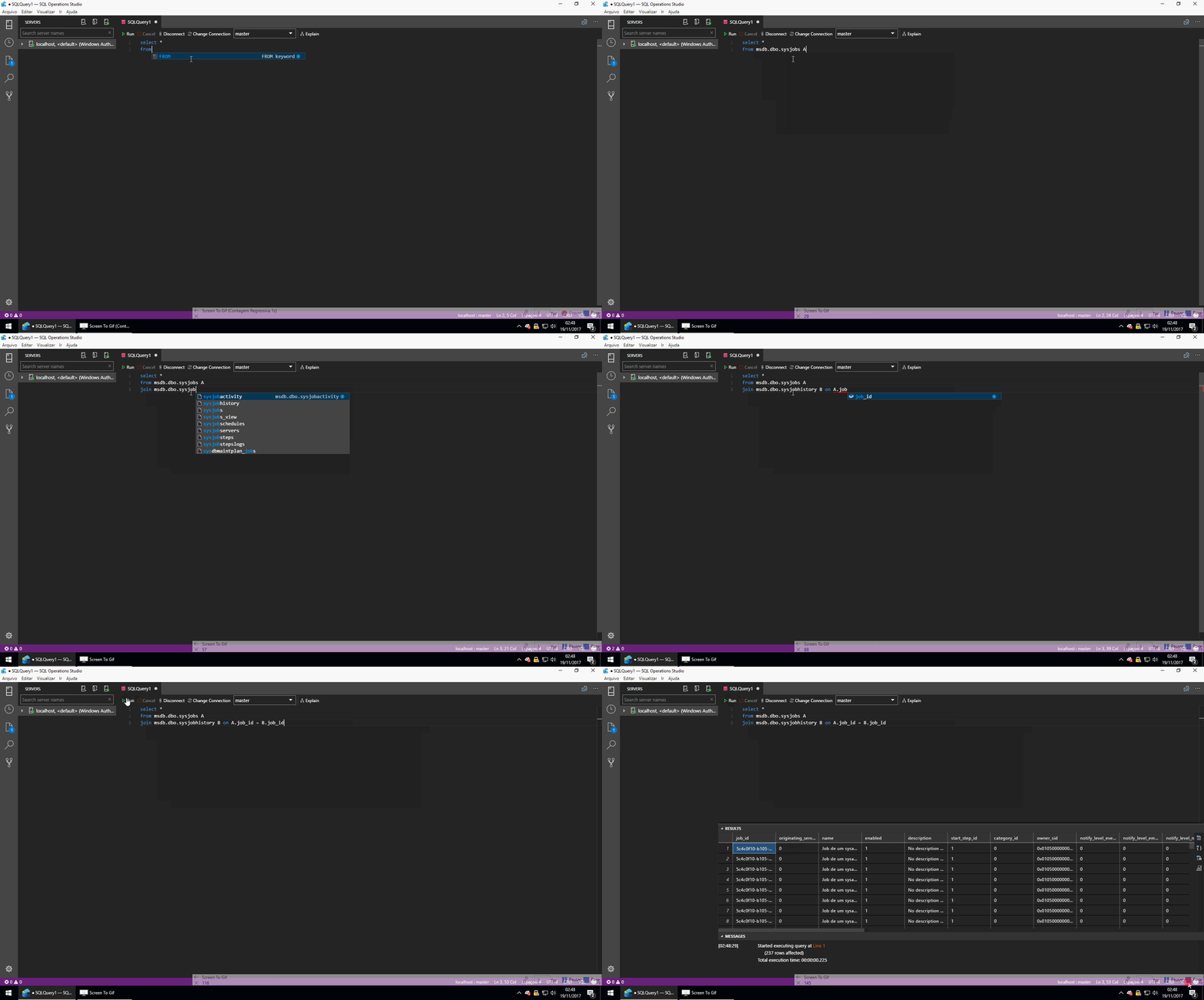
Getting to know SQL Operations Studio Intellisense

Options for exporting results to CSV, JSON and Excel
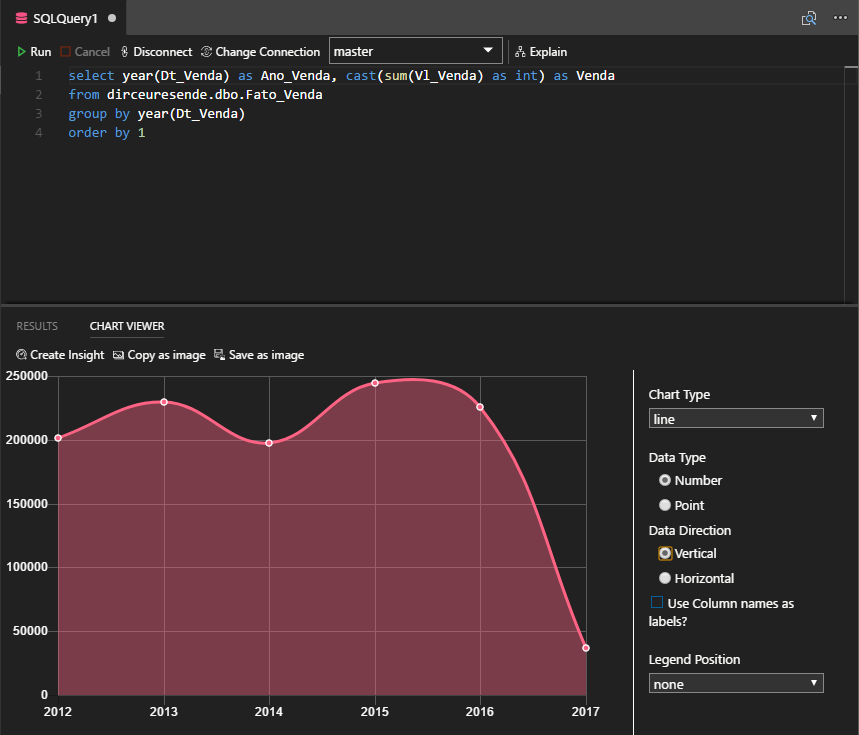
Chartviewer – Create interactive charts with your data
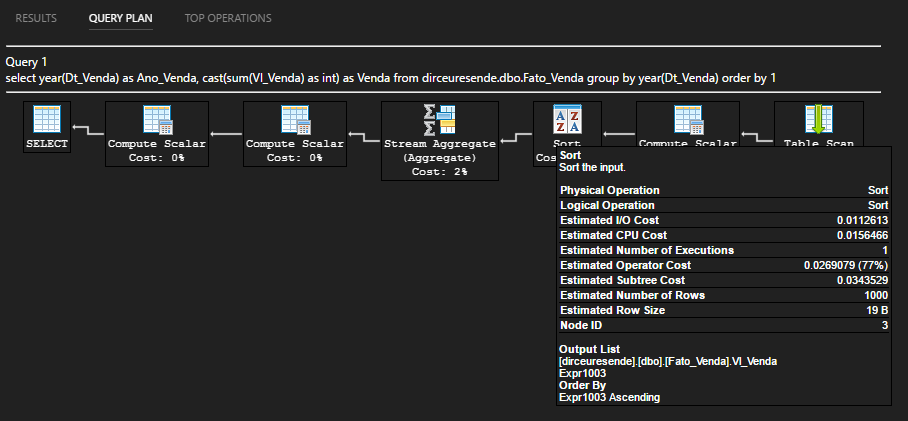
Visualization of the execution plan (for now, only the estimate)
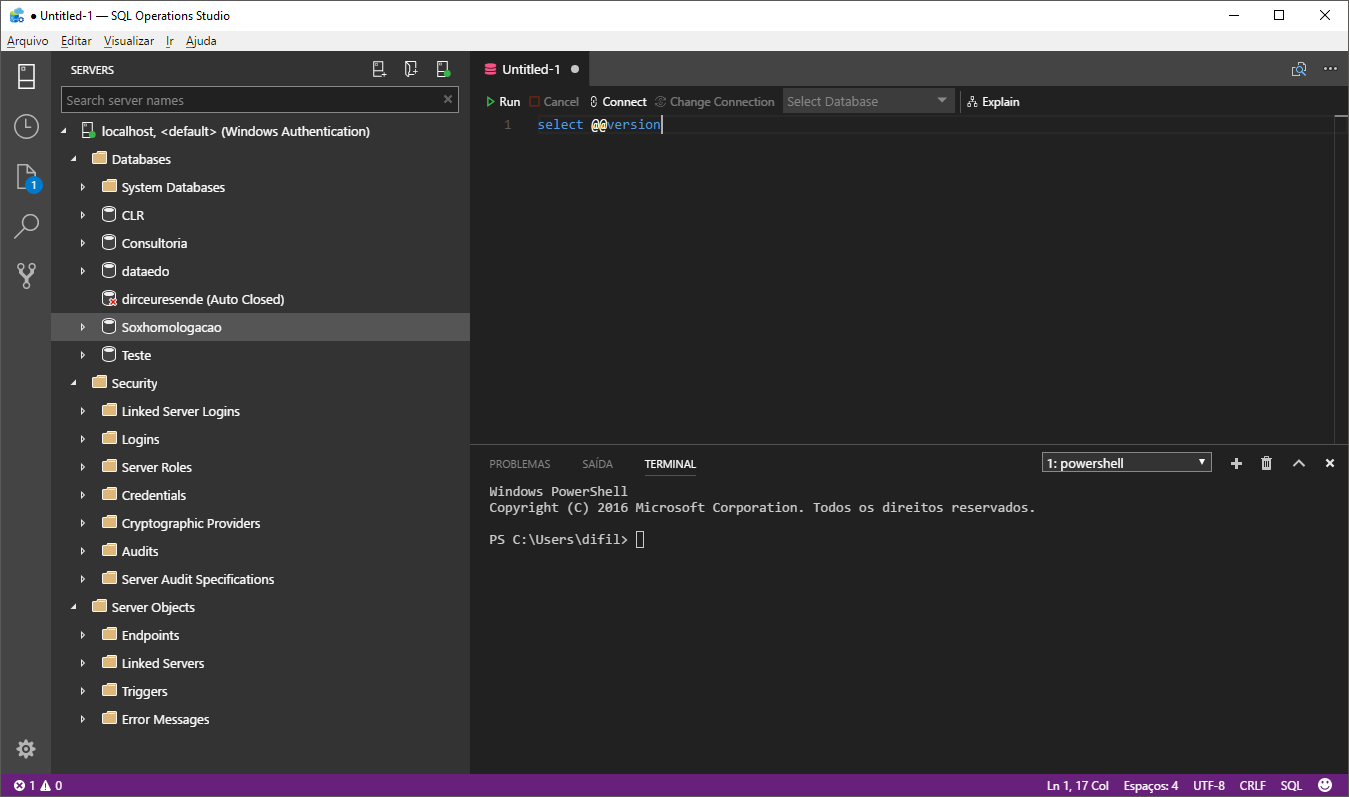
Integrated Terminal – Create and test PowerShell code directly from Operations Studio
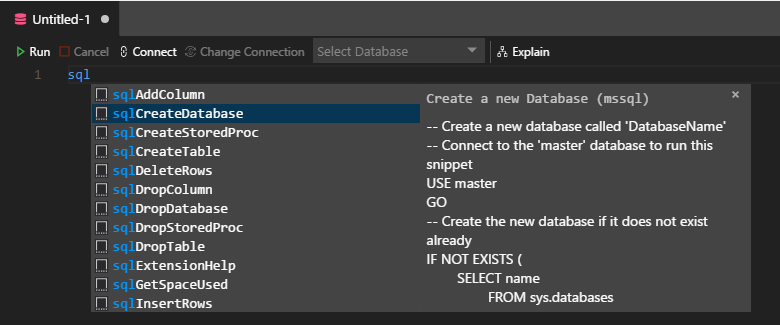
Snippets – Use keyboard shortcuts to quickly execute T-SQL commands
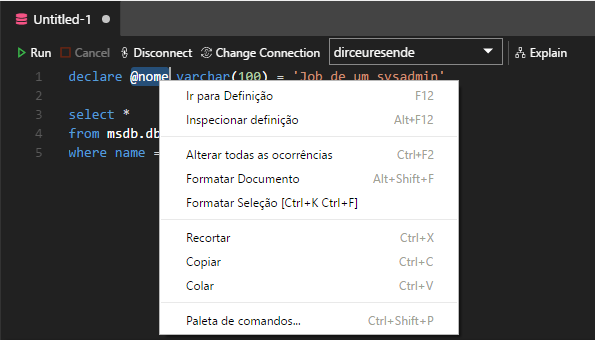
Context menu – Code formatting, ease of viewing object definitions and Refactor to rename variables in the open tab
That's it, folks!
I hope you liked this post and download SQL Operations Studio to start learning more about this tool that will still give you something to talk about.
Big hug!

Comments (0)
Loading comments...