
Hey guys!
In this article, I would like to comment on a very interesting piece of information that Vithor Silva shared in a Whatsapp group in which I participate (he gave me the “rights” to this post.. lol) and that many people (including myself) are not/were aware of the use of SQL Server Reporting Services in corporate environments for free, using SQL Server Express with the Advanced Services extension.
As I already mentioned in the post SQL Server Express and Developer – How far can we use the free versions of SQL Server?, the Express version is made up of a SQL Server database, the fastest, most robust and secure DBMS on the market and which you can have in your company WITHOUT PAYING ANYTHING (with some limitations, which I describe in more detail in the article). In many scenarios, even with limitations, it is perfectly compatible with the demands of micro and small businesses, which can count on a professional, market-leading database at zero cost.
Speaking of Reporting Services, in case you don't know, the Reporting Services is a professional tool for creating reports, KPIs and dashboards from Microsoft, which has been part of the SQL Server package since version 2008, and allows information to be made available in an easy, practical and quick way, allowing professionals to develop reports using only knowledge of SQL, using the SQL Server Report Builder, thus eliminating the need to have to program in C#, Java, VB or another language to make reports available, which would make this task much more arduous, time-consuming and dependent on the Development team.
The graphs and reports are made available on a web portal (or Sharepoint) on your company's intranet (it can also be published on the internet, allowing external access) and viewed by users through an Internet browser.

SQL Server Reporting Services Report Examples
As I already mentioned in the post SQL Server Express and Developer – How far can we use the free versions of SQL Server?, the Developer version has been free since SQL Server 2014 and has all the features of the Enterprise version (with a few exceptions), although it cannot be used in companies, only in study, testing and development environments (as long as they do not contain real production data).
Meanwhile, the Express version, which is also free, can be used in production environments, but has a series of technical limitations, such as the absence of Reporting Services, for example. However, this specific limitation can be bypassed by downloading the Express with Advanced Services, available since the 2008 version of SQL Server and which includes some features and functionalities in the Express version, such as Data Tools and Reporting Services.
Alternative link to download SQL Server Express with Advanced Services
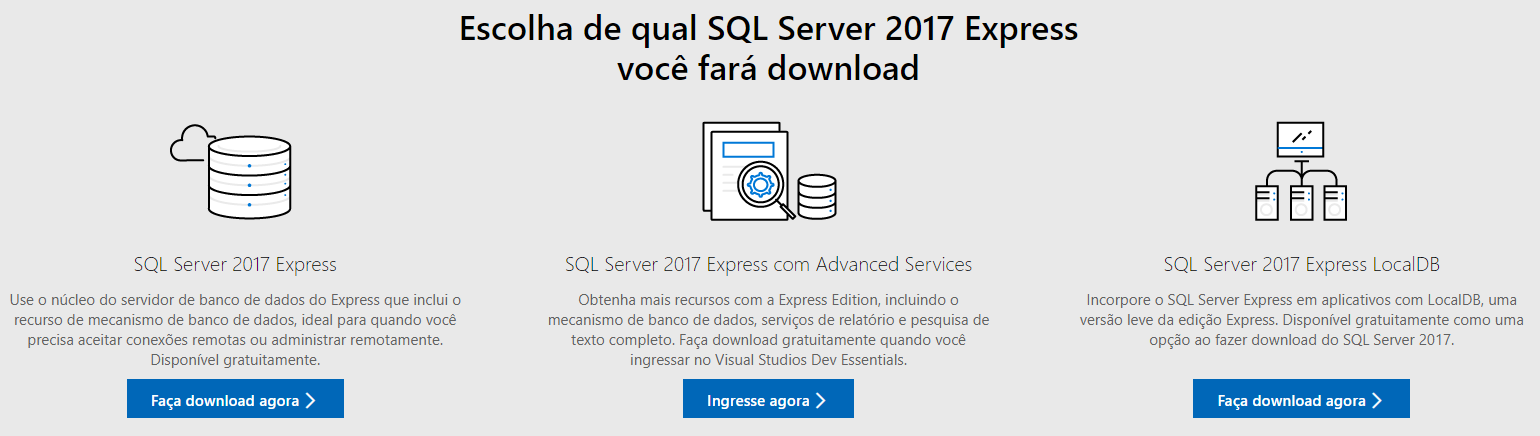
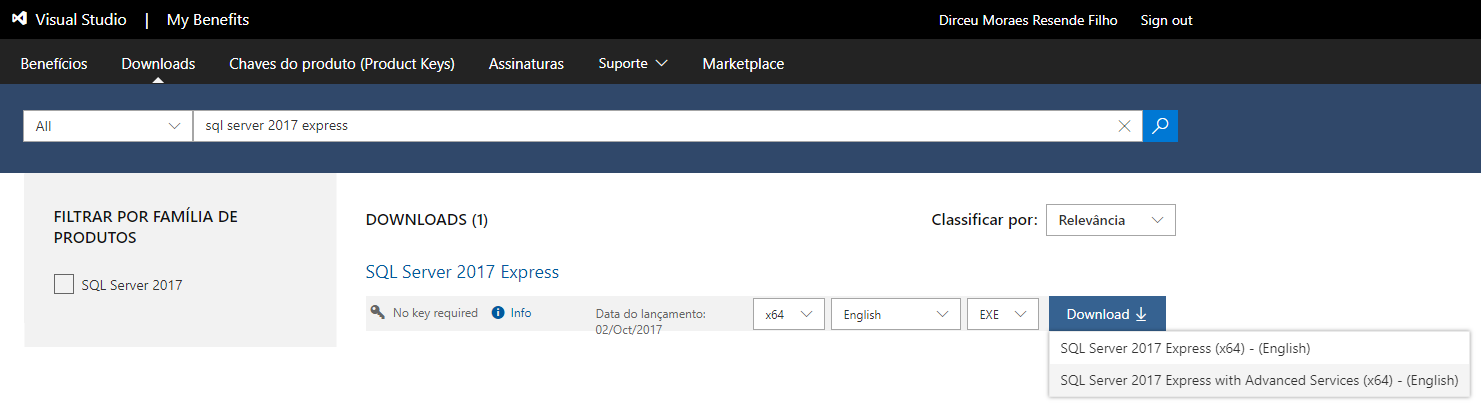
What does SQL Server Express Advanced Services have more than the Express version?
To identify the differences between the Express version and the Express with Advanced Services version, I will use the official Microsoft documentation, where it is possible to identify the following differences:
Differences at the database and tool level

Differences specific to Reporting Services

In other words, with some limitations, you can use Reporting Services in your company for free and start creating and making graphs, dashboards and reports available to employees. Although there are some limitations and features that you will not be able to use in this free version, for micro and small businesses that cannot or do not want to invest in a SQL Server Stantard/Enterprise license initially, this can be a solution to modernize your company's reports at ZERO cost.
Well guys, I hope you liked this tip from our friend Vithor Silva, who just witnessed the birth of his first child and as he is running out of time, “gave me the image rights” to this post.. hahaha
A big hug and see you next time!

Comments (0)
Loading comments...