Hey guys!
In today's article I'm going to talk about a very different topic than what I usually cover here on the site, which is VMware Player, a free virtualization software from VMware that I use to create my study VMs, labs and where I create content for this blog.
A long time ago, when I started in this world of virtualization, I started with VirtualBox and then discovered VMWare Workstation Pro, where I used it for a few days in the Trial version to test its features and I really liked the tool, making me switch from VirtualBox to VMware Player.
However, after this change I realized that one of the coolest features that I liked in VMware Workstation I didn't have in the Player (free) version, which is choosing the disk usage mode as persisted (changes are written directly to disk) or nonpersistent (changes are NOT written to disk and are discarded when you turn off the VM), very useful for testing software and routines that could damage your environment, such as viruses and ransomware (theme of my next article):
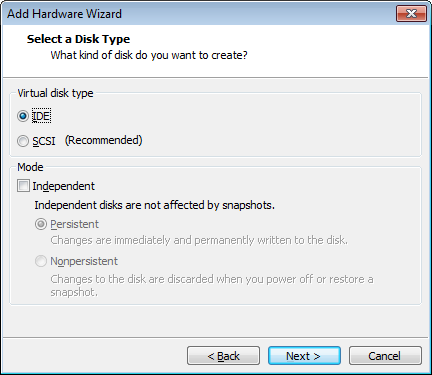
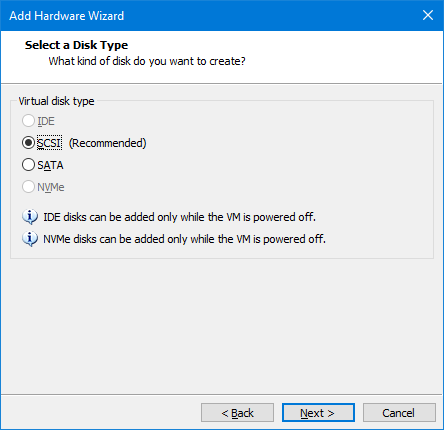
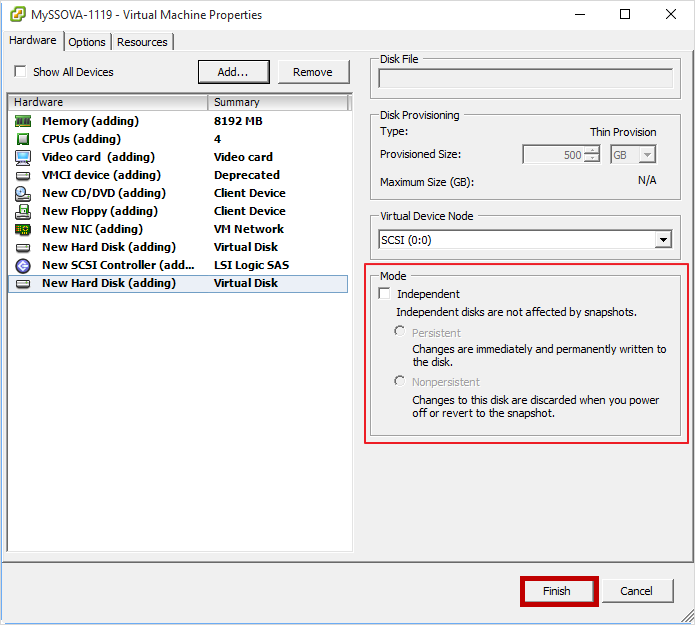
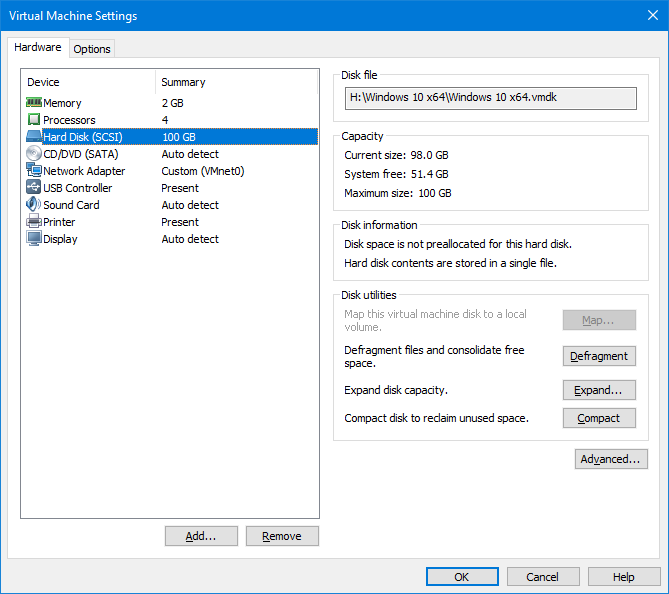
It was only after a long time of installing the Trial version just to create these VMs with nonpersistent independent mode that I discovered that even in the Player version of VMware it was possible to use this reading mode, even without having an interface.
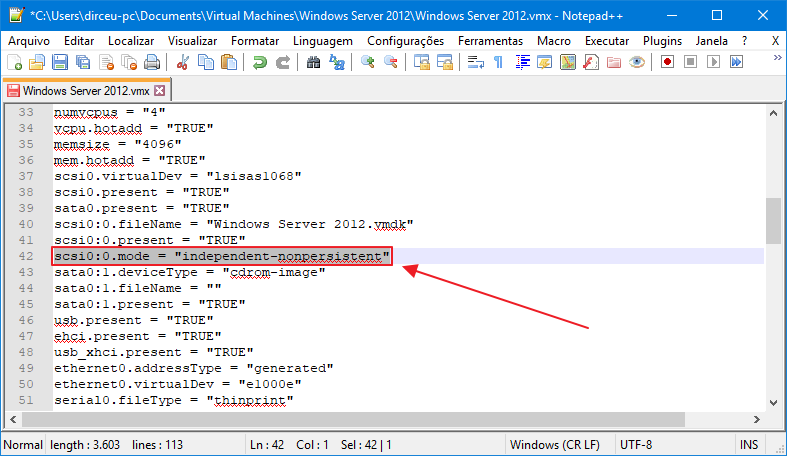
To change this VM parameter, simply edit the file with VMX extension and add the entry below, taking into account the disk ID in the VM and the disk type (SCSI, IDE, etc.):
scsi0:0.mode = "independent-nonpersistent"
Looking like the example below:
After opening the VM again in the software, we can now see that the change made to the file was actually applied and the disk mode was changed:
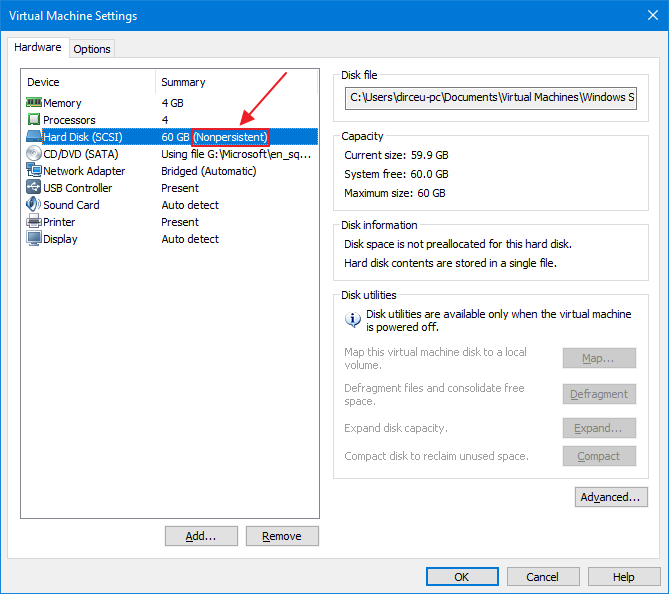
Ready! You can freely test in your VM that when you turn it off and on again, everything you did in the session will be immediately undone and it will return to its previous state. It is worth remembering that you can restart the VM without any problems and it will start maintaining the changes you made in the session. Just by shutting down the VM or reverting a snapshot the changes are undone (in fact, they are not even written to disk)
I hope you enjoyed this very quick, short and objective post and see you in the next article!
Big hug!

Comments (0)
Loading comments...