
Hey guys!
In this article, which has nothing to do with SQL Server, I would like to share with you some VERY SIMPLE ways on how to use Whatsapp and Telegram SAFELY and not fall victim to intrusions, as we are seeing all the time in all newspapers and news sites in Brazil, since several authorities (such as Sérgio Moro and Deltan Dallagnol) are being attacked on instant messaging applications, especially Telegram.
My objective with this post is to help you understand how they work and how to protect yourself from these attacks in a clear and objective way and show that in less than 1 minute, you can leave your Whatsapp or Telegram protected against these attacks that culminated in the leak of private conversations between authorities in our country.
It is important to note that, if you have lost your cell phone or it has been stolen, remember to ALWAYS call your operator to block your chip and log into your Google (Android) or iCloud (Apple) account to block and remove your personal information from the device. On Android, for example, you can use the link https://www.google.com/android/find to locate, lock, and remove your device account remotely from a computer or other device.
How are these attacks carried out?
Click to view textIs Telegram safe?
Click to view textHow to protect my Telegram against intrusions?
Click to view textThis way, even if an attacker has access to your cell phone, he will not be able to access your conversations, as they are in the cloud and not in files saved on the device. To increase your security, you can use the other protections that I have already mentioned in this article, which is the device's lock password and also the use of applications such as AppLock, to block social networks, messaging applications, banks and even applications from the OS itself, such as gallery and SMS. This will make it very difficult for people to access your information, even if they have your cell phone.
That done, now let's activate a very simple security feature, which doesn't take 1 minute to configure, and which would certainly have prevented this entire episode of information leaks from Brazilian government ministers, prosecutors and authorities. This feature is called Two-step verification.
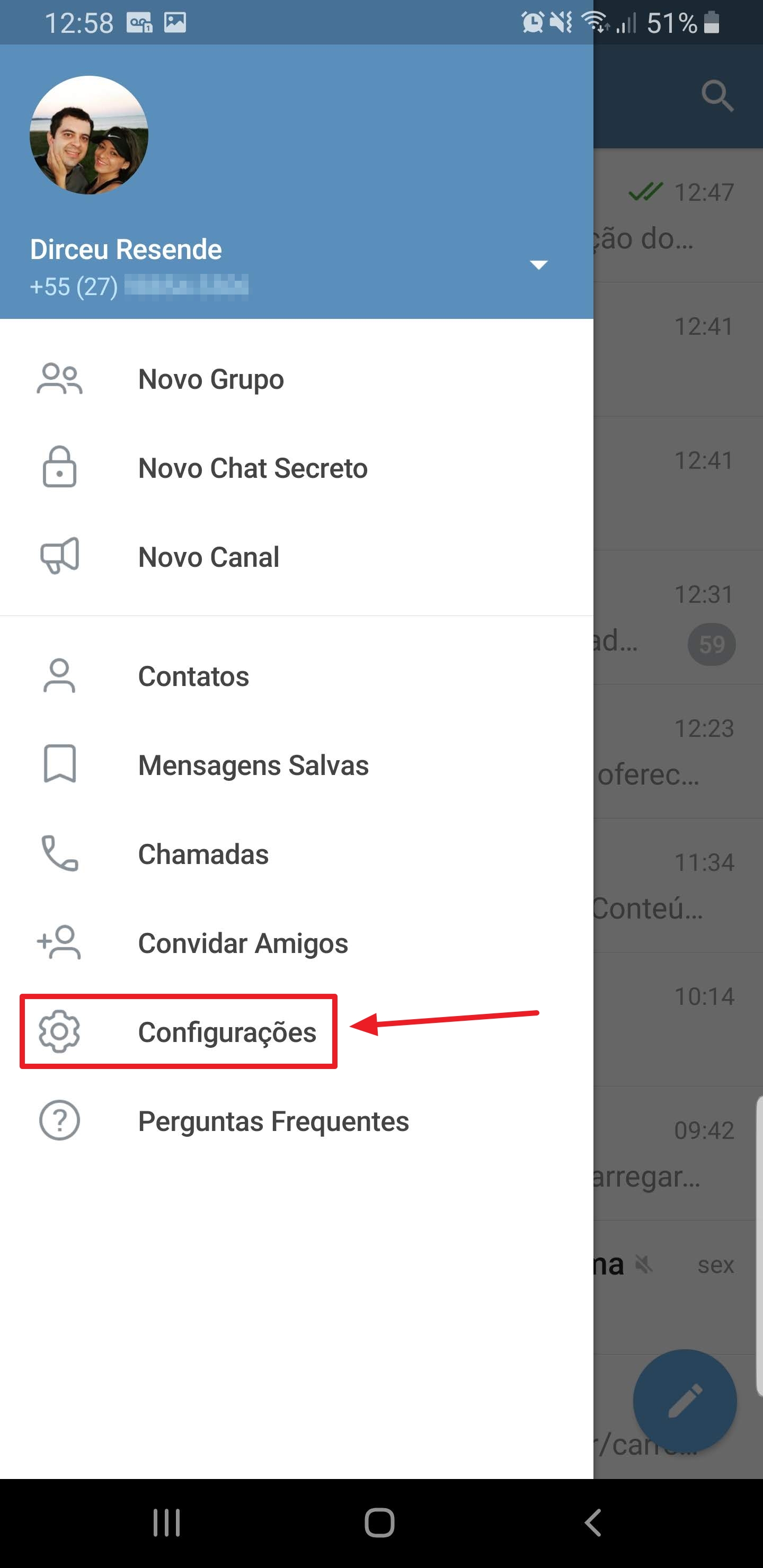
To start the setup and activate Two-Step Verification, open the Telegram menu and select the “Settings” option
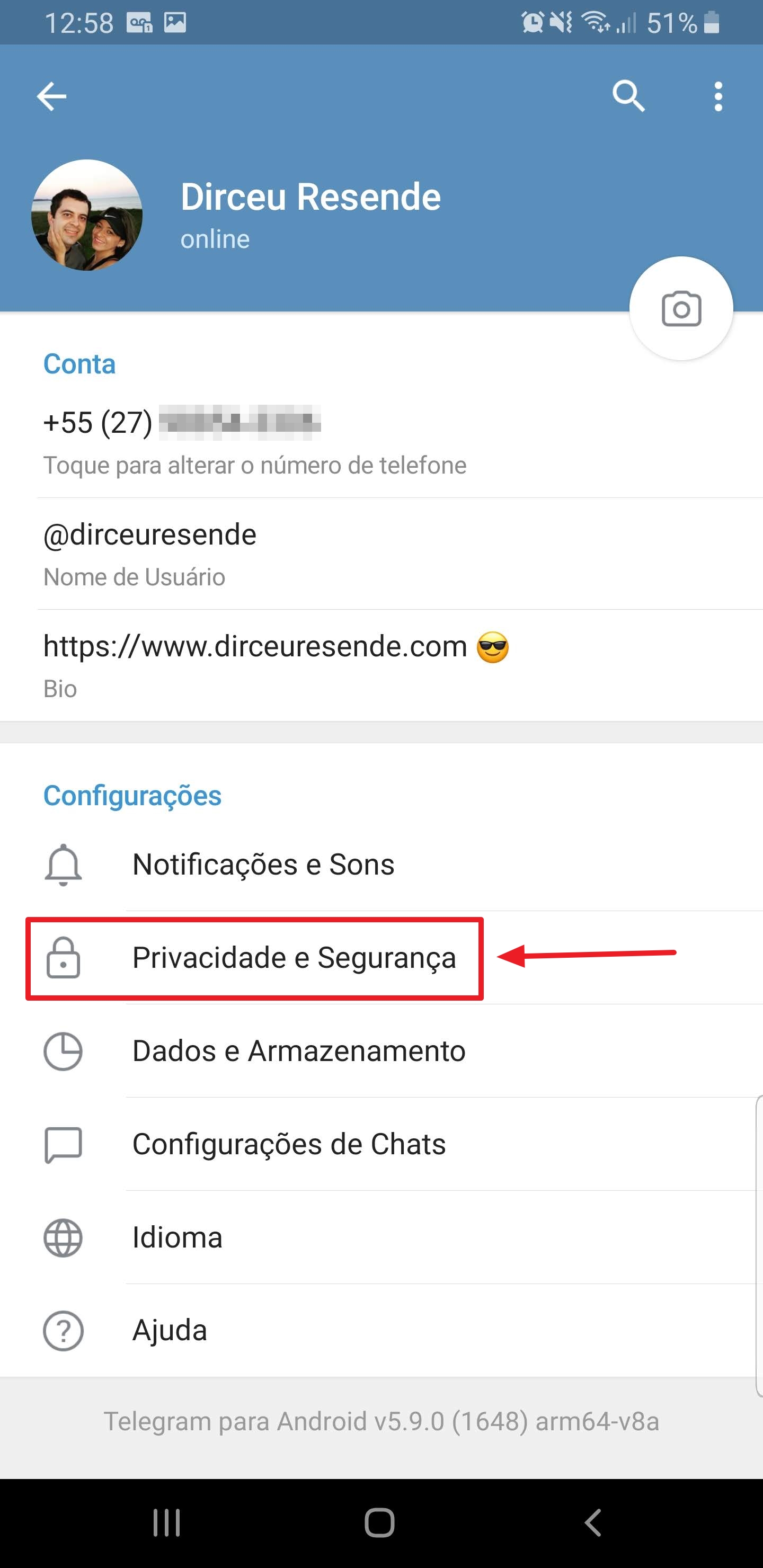
After that, access the “Privacy and Security” option
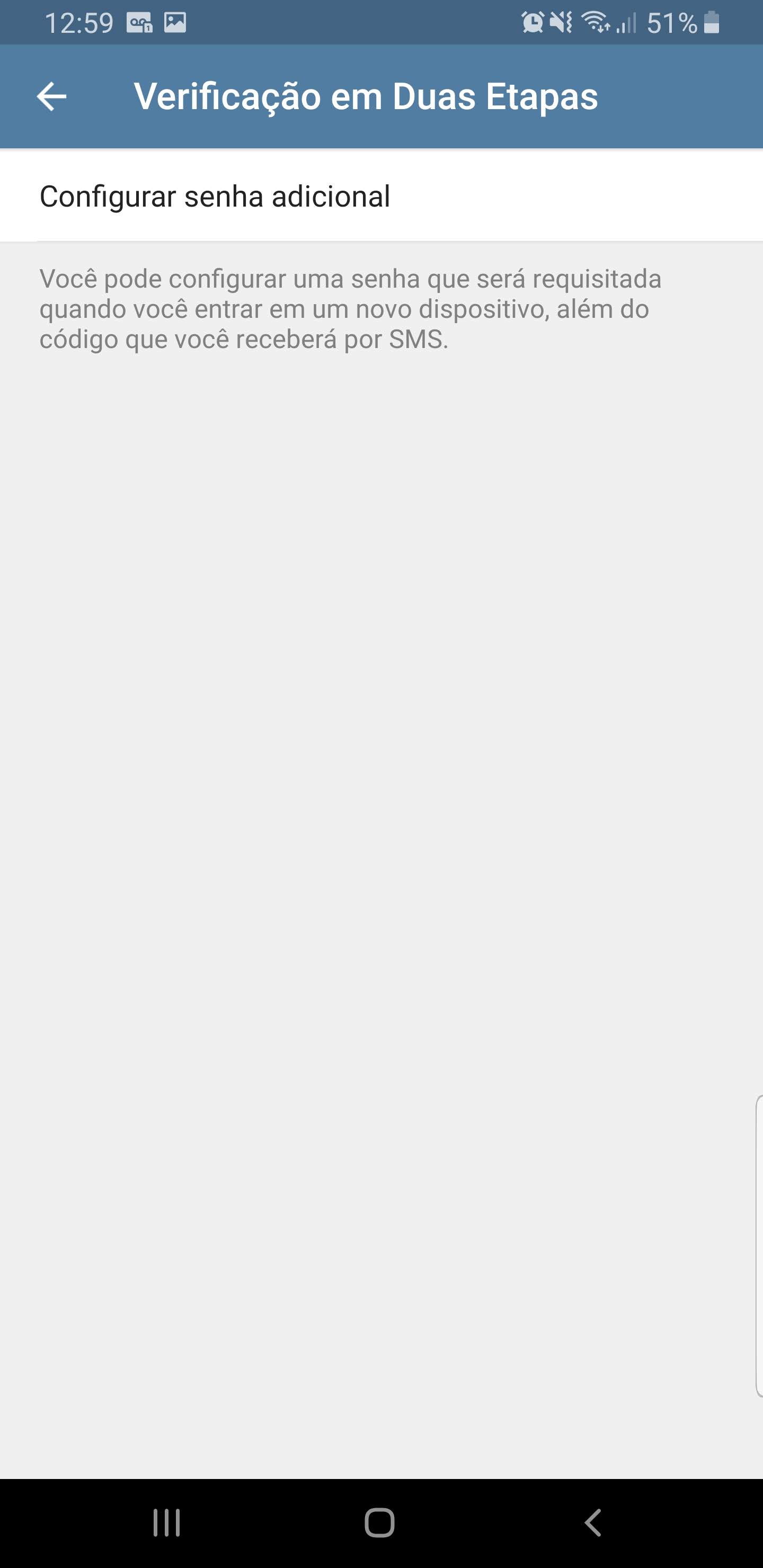
Access the “Two-Step Verification” option

Select the “Set additional password” option
Enter the password you want to use to protect your Telegram. This password can contain letters and numbers.

Re-enter your password to confirm it.

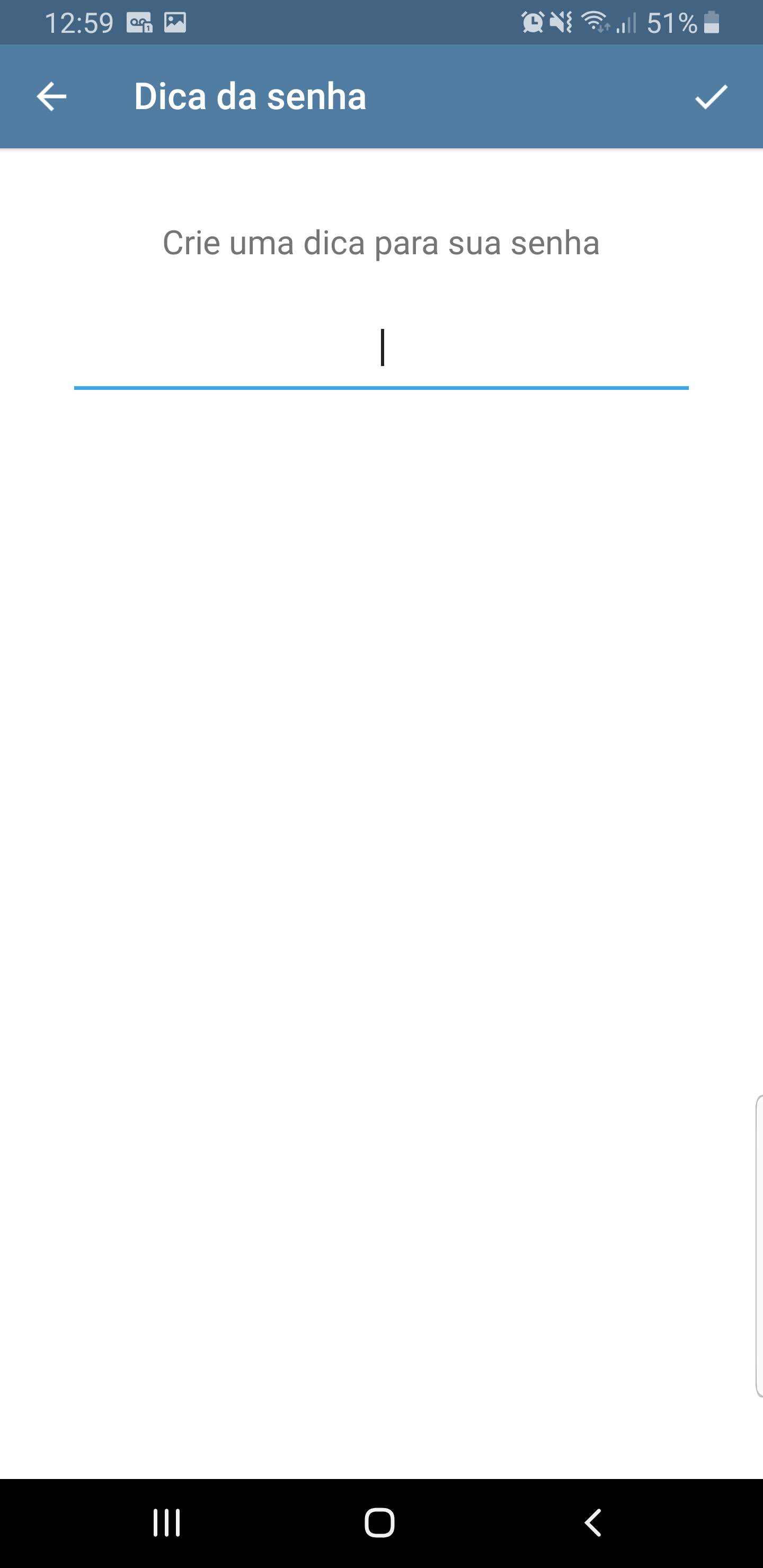
Enter a password hint to help you remember if you forget
If you wish, enter an email address that can be used to retrieve your access code. For security reasons, I do not recommend activating this option, as a person who has access to your email could reset your access code and use your Telegram.
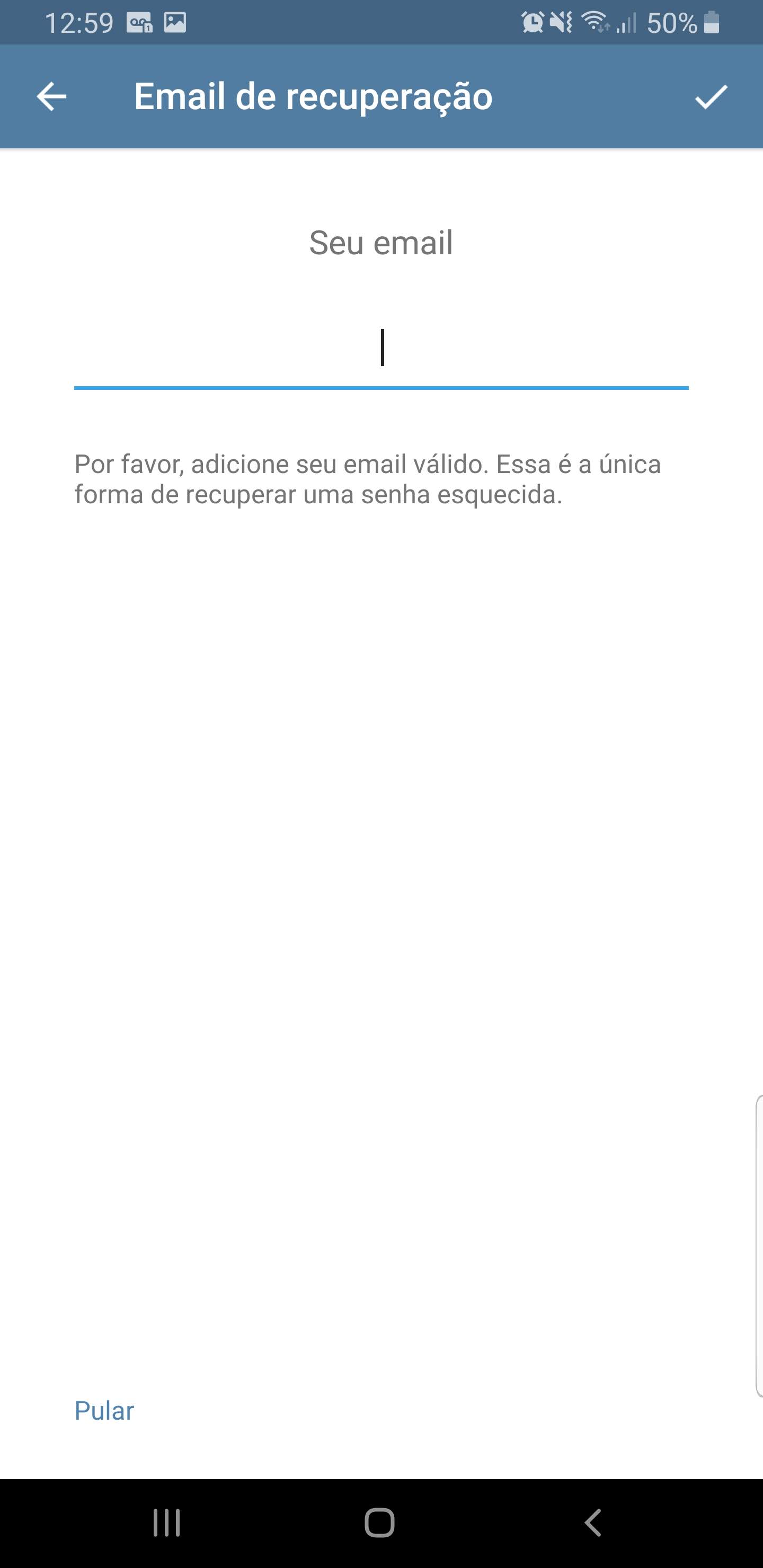
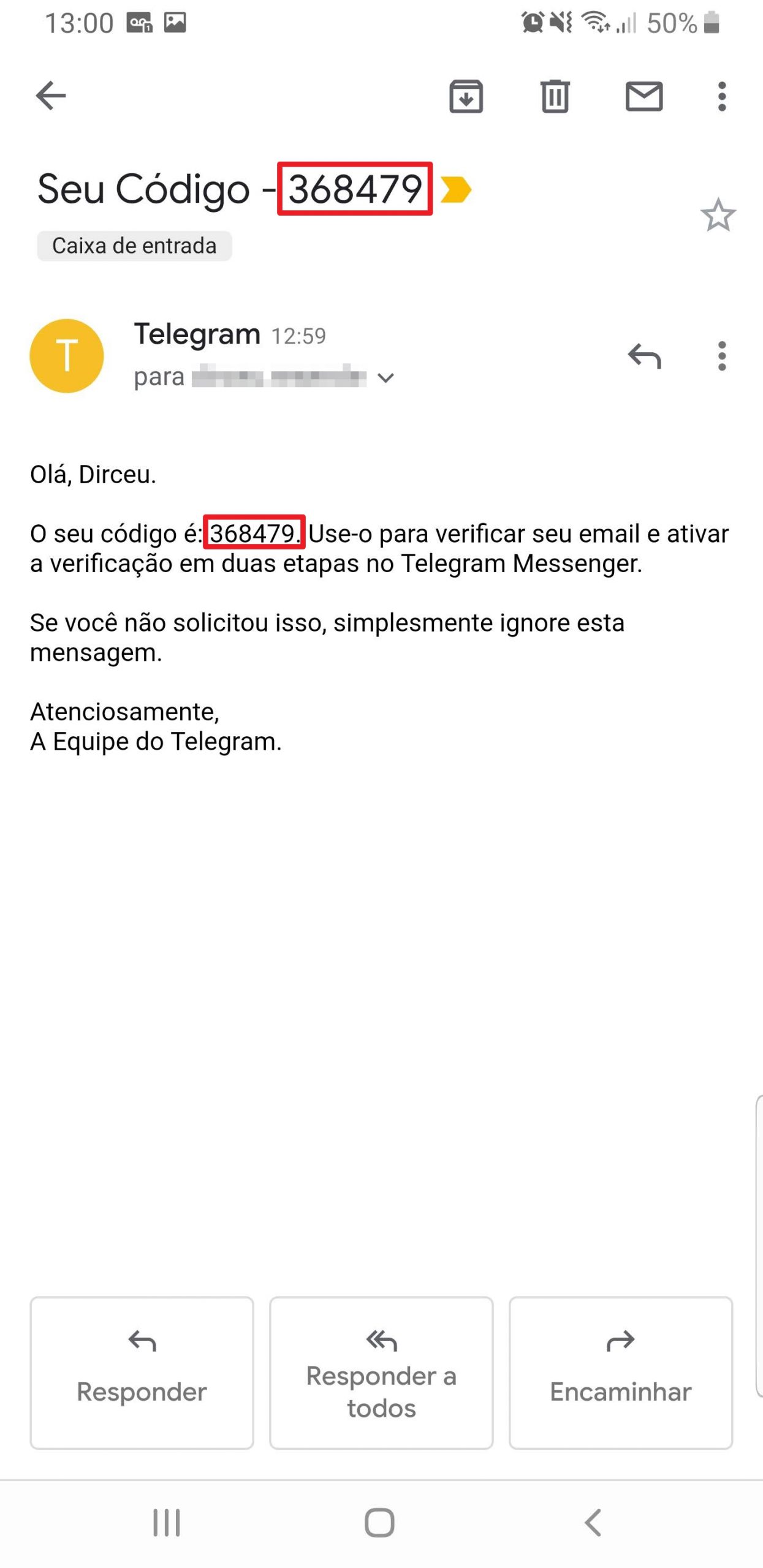
If you have configured an email to retrieve the code, an email will arrive with a number so you can validate whether your email is actually valid.
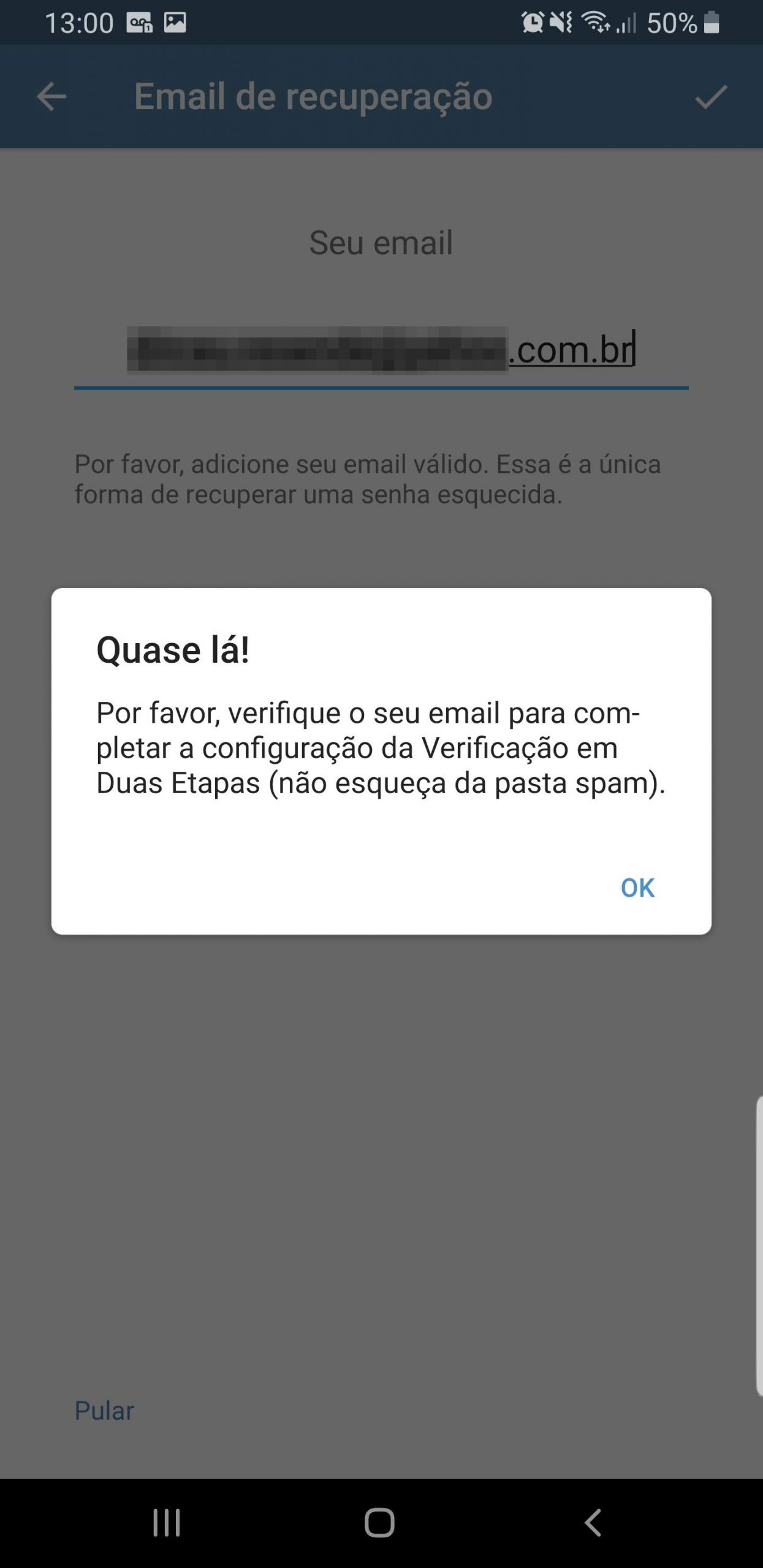
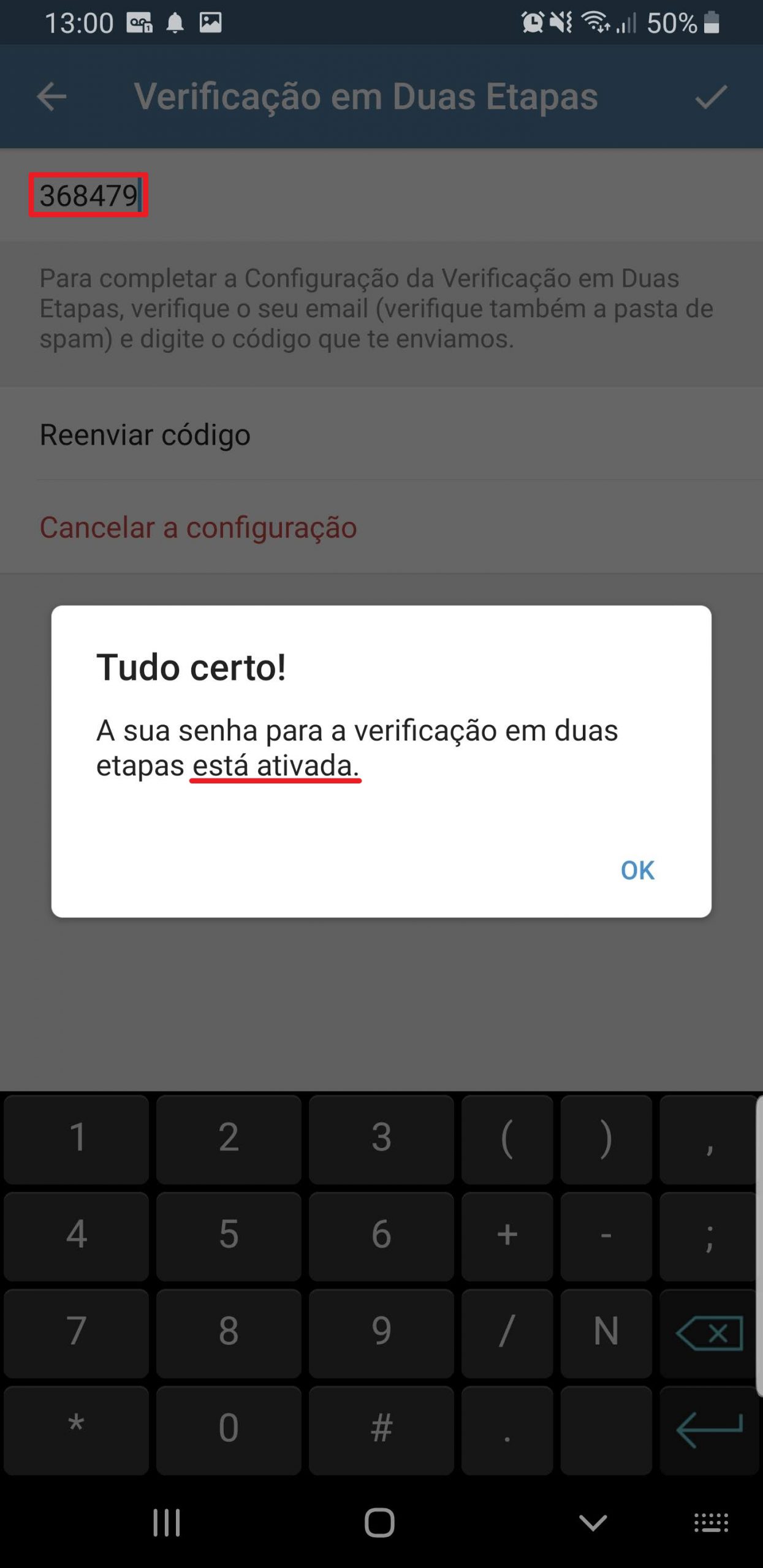
Ready! Two-step verification enabled!
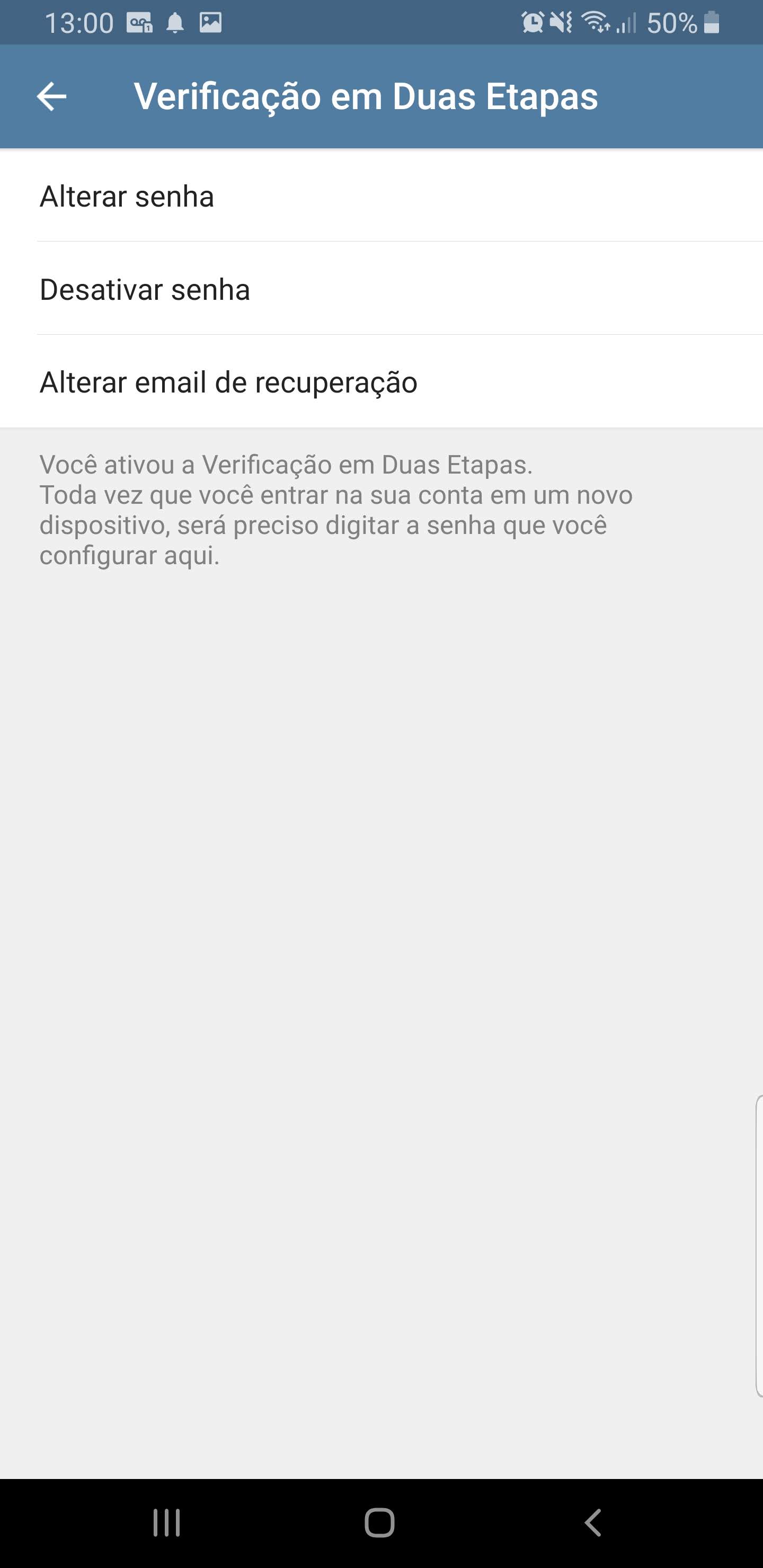
Note: If you have configured an email to retrieve your access code, the only way to remove this email is to disable two-step verification, activate it again and, on the email entry screen, click on the “Skip” option.
Is Telegram Web safe?
Click to view textAs I already mentioned in this article, Telegram allows you to use several sessions on the same account, that is, you can have several different cell phones and browsers using the same account, which makes it very practical, as you can use Telegram Web in the office, at home and on your cell phone, without having to disconnect several times.
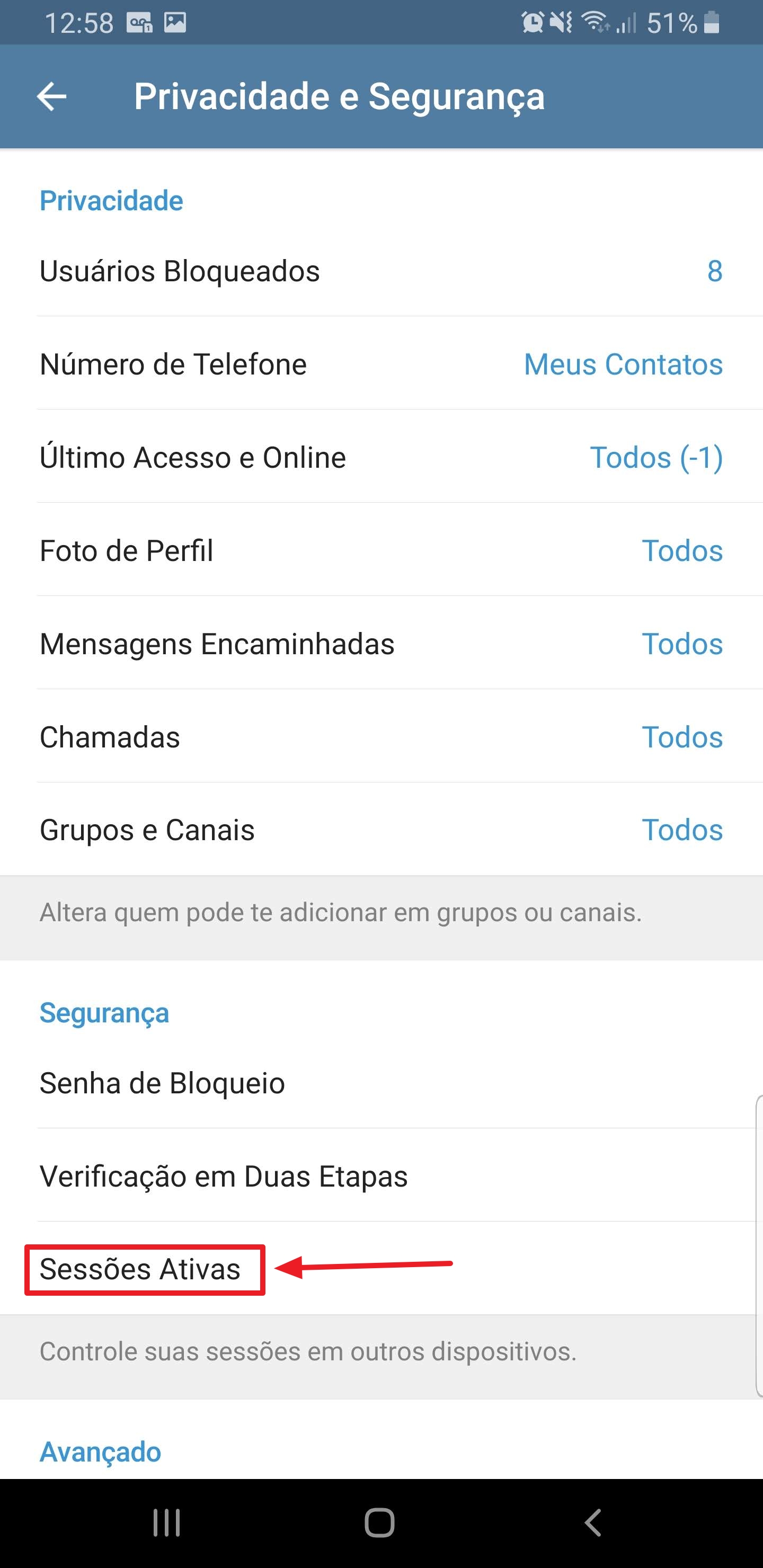
However, this could end up being something dangerous, as you could end up losing control of where your account is logged in and making it easier for other people to access your conversations. To control this, we can use the Active sessions option in the Telegram menu:
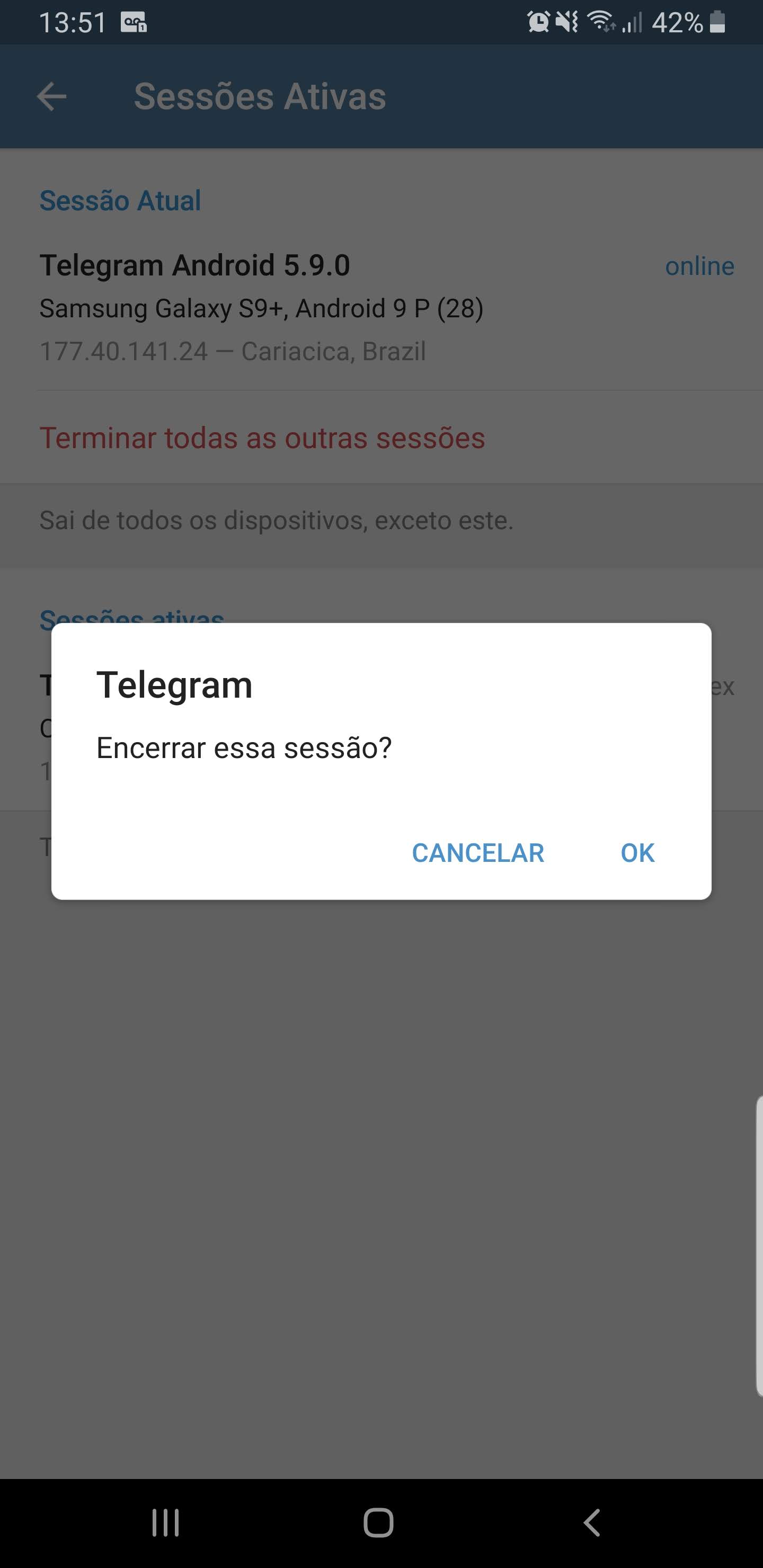
And if you notice a session that you don't recognize or haven't logged in for a long time, always choose to disconnect that session:
If you are worried about the security of Telegram Web, you can rest assured. As long as you enable two-step verification, as I demonstrated in the previous topic, you will be protected against these attacks that occur with Brazilian government authorities. Proof of this is when you have two-step verification activated and try to log in again on Telegram Web.
By default, Telegram sends a code through the application itself, so that you receive it on your cell phone and use this code to log in to Telegram Web.
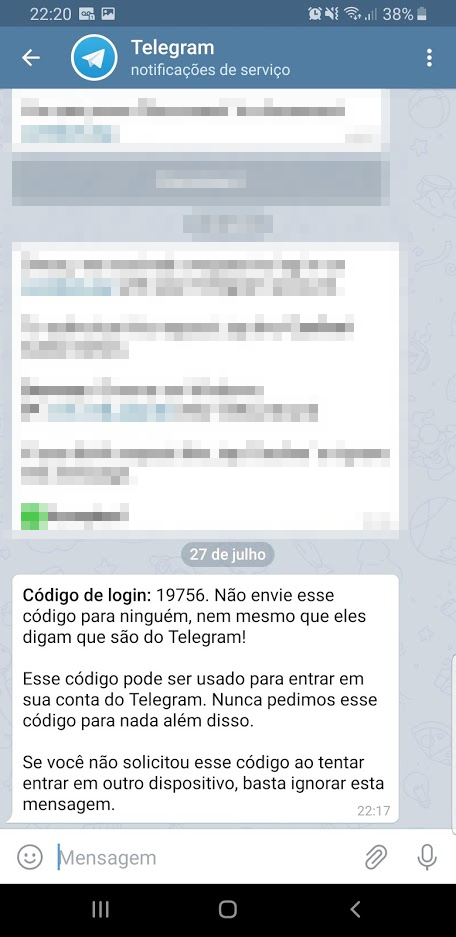
In other words, if you haven't tried to access your Telegram and you receive this message, it's because someone is trying to invade you. Keep an eye on this.
If you don't have the Telegram app installed, you can request the code to be sent via SMS after 2 minutes. That's where the danger lies... If someone managed to access your SMS messages, whether using the SIM Swap method or another method, the fraudster may be able to log into your Telegram account.
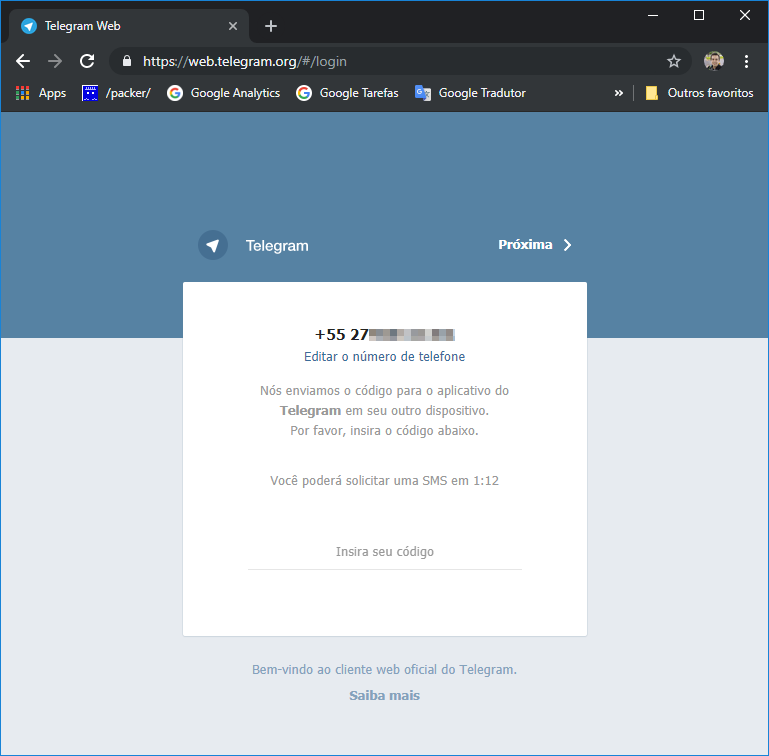
2 minutes after requesting the SMS code to be sent, you can request the code to be sent via phone call. This was the method used to invade the Brazilian authorities' Telegram, through the “Spoofing” technique. Once the attackers managed to jam the victims' line, they requested that the code be sent as a telephone call, which, due to being jammed, went to voicemail. This was probably using a standard password and the fraudsters were able to access the mailbox to listen to the code sent and with that, they were able to log in to Telegram.
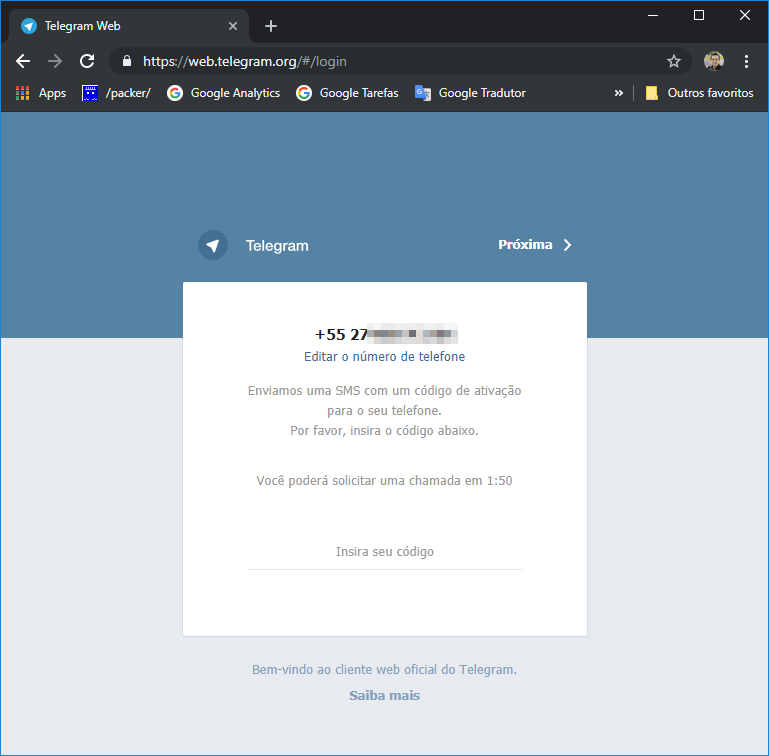
In the 2 methods above, whether by SMS or phone call, if someone manages to access your SMS messages or calls, they can log into your Telegram account normally, even without having access to your cell phone where the application is installed.
But when two-step verification is activated, another validation screen appears, which will prevent this attack from being carried out (or at least make it very difficult):
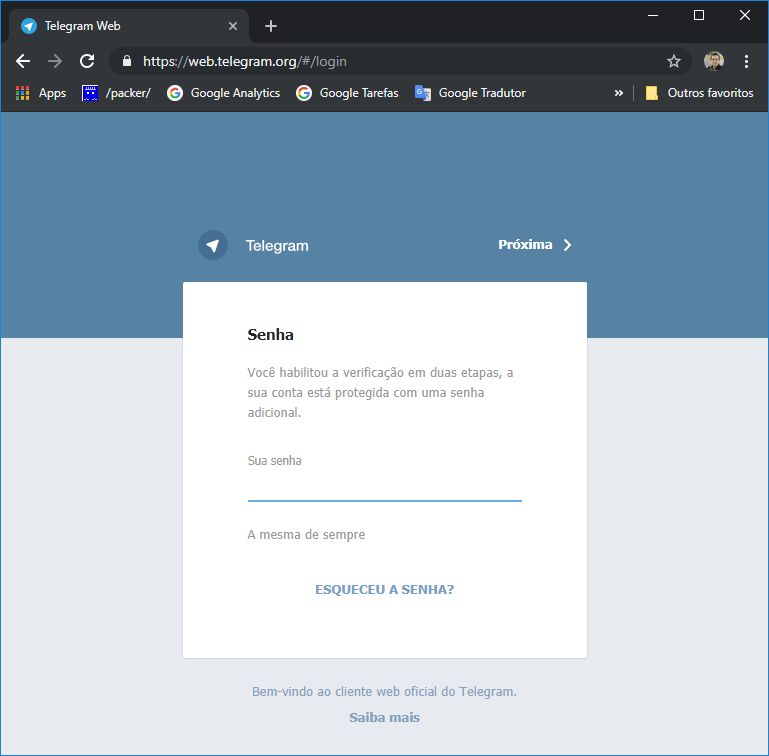
On this new screen, in addition to confirming via code sent in the App or SMS or call, you will have to provide your password to access Telegram. You chose and registered this password when you activated two-step verification.
If you have not configured a recovery email, an attacker will only be able to access your account if he can guess your password, even if he has access to your SMS, calls and even your email, he will not be able to log into your Telegram account.
Pretty simple, right? And how such a simple solution could have prevented a real political scandal in our country.
Is Whatsapp safe?
Click to view textHow to protect my Whatsapp against intrusions?
Click to view textThis will make it very difficult for an attacker to access your WhatsApp, even if they have access to your messages or calls.
It is worth noting that the conversation backup option is very useful and practical, as you can recover your conversations if you lose or change your cell phone, but at the same time, this can be a security risk to your privacy, as a person who has access to your cell phone can access your files and copy your messages, as they are stored inside the device, and not on a protected server.
In the screenshots below, I will demonstrate step by step how to activate two-step verification on Whatsapp.
Click on the 3 dots on Whatsapp and select the “Settings” option:
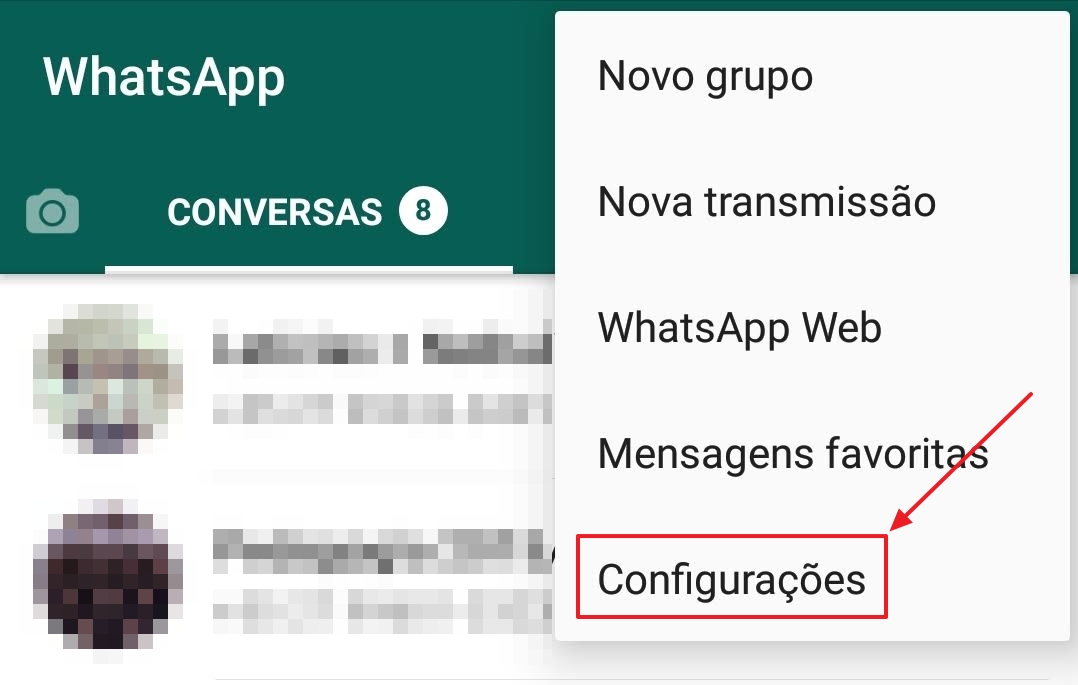
Access the “Account” menu

Now, select the “Two-Step Verification” option

Click on the “Activate” button

Enter your access code, which will be used to configure the application on a new cell phone and you will also be asked from time to time to enter this number to continue using Whatsapp
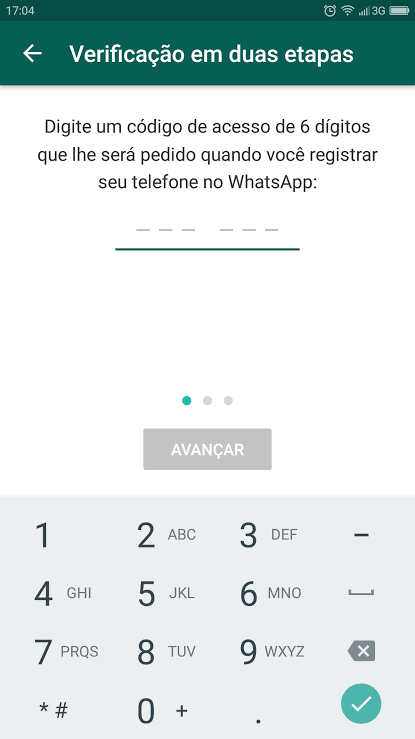
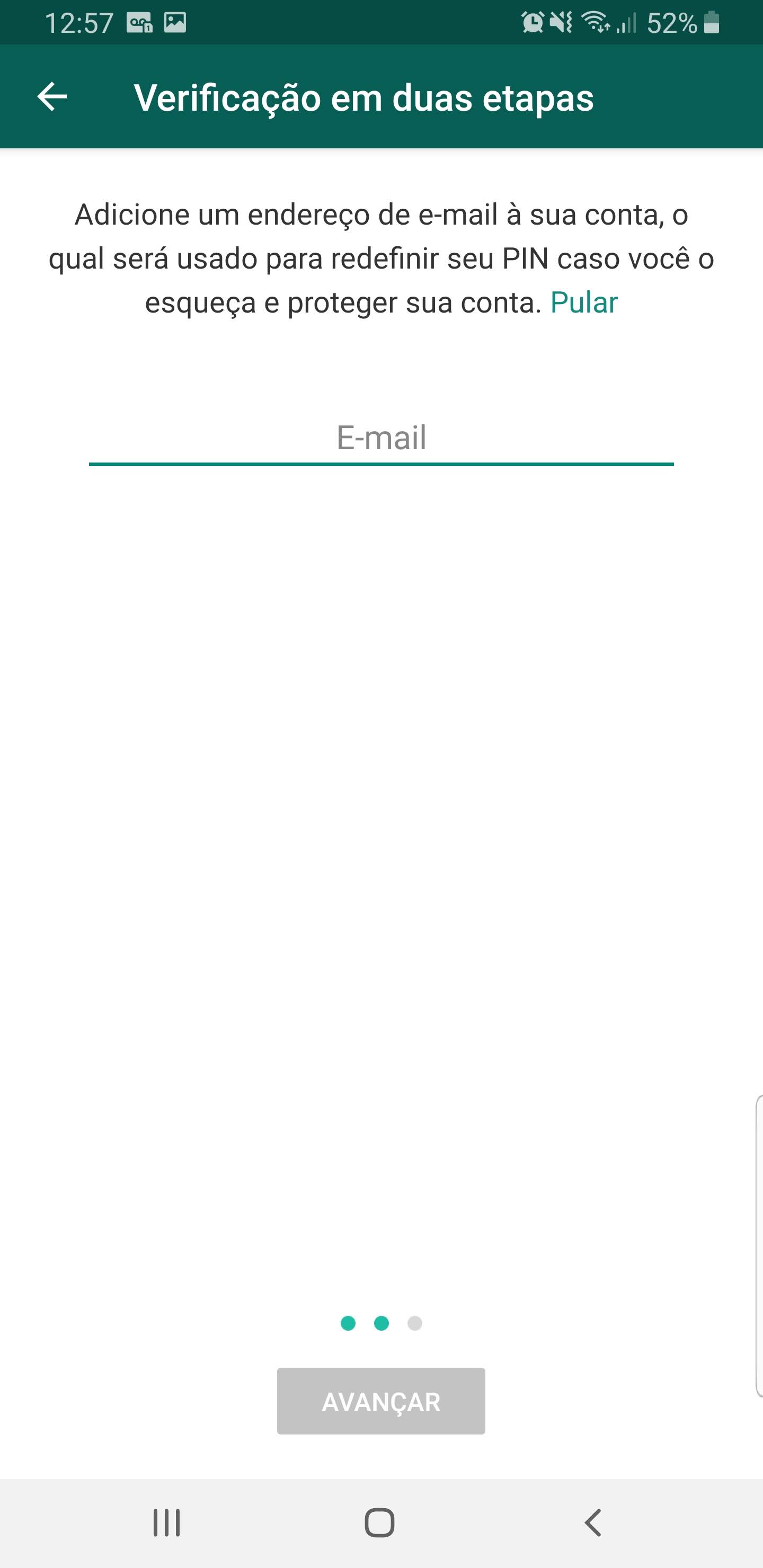
If you wish, enter an email address that can be used to retrieve your access code. For security reasons, I do not recommend activating this option, as a person who has access to your email could reset your access code and use your Whatsapp.
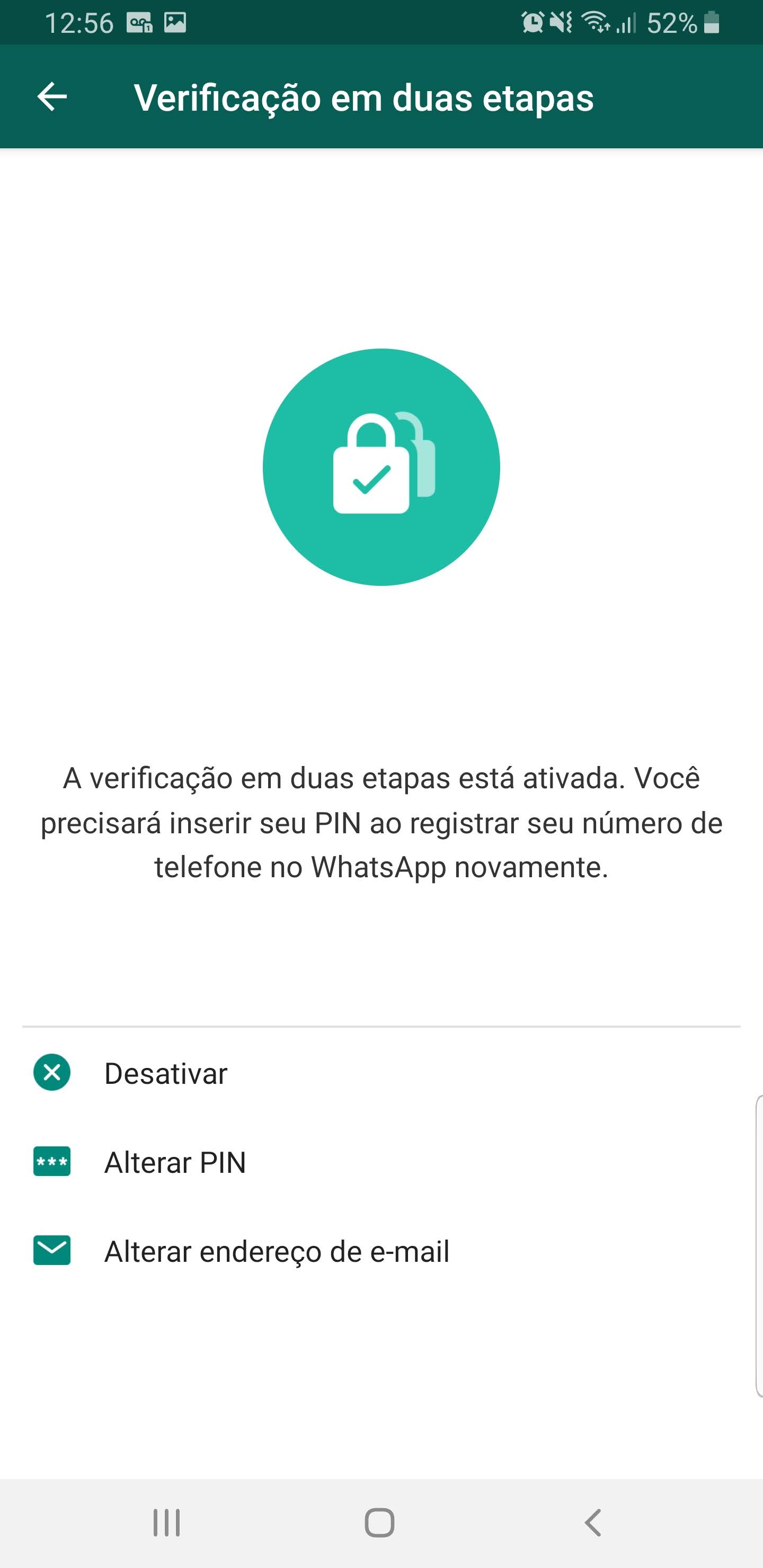
Two-step verification enabled!

Two-step verification setup screen:
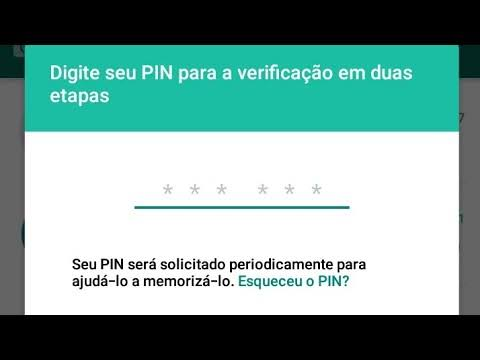
Whatsapp screen when it asks you to enter your access code
Note: If you have configured an email to retrieve your access code, the only way to remove this email is to disable two-step verification, activate it again and, on the email entry screen, click on the “Skip” option.
Well guys, I hope you liked this article and pay attention to the tips I gave to avoid being targets of attacks, whether via Whatsapp, Telegram or banking app.
A big hug and see you in the next article.

Comentários (0)
Carregando comentários…