
Introduction
Hey guys!
In this article I would like to share with you a small code that I needed to use today to make an UPDATE on a relatively large table (55M+ records) in an Azure SQL Database and, after waiting 1h and 30 minutes, there was a connection error and I had to do everything again.
Not only in this case, but it can happen that the log overflows and the operation causes an error as well, and, as we know, when an error occurs during UPDATE or DELETE, the automatic rollback is started and no lines are actually changed. Breaking this single operation into smaller, segmented operations will allow the log to be flushed and thus minimize possible log overflows.
You may also want to break these large, time-consuming operations into smaller parts to track progress, or your maintenance window is not long enough to process the UPDATE/DELETE on all the necessary lines and you want to continue in another window.
I've also seen cases of tables with triggers that can end up generating a lot of overhead when executing an UPDATE/DELETE that changes many rows. And we also have to remember the locks in the table, which when broken into smaller parts, can be released quickly while the next batch is starting processing.
There are several reasons that can influence the decision to participate in a large UPDATE/DELETE and in this article I will show you some easy ways to do this.
How to delete or update data in large tables
UPDATE partitioned by integer fieldUPDATE partitioned by integer field
DECLARE
    @Min INT,
    @Max INT,
    @Contador INT = 0,
    @Aumento INT = 1000000,
    @LimiteInferior INT = 0,
    @LimiteSuperior INT = 0,
    @Msg VARCHAR(MAX)


SELECT
    @Min = MIN(Id_Registro),
    @Max = MAX(Id_Registro)
FROM
    dbo.Tabela


WHILE(@LimiteSuperior < @Max)
BEGIN


    SET @LimiteInferior = @Min + (@Contador * @Aumento)
    SET @LimiteSuperior = @LimiteInferior + @Aumento


    UPDATE
        A
    SET
        Dt_Registro = (CASE
            WHEN ISNUMERIC(A.Data_Registro_String) = 1 THEN CONVERT(DATE, DATEADD(DAY, TRY_CONVERT(INT, A.Data_Registro_String), '1900-01-01'))
            WHEN LEN(A.Data_Registro_String) = 10 AND TRY_CONVERT(DATE, A.Data_Registro_String, 103) IS NOT NULL THEN CONVERT(DATE, A.Data_Registro_String, 103)
            ELSE CONVERT(DATE, A.Data_Registro_String)
        END)
    FROM
        dbo.Tabela A
    WHERE
        Id_Registro >= @LimiteInferior
        AND Id_Registro < @LimiteSuperior


    SET @Contador += 1


    SET @Msg = CONCAT('Processando dados no intervalo ', @LimiteInferior, '-', @LimiteSuperior, '...')
    RAISERROR(@Msg, 1, 1) WITH NOWAIT

END
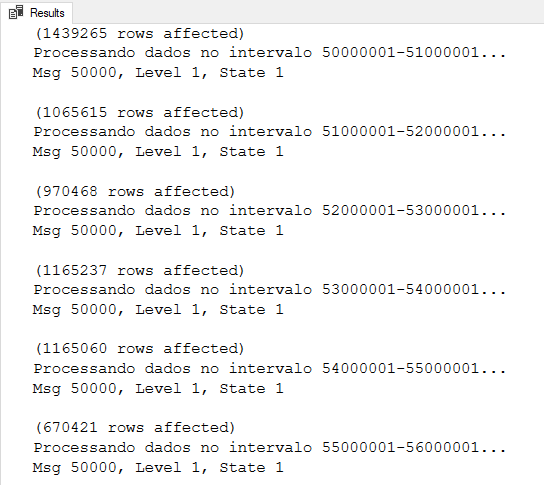
Result:
UPDATE partitioned by date field
DECLARE
    @Min DATE,
    @Max DATE,
    @Contador INT = 0,
    @Aumento INT = 30,
    @LimiteInferior DATE = '1900-01-01',
    @LimiteSuperior DATE = '1900-01-01',
    @Msg VARCHAR(MAX)


SELECT
    @Min = MIN(Dt_Cadastro),
    @Max = MAX(Dt_Cadastro)
FROM
    dbo.Tabela


WHILE(@LimiteSuperior < @Max)
BEGIN


    SET @LimiteInferior = DATEADD(DAY, (@Contador * @Aumento), @Min)
    SET @LimiteSuperior = DATEADD(DAY, @Aumento, @LimiteInferior)


    UPDATE
        A
    SET
        Dt_Registro = (CASE
            WHEN ISNUMERIC(A.Data_Registro_String) = 1 THEN CONVERT(DATE, DATEADD(DAY, TRY_CONVERT(INT, A.Data_Registro_String), '1900-01-01'))
            WHEN LEN(A.Data_Registro_String) = 10 AND TRY_CONVERT(DATE, A.Data_Registro_String, 103) IS NOT NULL THEN CONVERT(DATE, A.Data_Registro_String, 103)
            ELSE CONVERT(DATE, A.Data_Registro_String)
        END)
    FROM
        dbo.Tabela A
    WHERE
        Dt_Cadastro >= @LimiteInferior
        AND Dt_Cadastro < @LimiteSuperior


    SET @Contador += 1


    SET @Msg = CONCAT('Processando dados no intervalo ', CONVERT(VARCHAR(10), @LimiteInferior, 103), '-', CONVERT(VARCHAR(10), @LimiteSuperior, 103), '...')
    RAISERROR(@Msg, 1, 1) WITH NOWAIT

END
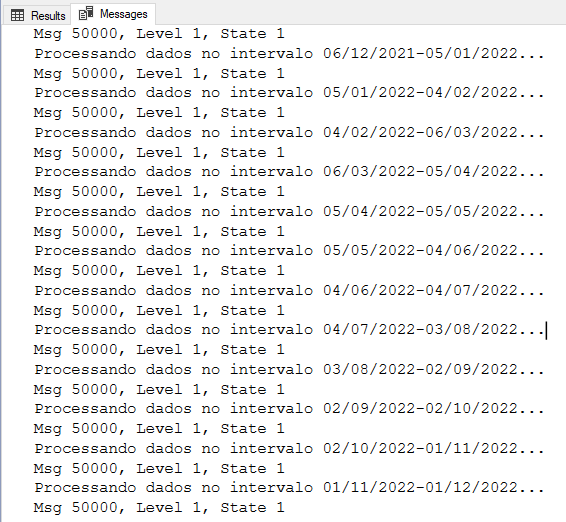
Result:
DELETE TOP(N) partitioned using percentage
DECLARE
    @Msg VARCHAR(MAX),
    @Qt_Linhas INT

WHILE (1=1)
BEGIN

    DELETE TOP(10) PERCENT
    FROM dbo.Tabela
    WHERE [Status] = 6

    SET @Qt_Linhas = @@ROWCOUNT

    IF (@Qt_Linhas = 0)
        BREAK

    SET @Msg = CONCAT('Quantidade de Linhas Apagadas: ', @Qt_Linhas)
    RAISERROR(@Msg, 1, 1) WITH NOWAIT

END
Result:
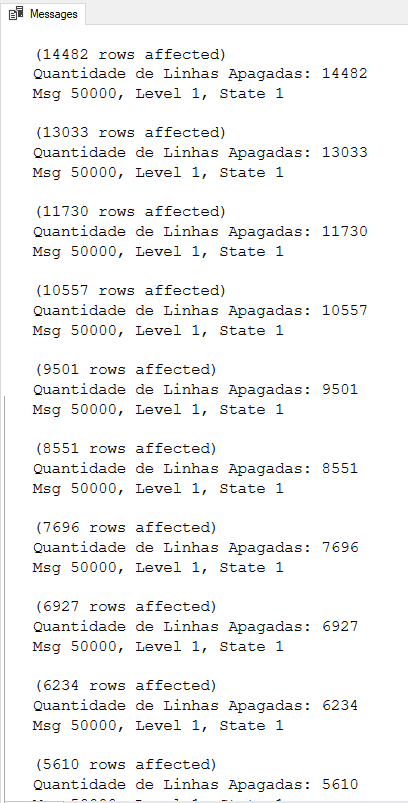
Observation: This solution may present problems in very large tables, as 10% may represent a very large volume of rows. And when few records remain, the 10% may require many iterations to be deleted.
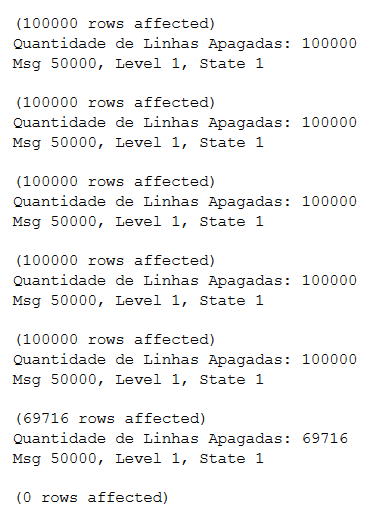
DELETE TOP(N) partitioned using number of rows
DECLARE
    @Msg VARCHAR(MAX),
    @Qt_Linhas INT

WHILE (1=1)
BEGIN

    DELETE TOP(100000)
    FROM dbo.Tabela
    WHERE [Status] = 6

    SET @Qt_Linhas = @@ROWCOUNT

    IF (@Qt_Linhas = 0)
        BREAK

    SET @Msg = CONCAT('Quantidade de Linhas Apagadas: ', @Qt_Linhas)
    RAISERROR(@Msg, 1, 1) WITH NOWAIT

END
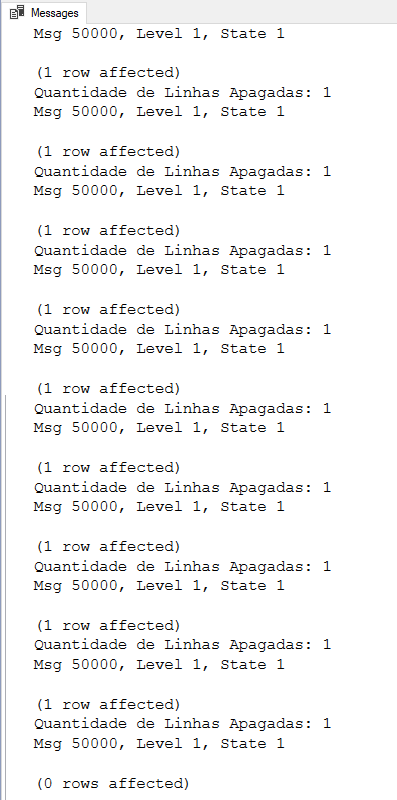
Result:
And that's it, folks!
I hope you liked it and a big hug!

Comentários (0)
Carregando comentários…