Hey guys!!
In this very quick post, I would like to share with you a case that happened to me during my daily life at work. Users were reporting that SQL Server Reporting Services (SSRS) was frozen, not allowing connections. I quickly did an access test and identified that the portal screen kept loading and then gave a timeout error.
The first idea I had was to check the Reporting Services service through SQL Server Configuration Manager. Right away, I saw that the services were stopped and I tried to start the service, but I came across the following error message:
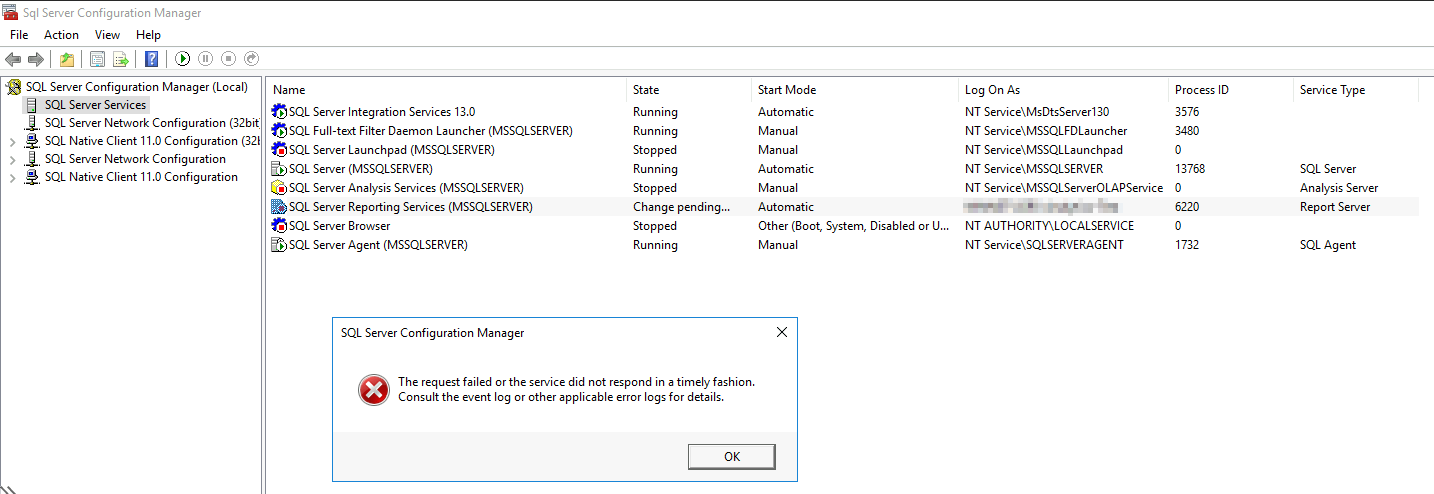
I analyzed the server's event viewer to try to find some clue to the problem and saw this error message:

I did a little research on the problem and didn't find anything that helped much. So I decided to analyze the processes that were open and saw that the “ReportingServicesService.exe” process was running, even though the service was stopped.
So I closed the process to try to start the service again.
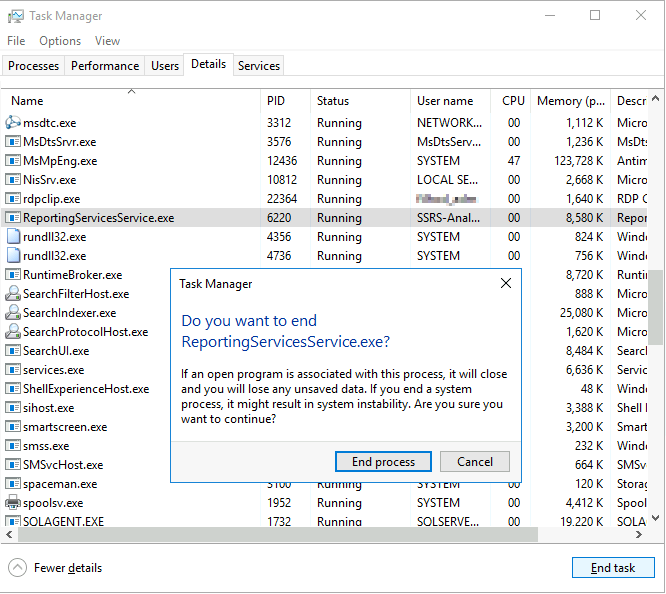
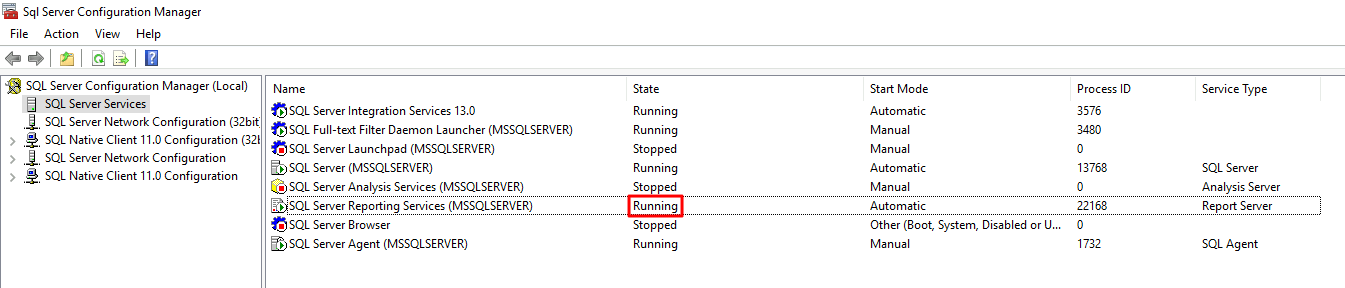
After closing the process, I tried to start the SQL Server Reporting Services (SSRS) service again and it started working normally again.
That's it, folks!
Quick post just to share a problem I had that might help you another day 🙂

Comentários (0)
Carregando comentários…