
Hey guys!
After a lot of reading and answering questions in Whatsapp and Telegram groups about limitations of SQL Server Express and Developer, I decided to write this article explaining about these two free versions*** of SQL Server and try to clarify all doubts.
SQL Server Developer Edition
Is SQL Server Developer Edition really free?
On 03/31/2016, it was announced that starting with SQL Server 2014, the Developer version would be free for program members Visual Studio Dev Essentials (see the official post here).
A little later, this benefit ended up being extended to all users, and you can download the latest version of SQL Server Developer by accessing this link here.
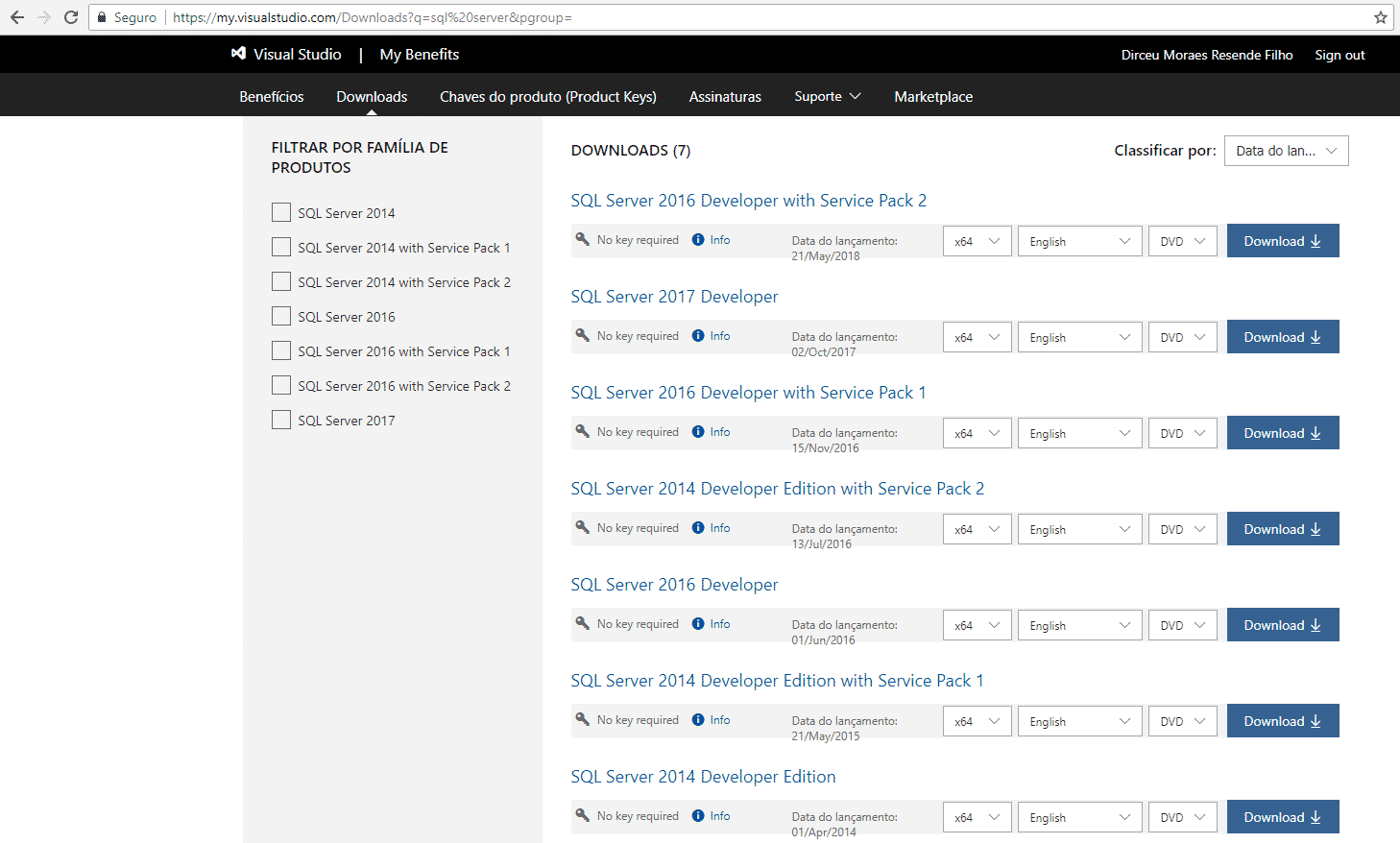
Where to download previous versions of SQL Server Developer Edition?
If you want an older version of SQL Server Developer, access this link here, as shown in the image below (you need to have an account in the program Visual Studio Dev Essentials:
Can I use SQL Server Developer Edition in production environments?
This incredible benefit that Microsoft has made available to IT professionals, allowing anyone to download and install SQL Server Developer, only applies to study, testing and/or development environments. Under no circumstances use SQL Server Developer in production environments, as your installation will be considered PIRATE/ILLEGAL and you may suffer heavy punishments ($$$) by Microsoft.
And how does Microsoft know that you are using SQL Developer in production?
In cases of complaints or customers who have contracts, Microsoft carries out in-person or remote audits of companies (companies are informed and follow the audit) and consultants analyze the entire environment in search of pirated software or other licensing problems (including Azure), so in one of these audits, your company could end up being fined for irregularities.
Although the SQL Server Developer documentation informs us that we can use the Developer version in testing and development environments, we must be very careful with this:
- If your development/testing environment does not have real production data (it was not replicated or was randomly generated or masked), you can rest assured and use the Developer version.
- If your development/testing environment is a copy or sample of the production environment, you may or may not have licensing issues due to using the Developer version. In this case, the recommendation is to contact your sales representative at Microsoft and request formal guidance on how to proceed and whether using the Developer version applies to your scenario (formalize all communication), as I have seen cases where this did not generate problems and others ended up generating them.
What are the differences between the Developer and Enterprise versions?
This is a very common question among IT professionals and students who are starting to study SQL Server. Technically, they are the same version. The Developer edition is complete and has all the features found in the Enterprise edition of SQL Server. This allows everyone the opportunity to learn about and study all the resources that SQL Server offers, such as Analysis Services, Reporting Services, Integration Services, Master Data Services, Data Quality Services, etc., at no cost.
The big difference between the Developer and Enterprise versions is licensing. While the Developer version is free (with the rules mentioned above), the Enterprise version is paid (per core or per server).
If you want to test the Enterprise version in your company for 180 days (in this case, you can test with real production data) and evaluate whether it will be interesting to purchase the license, you can download the Trial version of SQL Server in this link and start using it.
SQL Server Express Edition
Is SQL Server Express Edition really free?
Yes! Since it was released in 2005, the Express version of SQL Server is and has always been free. You can download the latest version of SQL Server Express accessing this link.
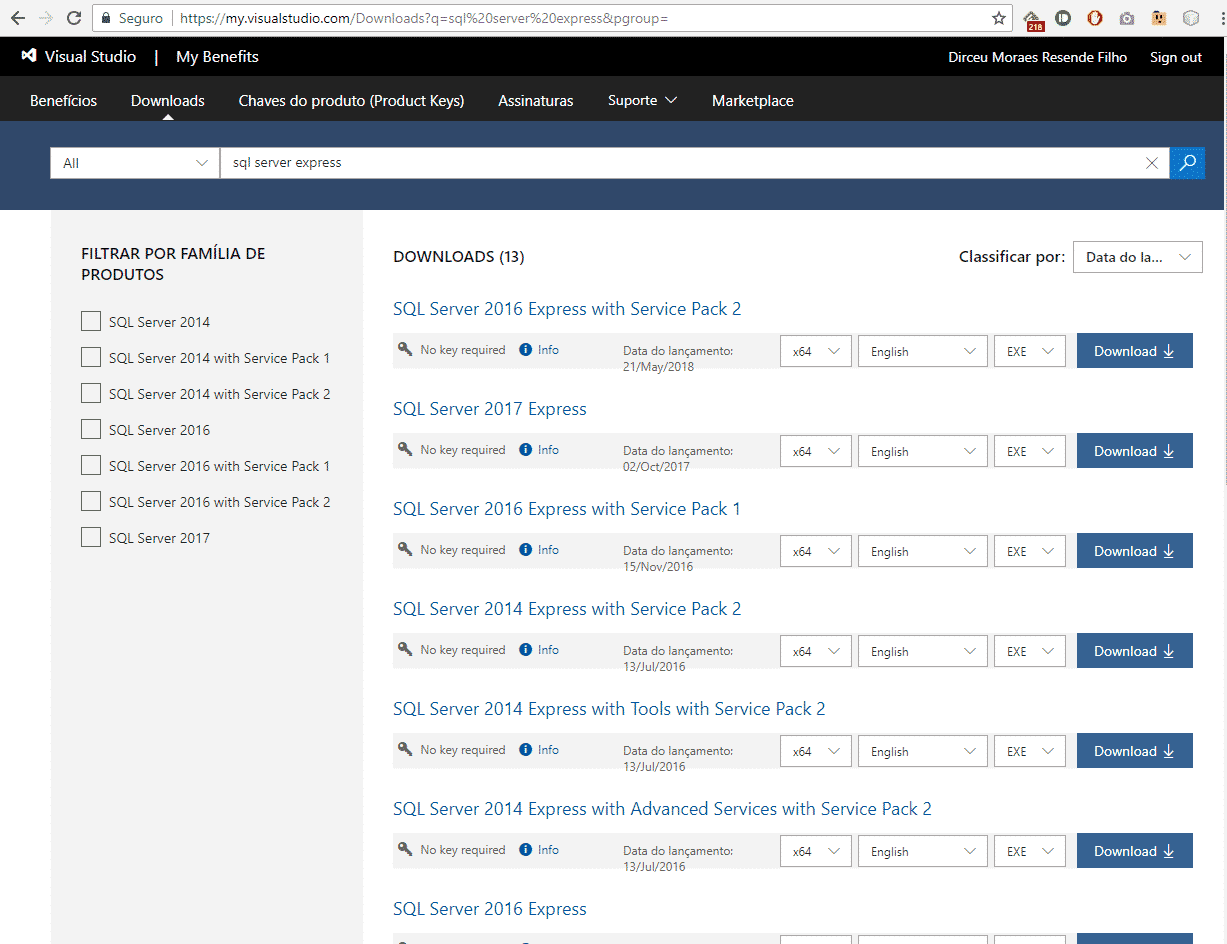
Where to download previous versions of SQL Server Express?
If you want an older version of SQL Server Express, access this link here, as shown in the image below (you need to have an account in the program Visual Studio Dev Essentials:
Can I use SQL Server Express in production environments?
Yes! SQL Server Express can be used in production environments without any problems related to software licensing. However, it has several technical limitations (I will explain below) that may make it unfeasible to use SQL Server Express in larger and more complex systems.
What are the differences between SQL Server Express and Enterprise?
Unlike the comparison between the Developer and Enterprise versions, where the only thing that changes is the licensing method, the Enterprise and Express versions have several technical differences between them, since the Express version has some limitations (both hardware and resources), which vary according to the DBMS version:
Hardware limitations
- Maximum database size limit: 10 GB (SQL Server 2008 R2 to SQL Server 2017) and 4 GB (SQL Server 2008 and earlier). This limit is only applied to data (logs are not considered), although have a form not recommended to exceed this limit
- Maximum limit of RAM used: 1 GB (1410 MB as of SQL 2016). This limit is only for the Buffer Pool (cache)
- Maximum CPU limit: 1 CPU. If the server has 8 quad-core processors, only 1 quad-core processor will be used (i.e., in this example, 4 cores will be used out of the 32 available on the server)
My SQL Server Express uses more than 1GB of memory
I see many reports on the internet about people questioning the memory limit of SQL Server Express, because in the task manager, the SQL process is using more than 1 GB. So how is this possible?
The answer to this is that this 1 GB limit (or 1410 MB as of SQL Server 2016) only applies to the buffer pool memory area, which is the main memory area and also responsible for caching queries to reduce disk I/O operations.
However, SQL Server has other memory areas in addition to the buffer pool. Starting with SQL 2016 SP1, SQL Express can consume an additional 352MB for columnstore object segments (per instance) and an additional 352MB for in-memory OLTP (Hekaton) objects per database. And there are other areas of SQL Server memory that do not have limitations, such as MEMORYCLERK_SQLCLR, even in the Express edition.
To view memory consumption by area, you can run this query here:
SELECT type, SUM(pages_kb)/1024 AS MemoryMB
FROM sys.dm_os_memory_clerks
GROUP BY type
ORDER BY 2 DESC
Software limitations
- It does not have SQL Agent, that is, you cannot use SQL Server Jobs (if you need to schedule tasks, you will have to use the OS scheduler)
- It does not have the Database Mail interface, that is, to send emails from SQL Server you will not have an interface (GUI or Wizard) to help you with the configuration. Everything will have to be done via T-SQL code (see more details here)
- Does not have Analysis Services
- Does not have Reporting Services
- Does not have Integration Services
- No support for some other features such as: Backup compression, AlwaysOn, Database Snapshots, Rebuild Online, Backup encryption, Resource Governor, Transparent Data Encryption (TDE), SQL Profiler, Database Tuning Advisor (DTA), SQL Server Data Tools, MDX tools, Integration with R and Python
It is worth noting that there is no specific maximum number of users limitation for SQL Server Express (it will follow the same limitation as other versions – 32,767 simultaneous connections). However, due to the hardware limitations seen above, this bank will hardly support all this number of open connections. The maximum number of users supported by SQL Server Express ends up being defined by hardware limitations and the way the application was built.
To view the full list of Express version limitations, see the links below:
- SQL Server 2005 Express
- SQL Server 2008 Express
- SQL Server 2008 R2 Express
- SQL Server 2012 Express
- SQL Server 2014 Express
- SQL Server 2016 Express
- SQL Server 2017 Express
If you want to know more about the Advanced Services extension of SQL Server Express, which adds some more features to Express, such as Data Tools and Reporting Services, see my post SSRS – Reporting Services in your company without paying ANYTHING? Discover SQL Server Express with Advanced Services.
In summary, we can consider SQL Server Express as a free and “lite” version of SQL Server Enterprise, due to the limitations of the Express version. However, SQL Server Express is still a DBMS robust enough to support small applications, with a wide variety of management features (Windows Authentication, Backups) and development (SQLCLR, XML, JSON, Full-text search)
I hope you enjoyed this post and see you next time!
Big hug!

Comments (0)
Loading comments...