
Hey guys!
Good morning.
Introduction
In this post, I will show you how to generate SQL Server programming object creation scripts (Functions, Trigger, Stored Procedures and Views) and export them to .SQL files using catalog view queries. This way we can automate the generation of these scripts.
Another need that led me to create this script was that in my database of useful functions, I have hundreds of SP's and CLR and T-SQL functions together. Sometimes when I want to copy functions and Stored Procedures written in T-SQL, ignoring the CLR, I don't have a simple way to do this, because the SQL Server Management Studio interface does not allow filtering T-SQL and CLR functions and stored procedures, generating the script for all of them and then I need to exclude the scripts that are CLR.
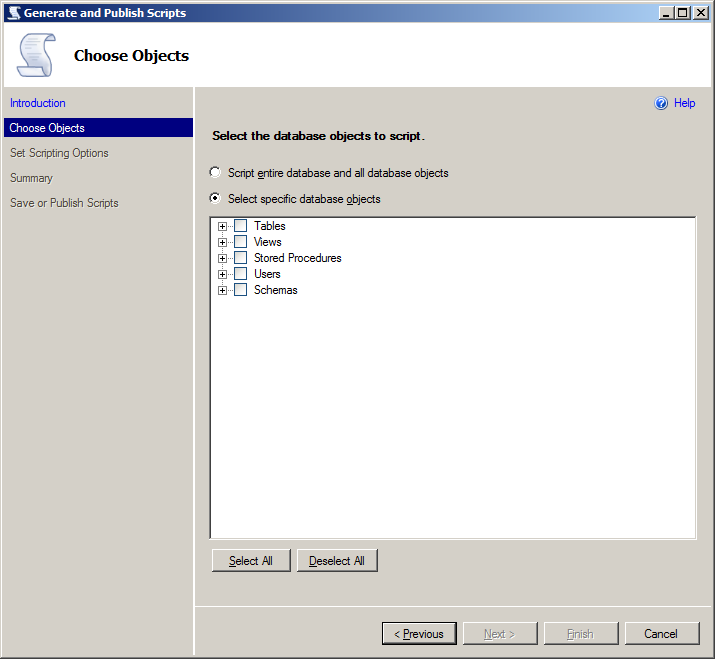
Querying the source code of objects
Performing a simple query in catalog views sys.sql_modules and sys.objects, we can get the source code of SQL Server programming objects in the current database:
SELECT
    B.name AS Ds_Objeto,
    B.[type_desc] AS Ds_Tipo,
    A.[definition] AS Ds_Comando
FROM
    sys.sql_modules    A   WITH(NOLOCK)
    JOIN sys.objects   B   WITH(NOLOCK)    ON  A.[object_id] = B.[object_id]
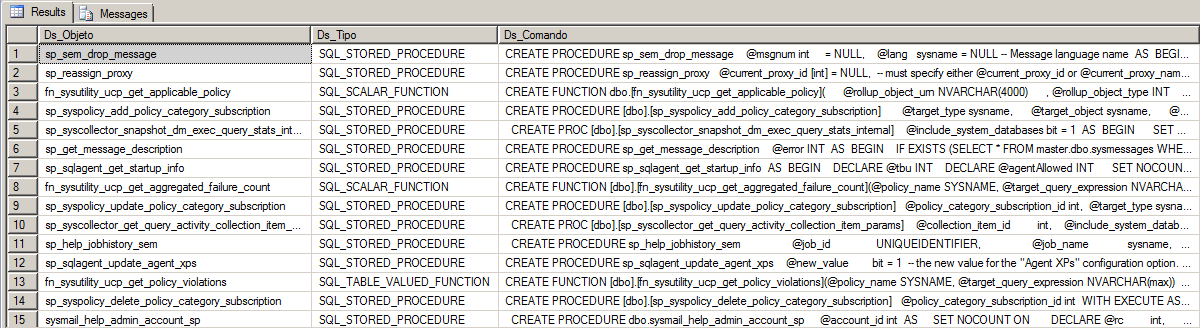
How to export programming objects to .SQL files
Since we already have the source code for each object, we just need to export it to text files and our task is complete. In order to facilitate this process, I will make available to you a Stored Procedure that already performs this task, iterating between each object and generating the objects' script.
As a prerequisite for it to work, you will need the objects below, the source code of which is available in my post SQL Server – How to list, read, write, copy, delete and move files with the CLR (C#):
– fncFile_Exists
– stpDelete_File
– stpWrite_File
CREATE PROCEDURE dbo.stpExporta_Objetos_SQL (
    @Ds_Database SYSNAME,
    @Diretorio_Destino VARCHAR(600),
    @Fl_Arquivo_Unico BIT = 0,
    @Fl_Gera_Com_Create BIT = 1,
    @Fl_Exporta_Procedures BIT = 0,
    @Fl_Exporta_Functions BIT = 0,
    @Fl_Exporta_Triggers BIT = 0,
    @Fl_Exporta_Views BIT = 0
)
AS BEGIN


    ------------------------------------------------------------------
    -- RECUPERA OS OBJETOS
    ------------------------------------------------------------------

    DECLARE
        @Query VARCHAR(MAX),
        @Filtro_Tipos VARCHAR(MAX) = '''X'''


    IF (@Fl_Exporta_Procedures = 1)
        SET @Filtro_Tipos = @Filtro_Tipos + ', ''SQL_STORED_PROCEDURE'''


    IF (@Fl_Exporta_Functions = 1)
        SET @Filtro_Tipos = @Filtro_Tipos + ', ''SQL_INLINE_TABLE_VALUED_FUNCTION''' + ', ''SQL_SCALAR_FUNCTION''' + ', ''SQL_TABLE_VALUED_FUNCTION'''


    IF (@Fl_Exporta_Triggers = 1)
        SET @Filtro_Tipos = @Filtro_Tipos + ', ''SQL_TRIGGER'''


    IF (@Fl_Exporta_Views = 1)
        SET @Filtro_Tipos = @Filtro_Tipos + ', ''VIEW'''


    SET @Query = '
    IF (OBJECT_ID(''tempdb..##Exportacao_Objetos_Banco'') IS NOT NULL) DROP TABLE ##Exportacao_Objetos_Banco
    SELECT
        IDENTITY(INT, 1, 1) AS Ordem,
        B.name AS Ds_Objeto,
        B.[type_desc] AS Ds_Tipo,
        (CASE B.[type_desc]
            WHEN ''SQL_INLINE_TABLE_VALUED_FUNCTION'' THEN ''TableFunction''
            WHEN ''SQL_SCALAR_FUNCTION'' THEN ''ScalarFunction''
            WHEN ''SQL_TABLE_VALUED_FUNCTION'' THEN ''TableFunction''

            WHEN ''SQL_STORED_PROCEDURE'' THEN ''StoredProcedure''

            WHEN ''SQL_TRIGGER'' THEN ''Trigger''

            WHEN ''VIEW'' THEN ''View''
        END) AS Nm_Tipo,
        A.[definition] AS Ds_Comando
    INTO
        ##Exportacao_Objetos_Banco
    FROM
        [' + @Ds_Database + '].sys.sql_modules                 A   WITH(NOLOCK)
        JOIN [' + @Ds_Database + '].sys.objects                B   WITH(NOLOCK)    ON  A.[object_id] = B.[object_id]
    WHERE
        B.[type_desc] IN (' + @Filtro_Tipos + ')'


    EXEC(@Query)


    ------------------------------------------------------------------
    -- GERA OS ARQUIVOS .SQL
    ------------------------------------------------------------------

    DECLARE
        @Contador INT = 1,
        @Total INT = (SELECT COUNT(*) FROM ##Exportacao_Objetos_Banco),
        @Nm_Arquivo VARCHAR(MAX),
        @Comando VARCHAR(MAX),
        @Caminho VARCHAR(MAX),
        @Ds_Objeto VARCHAR(MAX),
        @CabecalhoArquivo VARCHAR(MAX)


    -- Apaga o arquivo destino, se já existir
    IF (@Fl_Arquivo_Unico = 1)
    BEGIN

        SET @Caminho = @Diretorio_Destino + '\Exportacao_Objetos.sql'

        IF (CLR.dbo.fncArquivo_Existe(@Caminho) = 1)
        BEGIN

            EXEC CLR.dbo.stpApaga_Arquivo
                @caminho = @Caminho -- nvarchar(max)

        END


        SET @CabecalhoArquivo = '
USE [' + @Ds_Database + ']
GO

'

        EXEC CLR.dbo.stpEscreve_Arquivo
            @Ds_Texto = @CabecalhoArquivo, -- nvarchar(max)
            @Ds_Caminho = @Caminho, -- nvarchar(max)
            @Ds_Codificacao = N'UTF-8', -- nvarchar(max)
            @Ds_Formato_Quebra_Linha = N'UNIX', -- nvarchar(max)
            @Fl_Append = @Fl_Arquivo_Unico -- bit


    END


    WHILE(@Contador <= @Total)
    BEGIN


        SELECT
            @Comando = Ds_Comando,
            @Nm_Arquivo = Nm_Tipo + '.' + Ds_Objeto + '.sql',
            @Ds_Objeto = Ds_Objeto
        FROM
            ##Exportacao_Objetos_Banco
        WHERE
            Ordem = @Contador


        IF (@Fl_Gera_Com_Create = 0)
        BEGIN

            SET @Comando = REPLACE(@Comando, 'CREATE PROCEDURE ', 'ALTER PROCEDURE ')
            SET @Comando = REPLACE(@Comando, 'CREATE VIEW ', 'ALTER VIEW ')
            SET @Comando = REPLACE(@Comando, 'CREATE TRIGGER ', 'ALTER TRIGGER ')
            SET @Comando = REPLACE(@Comando, 'CREATE FUNCTION ', 'ALTER FUNCTION ')

        END


        IF (@Fl_Arquivo_Unico = 1)
        BEGIN

            SET @Nm_Arquivo = 'Exportacao_Objetos.sql'
            SET @CabecalhoArquivo = '
GO

--------------------------------------------------------------------
-- ' + @Ds_Objeto + '
--------------------------------------------------------------------
'

            EXEC CLR.dbo.stpEscreve_Arquivo
                @Ds_Texto = @CabecalhoArquivo, -- nvarchar(max)
                @Ds_Caminho = @Caminho, -- nvarchar(max)
                @Ds_Codificacao = N'UTF-8', -- nvarchar(max)
                @Ds_Formato_Quebra_Linha = N'UNIX', -- nvarchar(max)
                @Fl_Append = @Fl_Arquivo_Unico -- bit

        END
        ELSE BEGIN

            SET @Caminho = @Diretorio_Destino + '\' + @Nm_Arquivo
            SET @CabecalhoArquivo = 'USE [' + @Ds_Database + ']
GO

'

            EXEC CLR.dbo.stpEscreve_Arquivo
                @Ds_Texto = @CabecalhoArquivo, -- nvarchar(max)
                @Ds_Caminho = @Caminho, -- nvarchar(max)
                @Ds_Codificacao = N'UTF-8', -- nvarchar(max)
                @Ds_Formato_Quebra_Linha = N'UNIX', -- nvarchar(max)
                @Fl_Append = 0 -- bit

        END


        EXEC CLR.dbo.stpEscreve_Arquivo
            @Ds_Texto = @Comando, -- nvarchar(max)
            @Ds_Caminho = @Caminho, -- nvarchar(max)
            @Ds_Codificacao = N'UTF-8', -- nvarchar(max)
            @Ds_Formato_Quebra_Linha = N'UNIX', -- nvarchar(max)
            @Fl_Append = 1 -- bit


        SET @Contador = @Contador + 1


    END


END
Examples of use:
In this first example, I will demonstrate how to export the scripts into a single .SQL file, which will place a header to differentiate each script and at the beginning of the file will use a USE [DATABASE] to change the current database.
EXEC dbo.stpExporta_Objetos_SQL
    @Ds_Database = 'msdb', -- sysname
    @Diretorio_Destino = 'C:\Users\dirceu.resende\Desktop\Exp\', -- varchar(600)
    @Fl_Arquivo_Unico = 1, -- bit
    @Fl_Gera_Com_Create = 1, -- bit
    @Fl_Exporta_Procedures = 1, -- bit
    @Fl_Exporta_Functions = 1, -- bit
    @Fl_Exporta_Triggers = 1, -- bit
    @Fl_Exporta_Views = 1 -- bit
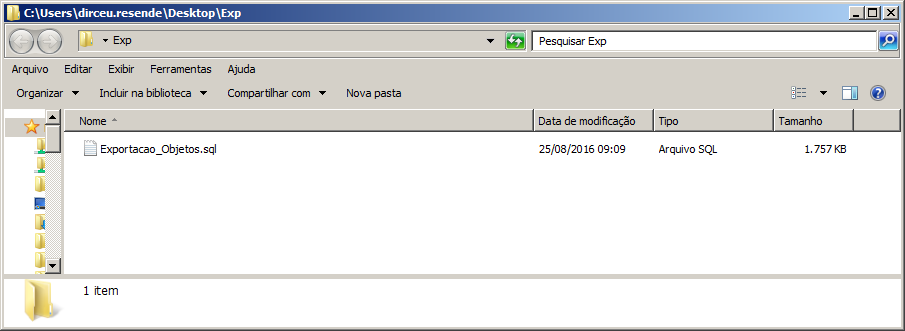
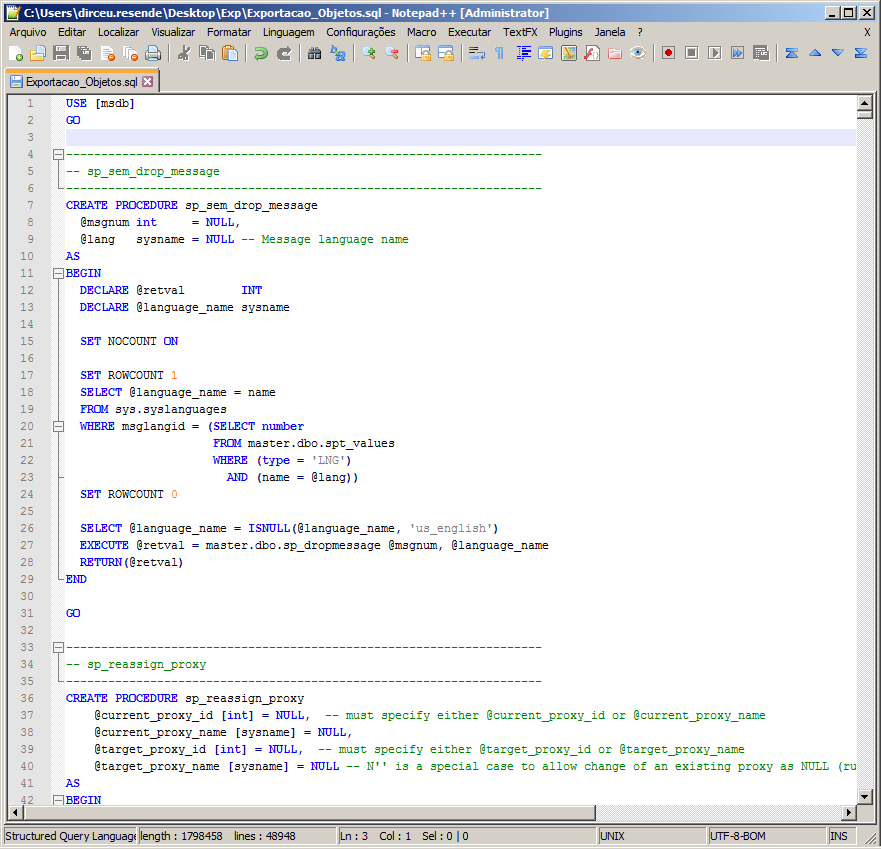
In this second example, I will demonstrate how to export the scripts into several .SQL files, 1 file per object, and at the beginning of each file there will be the USE [DATABASE] command to change the current database. Furthermore, when setting the parameter @Fl_Gera_Com_Create = 0, the CREATE PROCEDURE, for example, will be replaced by an ALTER PROCEDURE, if the objects already exist in the target database and you just want to update the objects.
EXEC dbo.stpExporta_Objetos_SQL
    @Ds_Database = 'msdb', -- sysname
    @Diretorio_Destino = 'C:\Users\dirceu.resende\Desktop\Exp\', -- varchar(600)
    @Fl_Arquivo_Unico = 0, -- bit
    @Fl_Gera_Com_Create = 0, -- bit
    @Fl_Exporta_Procedures = 1, -- bit
    @Fl_Exporta_Functions = 1, -- bit
    @Fl_Exporta_Triggers = 1, -- bit
    @Fl_Exporta_Views = 1 -- bit
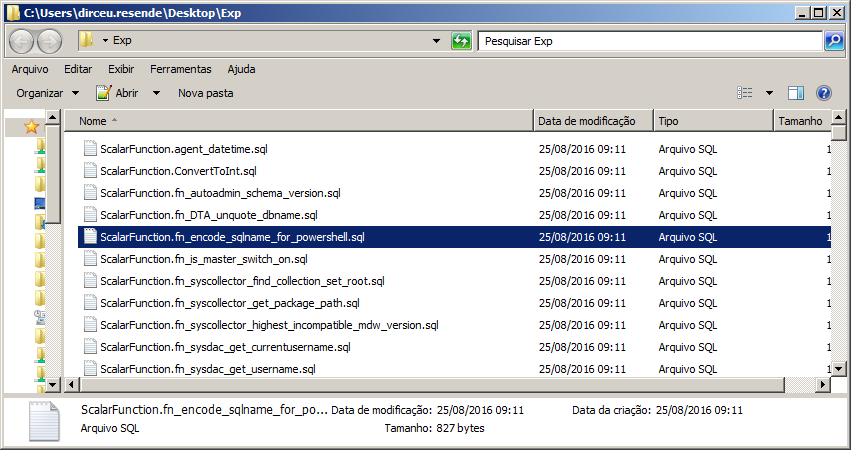
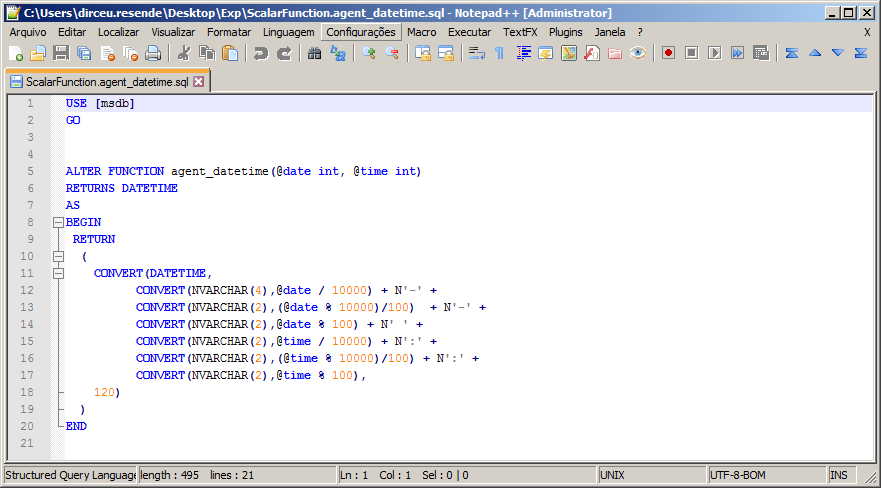
Once you have generated your various scripts, you can now run them in batch on the target server and database using the tip I provided in the post SQL Server – How to batch execute all .sql scripts in a folder or directory using SQLCMD
Thanks for visiting and see you in the next post.

Comments (0)
Loading comments...