
Hey guys!
Let's go for another article.
Introduction
Who works as a DBA in environments where the bank's BI developers and analysts are not sysadmin (amen), but create jobs in the bank using their own users (SQL Server – Understanding SQL Agent permissions and roles (SQLAgentUserRole, SQLAgentReaderRole and SQLAgentOperatorRole)), knows how common demands to change job ownership are, especially when a user leaves the company and their jobs need to be transferred to someone else's responsibility.
Based on this scenario, I would like to share with you how to change the owner of a SQL Agent job in a practical, simple and quick way, both for a specific job and for all jobs owned by a user.
How to identify the owner of SQL Server Agent jobs
To start this article, I will quickly demonstrate how to identify the owner of SQL Server Agent jobs using a simple T-SQL query, where it will be possible to list all jobs in the instance and their respective owners:
SELECT
    A.job_id,
    A.[name] AS job_name,
    B.[name] AS [user_name],
    B.[sid]
FROM
    msdb.dbo.sysjobs A
    LEFT JOIN sys.server_principals B ON A.owner_sid = B.[sid]
Example:

How to change the owner of a job with SSMS or Azure Data Studio
The simplest and easiest way to change the owner of a job is using the SQL Server Management Studio (SSMS) interface.
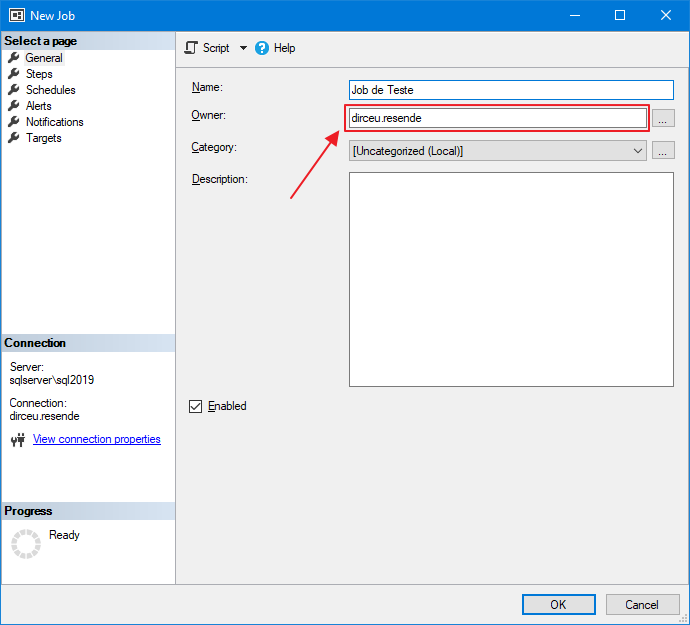
Or, use the Azure Data Studio interface (aka SQL Operations Studio)
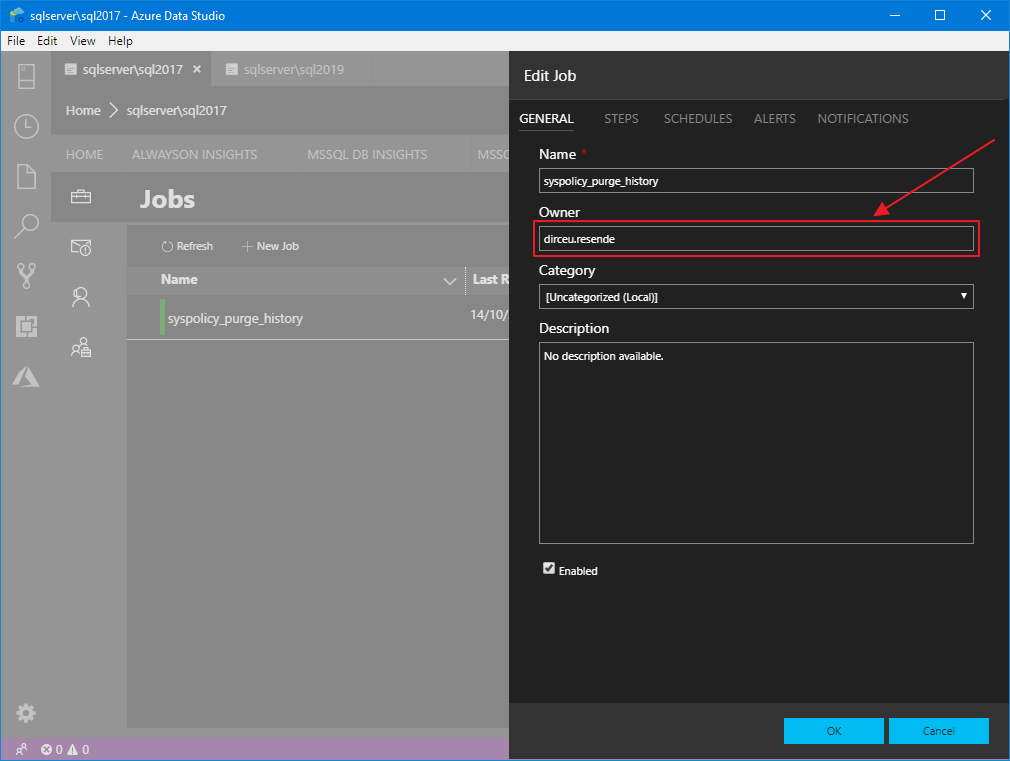
How to change the owner of a job with sp_update_job
The simplest way to change the owner of a job using T-SQL scripts is through the system stored procedure, msdb.dbo.sp_update_job, which allows you to change several settings for a given job, including the job owner.
Changing the owner of a job from the job name
EXEC msdb.dbo.sp_update_job
    @job_name = 'Teste de Job', -- sysname
    @owner_login_name = 'sa' -- sysname
Changing the owner of a job based on the job ID
EXEC msdb.dbo.sp_update_job
    @job_id = 'FEC4CB2F-A39D-4FCA-8594-9388348C5C65', -- sysname
    @owner_login_name = 'sa' -- sysname
How to transfer jobs between logins with sp_update_job
When you need to transfer ownership of jobs from one user to another, this task can end up being a bit cumbersome. To assist in this task, I prepared a script to perform this operation for you.
DECLARE
    @CmdUpdateJob VARCHAR(MAX) = '',
    @LoginOrigem VARCHAR(100) = 'dirceu.resende',
    @LoginDestino VARCHAR(100) = 'sa'


SELECT @CmdUpdateJob += '
EXEC msdb.dbo.sp_update_job @job_id = ''' + CAST(A.job_id AS VARCHAR(50)) + ''', @owner_login_name = ''' + @LoginDestino + ''';'
FROM
    msdb.dbo.sysjobs A
    JOIN sys.server_principals B ON A.owner_sid = B.[sid]
WHERE
    B.[name] = @LoginOrigem


EXEC(@CmdUpdateJob)
Example of script execution:
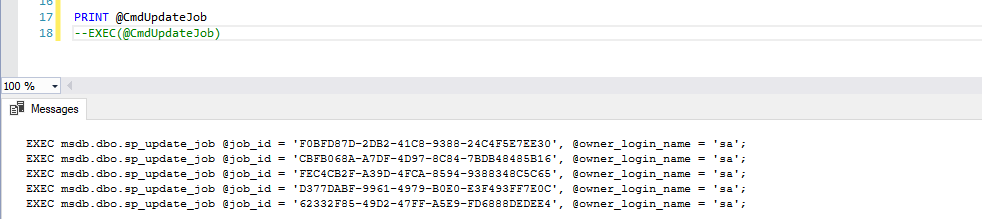
How to transfer jobs between logins with sp_manage_jobs_by_login
As we saw above, in a scenario where it is necessary to transfer logins from one user to another, we can use the script above to do this manually, using the sp_update_job stored procedure. However, from SQL Server 2008 onwards we can use another system sp, the sp_manage_jobs_by_login, which allows you to transfer jobs from one owner to another with just one execution.
EXEC msdb.dbo.sp_manage_jobs_by_login
    @action = N'REASSIGN',
    @current_owner_login_name = N'dirceu.resende',
    @new_owner_login_name = N'sa';
Execution result:
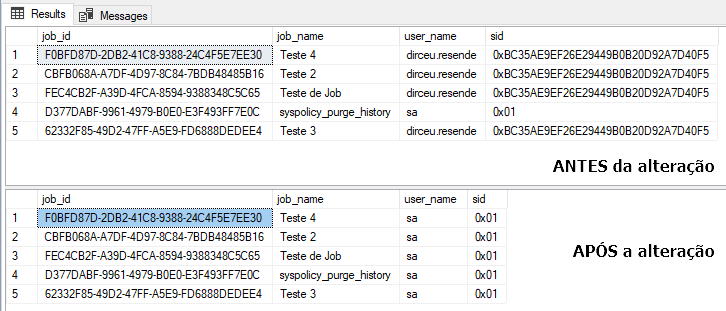
How to change the owner of all jobs
And finally, if you want to change the owner of all jobs in your instance, you can manually use sp_update_job to apply this change to your environment with the script below:
DECLARE
    @CmdUpdateJob VARCHAR(MAX) = '',
    @LoginDestino VARCHAR(100) = 'sa'


SELECT @CmdUpdateJob += '
EXEC msdb.dbo.sp_update_job @job_id = ''' + CAST(A.job_id AS VARCHAR(50)) + ''', @owner_login_name = ''' + @LoginDestino + ''';'
FROM
    msdb.dbo.sysjobs A


EXEC(@CmdUpdateJob)
Well guys, I hope you liked this article and that it is useful to you in your daily life.
A big hug and see you next time!

Comentários (0)
Carregando comentários…