
Hey guys!
In this article I wanted to share with you a simple solution to unlock a user without having to change/reset the password, which can sometimes be very annoying when having to change a user's password so that they can log back into the bank.
To learn more about Policies, Automatic Blocking and Expiration, read the article SQL Server – Password Policies, Password Expiration, Mandatory Password Change and Login Lockout after N attempts.
When you create a login using a password policy (CHECK_POLICY) to ensure that passwords are complex enough and short and weak passwords are not accepted, depending on Windows/AD settings, the auto-lock after N incorrect attempts feature may be enabled.
To test this scenario, we'll create a user with the password policy enabled:
USE [master]
GO

CREATE LOGIN [teste_politica_senha]
WITH
    PASSWORD = 'BdP@BPptxENu',
    CHECK_POLICY = ON
Now I ensure that the auto-blocking properties are enabled in the “Local Security Policy” screen (secpol.msc)
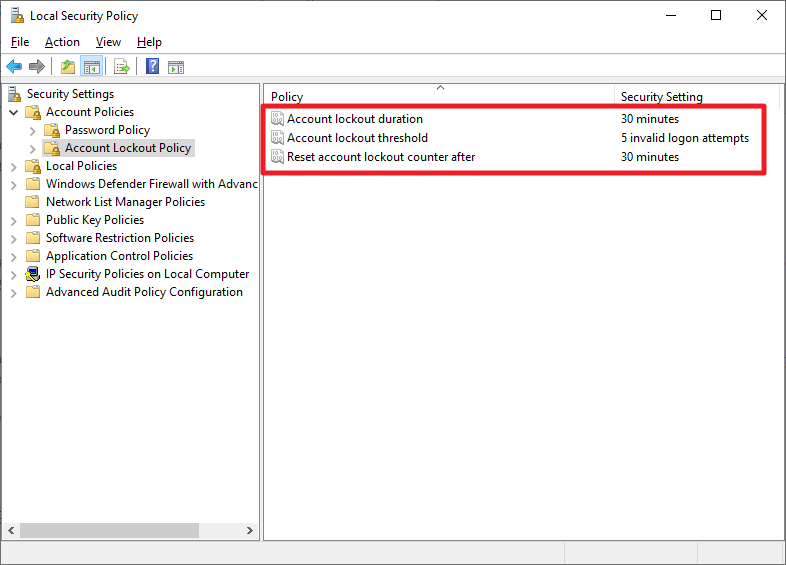
We will block this user trying to connect me more than 5 times (parameter that I defined in the previous screen) with the wrong password
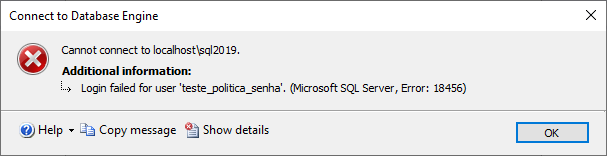
To check if the user is blocked, you can use the query below:
SELECT
    A.[name],
    A.[type_desc],
    A.is_disabled,
    A.create_date,
    A.modify_date,
    A.is_policy_checked,
    A.is_expiration_checked,
    LOGINPROPERTY(A.[name],'BadPasswordCount') AS [BadPasswordCount],
    LOGINPROPERTY(A.[name],'BadPasswordTime') AS [BadPasswordTime],
    LOGINPROPERTY(A.[name],'DaysUntilExpiration') AS [DaysUntilExpiration],
    LOGINPROPERTY(A.[name],'HistoryLength') AS [HistoryLength],
    LOGINPROPERTY(A.[name],'IsExpired') AS [IsExpired],
    LOGINPROPERTY(A.[name],'IsLocked') AS [IsLocked],
    LOGINPROPERTY(A.[name],'IsMustChange') AS [IsMustChange],
    LOGINPROPERTY(A.[name],'LockoutTime') AS [LockoutTime],
    LOGINPROPERTY(A.[name],'PasswordLastSetTime') AS [PasswordLastSetTime],
    LOGINPROPERTY(A.[name],'PasswordHashAlgorithm') AS [PasswordHashAlgorithm]
FROM
    sys.sql_logins A
    JOIN sys.server_principals B ON A.[sid] = B.[sid]
WHERE
    A.is_disabled = 0
    AND B.is_fixed_role = 0
    AND LOGINPROPERTY(A.[name],'IsLocked') = 1
Result:

I can also check if SQL Login is blocked by the SSMS interface
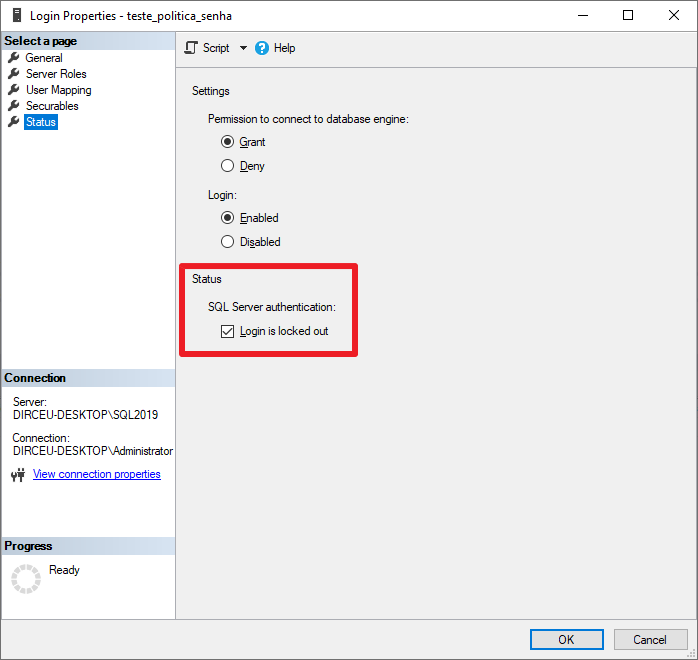
Now comes the tip from this post. How can I unlock this login without having to change the password?
If you try to simply uncheck this option in the SSMS interface, you will see this error message:
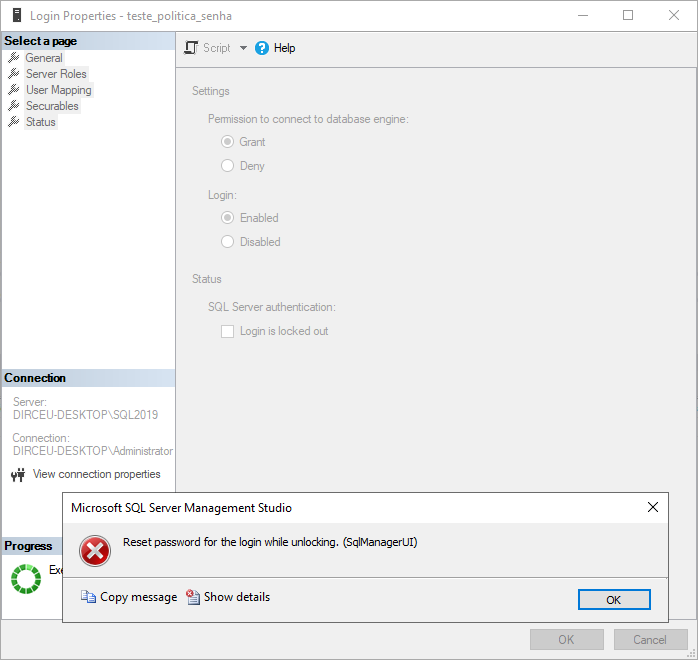
For this to work, uncheck the “Enforce password policy” option.

Ready! The user has already been unlocked. You can now select this option again if you want to keep it the way it was before.
You can also use this SQL command to unlock the user without having to change the password:
USE [master];
GO

ALTER LOGIN [teste_politica_senha]
WITH CHECK_POLICY = OFF;
GO

ALTER LOGIN [teste_politica_senha]
WITH CHECK_POLICY = ON;
GO
And that's it!
Short and quick post with this useful everyday tip.
Now you won't need to change an application's user password because a dev configured the wrong environment 🙂

Comentários (0)
Carregando comentários…