
Talk to me ALL!!
In this very simple and quick article, I will share with you the permissions to use OLE Automation, a SQL Server feature that allows you to use Windows DLLs and APIs through Stored Procedures calls to perform various tasks within the database, such as File Operations, use regular expressions (RegExp) and even, make web requests.
Introduction
As I already mentioned in the post Introduction to SQL CLR (Common Language Runtime) in SQL Server, the big problem with OLE Automation, is that when enabling this feature, any user (with permission) can create anything with it, since the commands are not managed and are executed within the SQL Server process. In case of a memory leak failure (which is not that uncommon), the instance may be stopped, as the SQL Server process is automatically closed by the operating system (!!!!)
Furthermore, it is difficult to find accurate documentation about OLE Automation and it is very complex to create routines using this feature. For this reason, I recommend replacing OLE Automation routines with SSIS packages and, if this is not possible, routines using SQLCLR, as I already describe the advantages in the article already mentioned.
Permissions to use OLE Automation
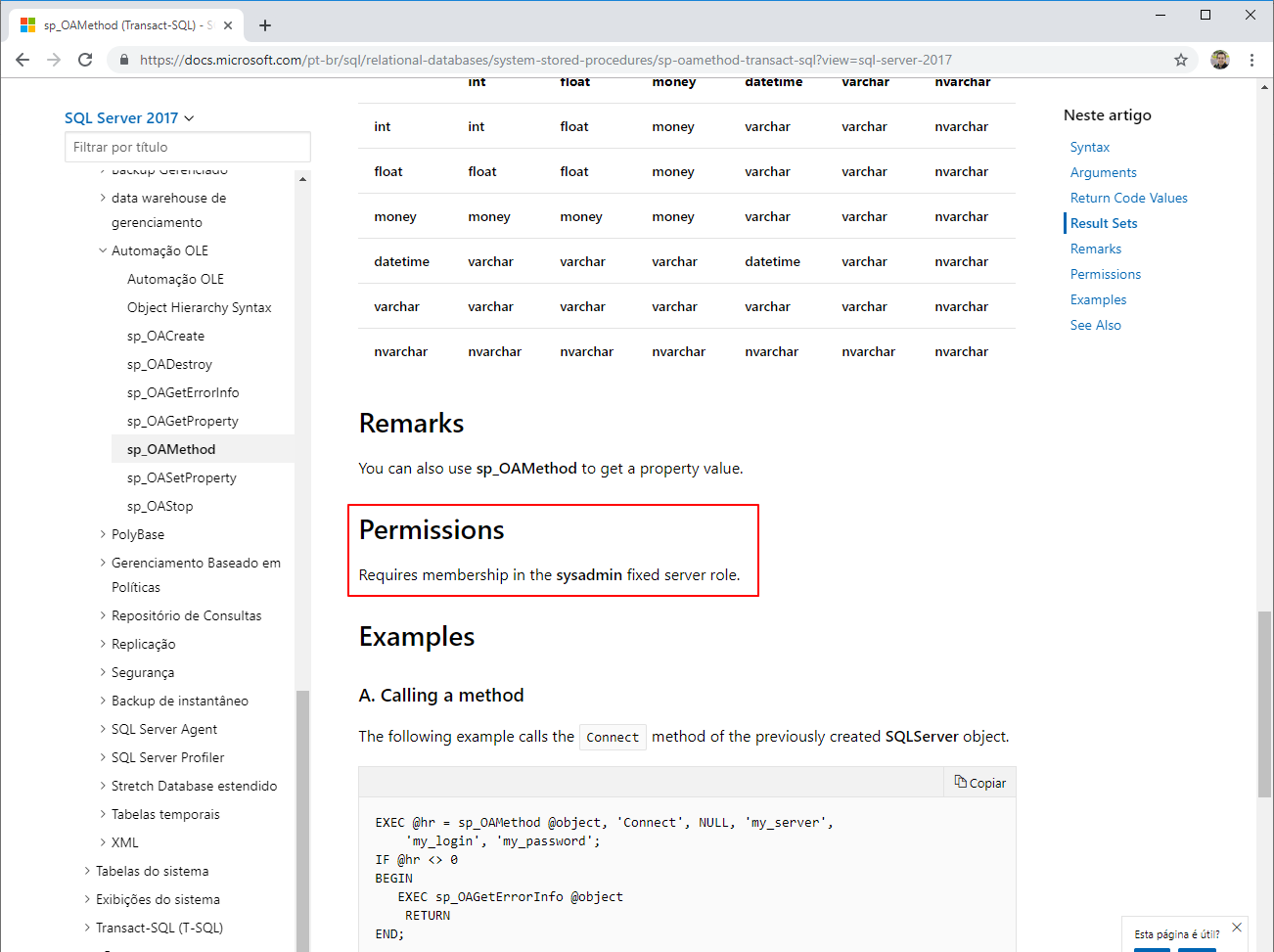
If you really have a very specific need that requires the use of OLE Automation (and you don't want to use SQLCLR), you must have already read the Microsoft documentation and on several other Brazilian and American blogs, which indicate that, to use the OLE Automation procedures (sp_OA*), you must belong to the server role sysadmin, correct? And then you have to release sysadmin permission so the user can create the objects or you end up denying this request, right?
English version:
Portuguese version:
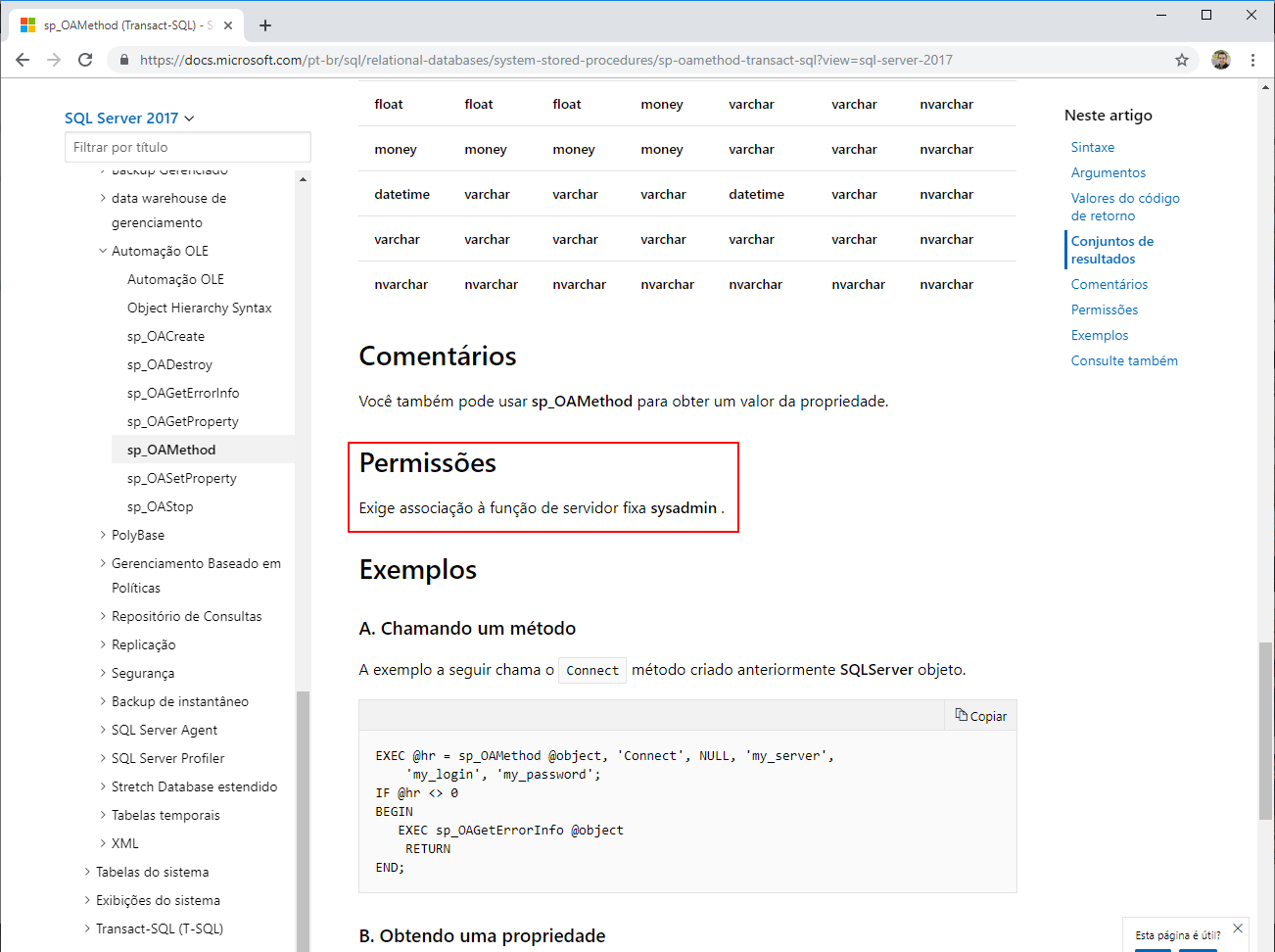
All documentation pages for these sp_OA* procedures have this same permission requirement (sysadmin). But what if I told you that this NO Is it true and is it very easy to prove it? 🙂
The first step towards this is Enable OLE Automation on the instance:
sp_configure 'Advanced Options', 1
GO

RECONFIGURE
GO

sp_configure 'Ole Automation Procedures', 1
GO

RECONFIGURE
GO
If you don't do this, you will encounter this error message:
Msg 15281, Level 16, State 1, Procedure sp_OACreate, Line 1 [Batch Start Line 0] SQL Server blocked access to procedure ‘sys.sp_OACreate’ of component ‘Ole Automation Procedures’ because this component is turned off as part of the security configuration for this server. A system administrator can enable the use of ‘Ole Automation Procedures’ by using sp_configure. For more information about enabling ‘Ole Automation Procedures’, search for ‘Ole Automation Procedures’ in SQL Server Books Online.
Now, let's create a new user to test if I can use OLE Automation without being in the server role sysadmin:
USE [master]
GO

CREATE LOGIN [teste_OA] WITH PASSWORD='123', CHECK_EXPIRATION=OFF, CHECK_POLICY=OFF, DEFAULT_DATABASE=[master]
GO

CREATE USER [teste_OA] FOR LOGIN [teste_OA]
GO
And now, connected with the user test_OA, let's try to use OLE Automation with the code below:
DECLARE @strArquivo VARCHAR(255) = 'C:\Senha muito importante.txt'

DECLARE
    @hr INT,
    @objFileSystem INT,
    @objFile INT,
    @ErrorObject INT,
    @ErrorMessage VARCHAR(255),
    @Path VARCHAR(255),--
    @ShortPath VARCHAR(255),
    @Type VARCHAR(100),
    @DateCreated DATETIME,
    @DateLastAccessed DATETIME,
    @DateLastModified DATETIME,
    @Attributes INT,
    @size INT


SET NOCOUNT ON

SELECT
    @hr = 0,
    @ErrorMessage = 'opening the file system object '

EXEC @hr = sp_OACreate
    'Scripting.FileSystemObject',
    @objFileSystem OUT

IF @hr = 0
    SELECT
        @ErrorMessage = 'accessing the file ''' + @strArquivo + '''',
        @ErrorObject = @objFileSystem

IF @hr = 0
    EXEC @hr = sp_OAMethod
        @objFileSystem,
        'GetFile',
        @objFile OUT,
        @strArquivo

IF @hr = 0
    SELECT
        @ErrorMessage = 'getting the attributes of ''' + @strArquivo + '''',
        @ErrorObject = @objFile

IF @hr = 0
    EXEC @hr = sp_OAGetProperty
        @objFile,
        'Path',
        @Path OUT

IF @hr = 0
    EXEC @hr = sp_OAGetProperty
        @objFile,
        'ShortPath',
        @ShortPath OUT

IF @hr = 0
    EXEC @hr = sp_OAGetProperty
        @objFile,
        'Type',
        @Type OUT

IF @hr = 0
    EXEC @hr = sp_OAGetProperty
        @objFile,
        'DateCreated',
        @DateCreated OUT

IF @hr = 0
    EXEC @hr = sp_OAGetProperty
        @objFile,
        'DateLastAccessed',
        @DateLastAccessed OUT

IF @hr = 0
    EXEC @hr = sp_OAGetProperty
        @objFile,
        'DateLastModified',
        @DateLastModified OUT

IF @hr = 0
    EXEC @hr = sp_OAGetProperty
        @objFile,
        'Attributes',
        @Attributes OUT

IF @hr = 0
    EXEC @hr = sp_OAGetProperty
        @objFile,
        'size',
        @size OUT


IF @hr <> 0
BEGIN
    DECLARE
        @Source VARCHAR(255),
        @Description VARCHAR(255),
        @Helpfile VARCHAR(255),
        @HelpID INT

    EXECUTE sp_OAGetErrorInfo
        @ErrorObject,
        @Source OUTPUT,
        @Description OUTPUT,
        @Helpfile OUTPUT,
        @HelpID OUTPUT

    SELECT
        @ErrorMessage = 'Error whilst ' + @ErrorMessage + ', ' + @Description

    RAISERROR (@ErrorMessage,16,1)

END


EXEC sp_OADestroy
    @objFileSystem

EXEC sp_OADestroy
    @objFile

SELECT
    [Path] = @Path,
    [ShortPath] = @ShortPath,
    [Type] = @Type,
    [DateCreated] = @DateCreated,
    [DateLastAccessed] = @DateLastAccessed,
    [DateLastModified] = @DateLastModified,
    [Attributes] = @Attributes,
    [Size] = @size
And when trying to run, we received the following message:
Msg 229, Level 14, State 5, Procedure sp_OACreate, Line 1 [Batch Start Line 0] The EXECUTE permission was denied on the object ‘sp_OACreate’, database ‘mssqlsystemresource’, schema ‘sys’.
Well, to solve this permission problem it is VERY simple and does NOT require the user to be in the sysadmin role:
USE [master]
GO

GRANT EXECUTE ON sys.sp_OACreate TO [teste_OA]
GRANT EXECUTE ON sys.sp_OADestroy TO [teste_OA]
GRANT EXECUTE ON sys.sp_OAGetErrorInfo TO [teste_OA]
GRANT EXECUTE ON sys.sp_OAGetProperty TO [teste_OA]
GRANT EXECUTE ON sys.sp_OAMethod TO [teste_OA]
GRANT EXECUTE ON sys.sp_OASetProperty TO [teste_OA]
GRANT EXECUTE ON sys.sp_OAStop TO [teste_OA]
And now, trying to run the above script again:

SUCCESS! We were able to run the OLE Automation script normally, with only the necessary permissions.
I hope you enjoyed this article and see you next time.
PS: Let me send you a request to correct the documentation 🙂
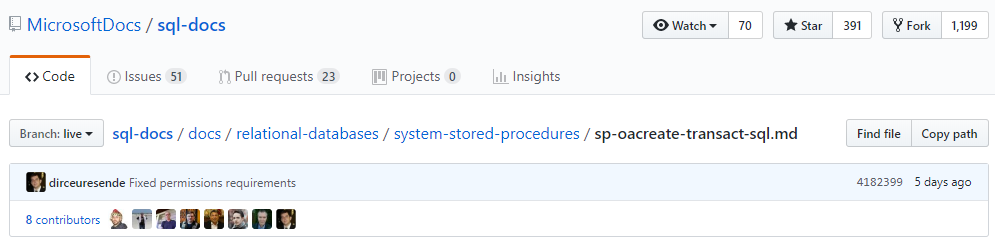
Corrected Documentation – “Mom, I’m at Globo!”

Comentários (0)
Carregando comentários…