
Hey guys!
Yes, you are on my blog and you are seeing Windows content.. lol
Today's post aims to change the lives of many people, just as my life improved a lot after I discovered how to solve the problem of Bluetooth headphones failing and cutting out the audio, which is something that has been bothering me for at least 3 years, going through about 3 different Bluetooth headphones, and they all had the same problem when connected to the computer (this didn't happen on the cell phone).
As I use a Desktop computer, which does not have internal Bluetooth, I use a Bluetooth 4.0 USB 2.0 adapter for this communication, which should be more than enough for this communication.
To identify whether this solution can work for you too, if you are having the same problem, see if your computer detects your Bluetooth headset in Stereo mode and also in Headset mode:
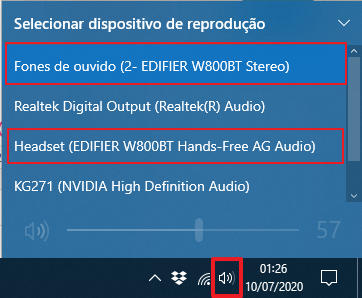
To resolve this, open the Devices and Printers:
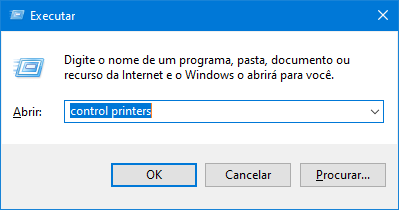
Method 1: Run
Press the “Windows Key” + “R” keys at the same time and on the run screen, type “control printers”
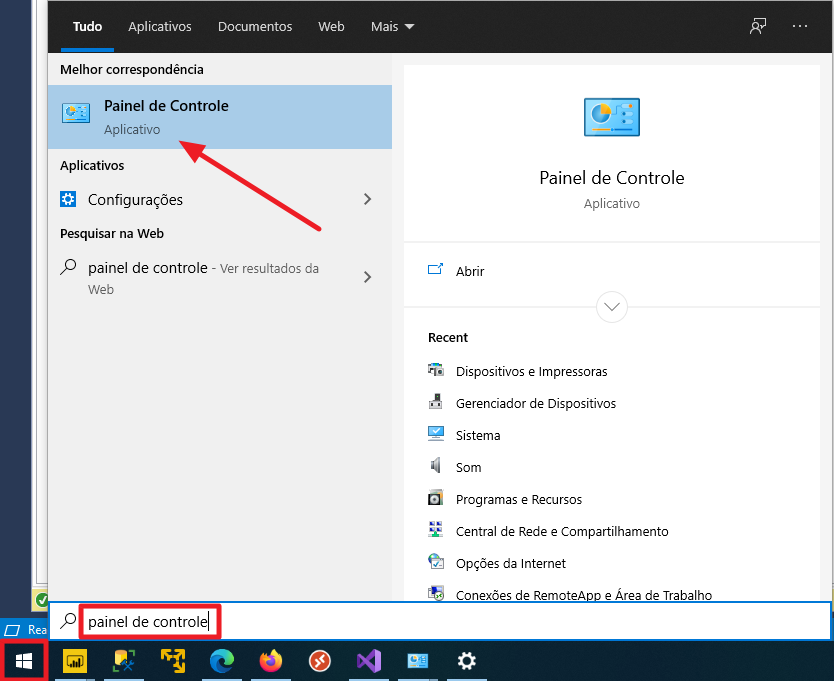
Method 2: Control Panel
Click the “Start” button, type “Control Panel” and click the icon indicated below:
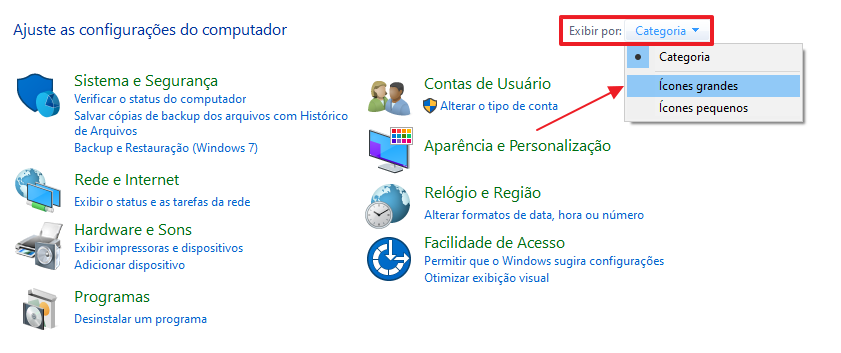
On this screen that has opened, click on the “View by” checkbox and select the “Large Icons” option:
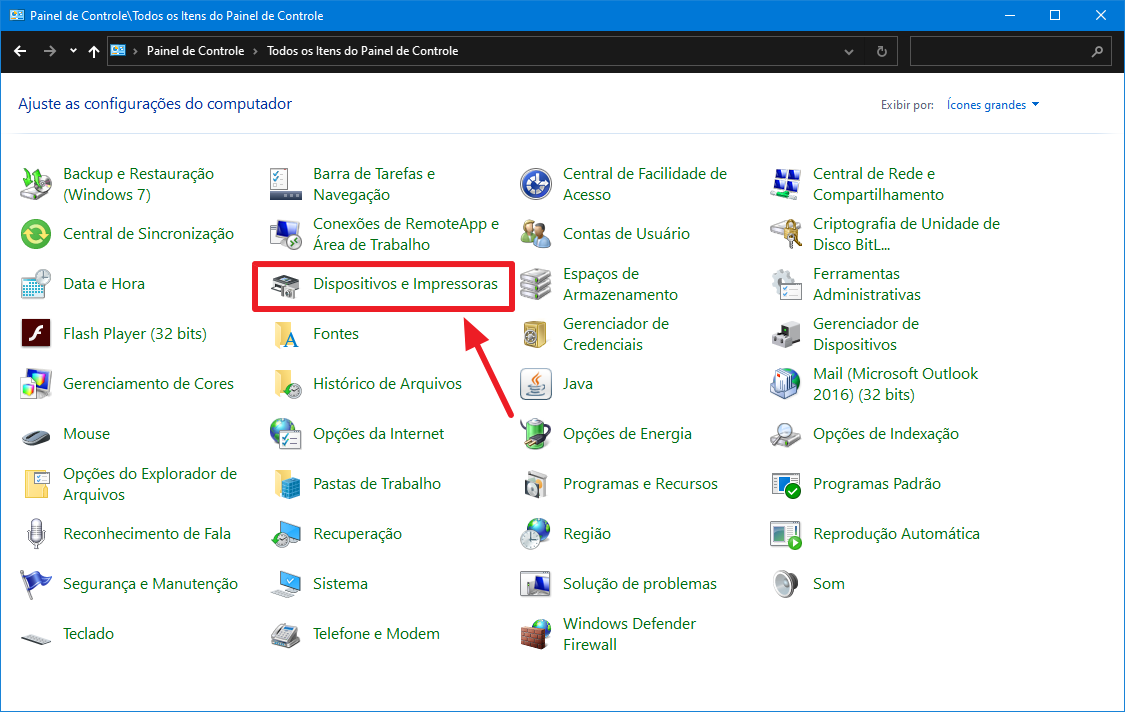
On the Control Panel screen, click on the “Devices and Printers” icon:
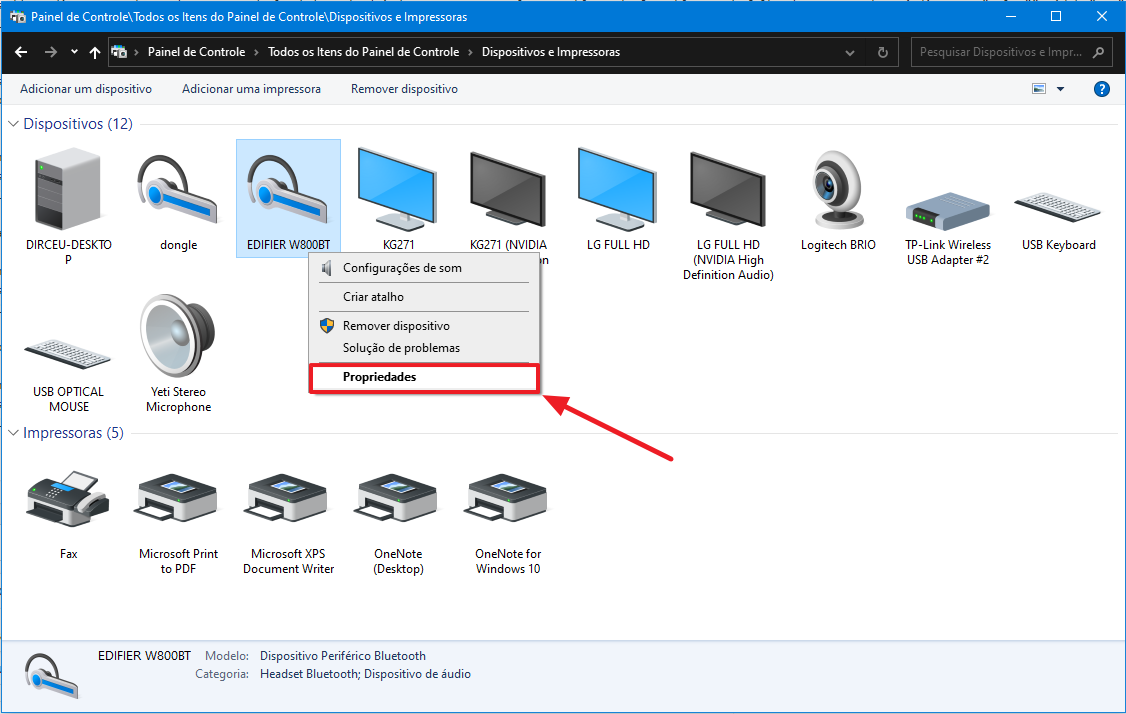
On the “Devices and Printers” screen, right-click on the name of your Bluetooth headset and select the “Properties” option:
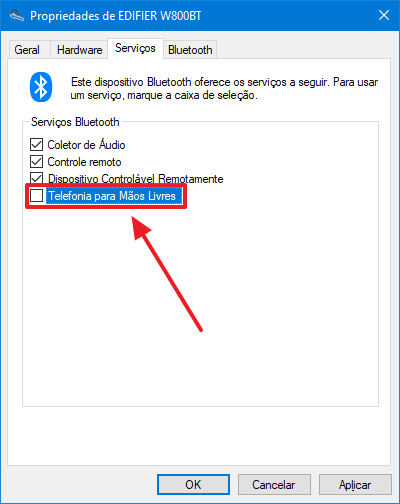
In the window that opens, click on the “Services” tab, uncheck the “Hands-free telephony” option and click on the “OK” button:
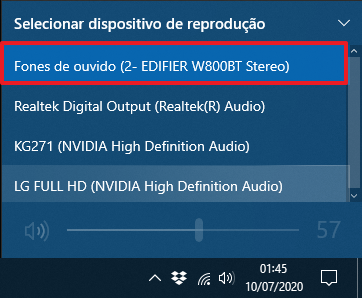
Looking again at the list of available headphones, we will see that the Headset option is no longer available:
With this, my problem of several years with sound cutting out and sometimes crashing when using Bluetooth headphones and USB adapters on the computer has been resolved. I believe the cause is the need to duplicate the bandwidth sent by the other device and the USB Bluetooth device was unable to process this correctly, causing lags, glitches and cut-off sound.
I hope this solution solves your problem too.
A big hug and see you later!

Comentários (0)
Carregando comentários…