
Hey guys,
Good afternoon.
In this post I will explain a very common error for BI analysts who used SQL Server 2008 and after migrating to SQL Server 2012 and 2014, they encounter the error message below when trying to open Visual Studio 2008 (BIDS)
Deserialization failed: Element ‘AllowedRowsExpression’ in namespace ‘http://schemas.microsoft.com/analysisservices/2011/engine/300/300’ is unexpected. (Microsoft Visual Studio)
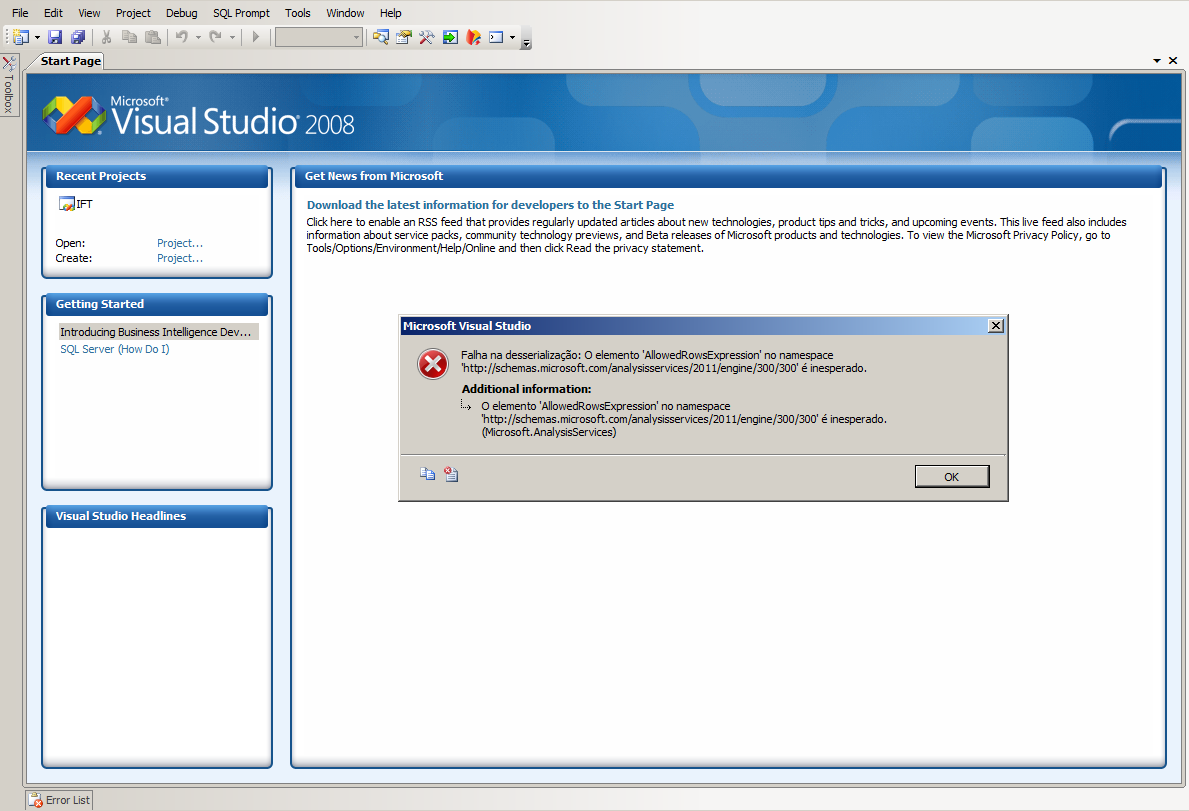
This error occurs due to a major change in the structure and organization of the XML used by Analysis Services starting with the 2012 version of SQL Server. To resolve this situation, we have two solutions:
Using SQL Server 2012 Feature Pack
One of the ways to solve this problem is by using the SQL Server 2012 Feature Pack. To do this, access the link SQL Server 2012 Feature Pack, download and install (in order) the items:
- SQL_AS_OLEDB.msi
- SQL_AS_ADOMD.msi
- SQL_AS_AMO.msi
If you receive an error message like “A network error occurred while attempting to read from the file..”, it means that this feature is already installed.
Using SQL Server Data Tools for Visual Studio 2013
Another alternative is to use the SQL Server Data Tools for Visual Studio, which is the successor to BIDS (Business Intelligence Development Studio) and compatible with Analysis Services 2012, 2014 and 2016 cubes, more complete, robust and with a redesigned appearance.
I believe that this is the best and most practical option, as we have to keep our work tools updated and keeping up with the market and new technologies instead of looking for ways and continuing to use outdated and obsolete tools.
If you have any questions, leave your questions in the comments and I will respond.
Hug!

Comentários (0)
Carregando comentários…