Hey guys,
Are you all right?
In this non-technical post, I would like to talk to the MCP (Microsoft Certified Professional) professionals who visit and follow my articles about a very cool resource that is available to MCPs and that few use.
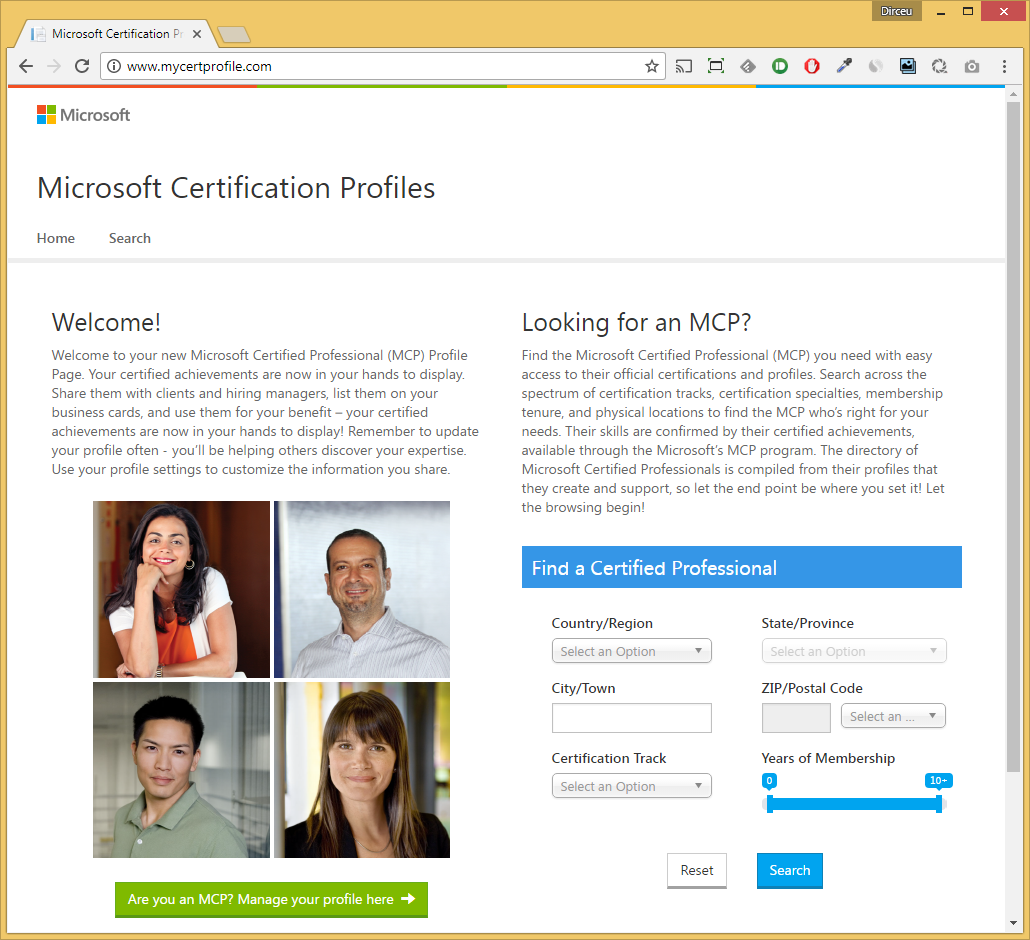
The MCP professional is one who has passed at least one Microsoft certification test (MTA does not count) and Microsoft provides a very cool public profile for these professionals, so that people can view their profile and check information about their certifications and also companies and recruiters can search for certified professionals from a certain region, and can even specify which certification they are looking for.
For MCP professionals
To create your profile, simply access the link this link here and provide your registration details. Remember to enter your address information (especially your zip code), so that recruiters and companies can find you when searching for nearby professionals (distance calculation is done using your zip code).

The certifications part works along the same lines as youracclaim.com: you do not (and cannot) register your certifications – they appear on your profile as you pass the tests and the site fetches the information directly from Microsoft.

Ready. Now your profile is public and can be found in searches by companies and recruiters (or other professionals too).
For recruiters and companies
If you are a recruiter, headhunter, work in HR or simply want to find certified professionals, this portal is for you.
Access the address http://www.mycertprofile.com/Search and you can discover Microsoft Certified Professionals (MCP) and filter by location, name, type of certification, etc.
See an example:

Did you see how easy it was? I did a simple search to find all professionals in Brazil with the Microsoft Certified Solutions Expert (MCSE) – Data Management and Analytics certification who are registered on this portal.
This is a really cool tool for professionals to be found and recruiters and HR professionals to find them.
If you don't have your profile on this site yet or it's not updated, don't waste any more time! Access this link here now and register/update your registration.
Acclaim
Another really cool site to create your profile is Acclaim. You create your profile on this site and whenever you pass a certification test, it generates a virtual badge so you can share this achievement on your social networks.
It is also a public portal, where people can see information about all their certifications (as long as the certification company is a partner of the site) and approved exams.
It is very important to highlight that the registration email must be the same email that you registered with on the Microsoft Learning website, otherwise, you will have to use the Merge Account feature on the website or Acclaim will not find your certifications.
Example of a social media post:

NO It is possible to register your own certifications: Companies that send this information directly to Acclaim, guaranteeing the veracity of the data.
Examples of your profile, once created:

Example of an Acclaim profile

Example of a certification page you have obtained
After registering on the website, some time later your certifications will appear on your profile and with links for sharing on social networks.

It is also possible to configure the “AutoAccept” option, so that as soon as a badge is issued to you, the website automatically publishes it on social media.

It's worth remembering that it takes around 1-3 days for your certification/approval to appear on the profile (tip for those anxious and in a hurry... lol).
I hope you enjoyed this post and see you next time!
Hug.

Comentários (0)
Carregando comentários…