Hey guys!
Are you all right?
In this post I would like to share great news for you, who are a student (Undergraduate, Postgraduate, Master's, Doctorate, etc.), wanting to obtain Microsoft certifications, but don't want to spend a lot.
Since 2009, Microsoft has had an incentive program for students who wish to take certification exams, granting a 50% discount (student pays half), which ends up not being widely publicized and many people are not aware of this special discount or how to become eligible to take advantage of this benefit.
It is worth noting that this discount NO is applicable for the MTA exams, as they are not part of the MCP (Microsoft Certified Professional) program.
My idea here is to publicize this discount and demonstrate how you can get this discount. The first step to this is to access the page of the test you would like to take (https://www.microsoft.com/en-us/learning/exam-list.aspx).
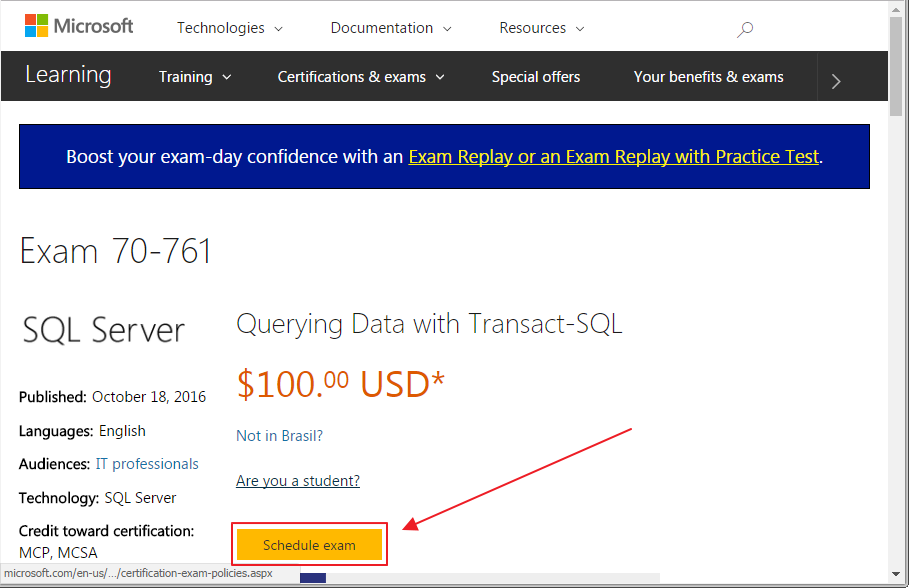
Certification test screen you want to take
After clicking on the “Schedule exam” or “Schedule the test” button, you will be directed to the Pearson Vue website, where your personal data will be shown.
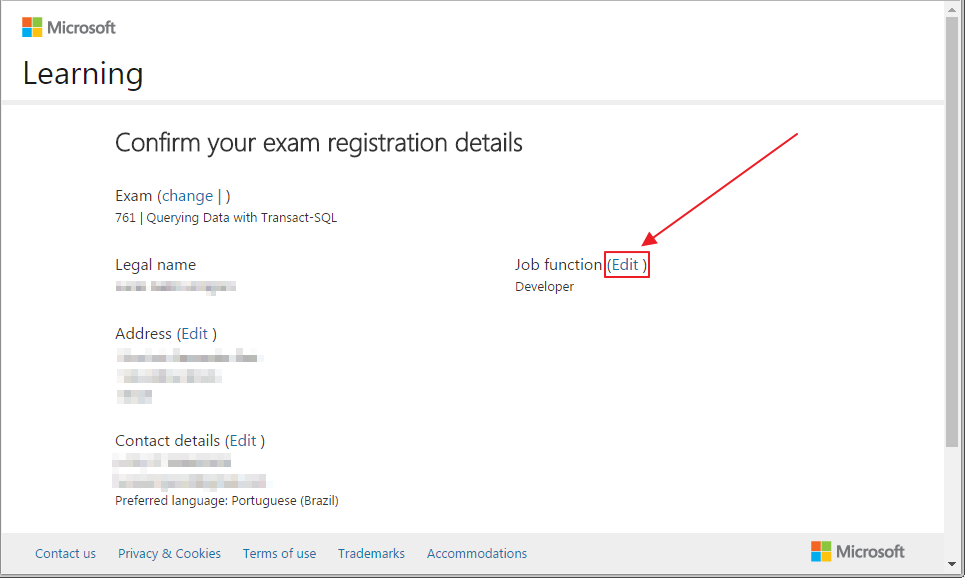
Screen with your personal information
On the next screen, click on the “Job Function” combo and select the “Student” option
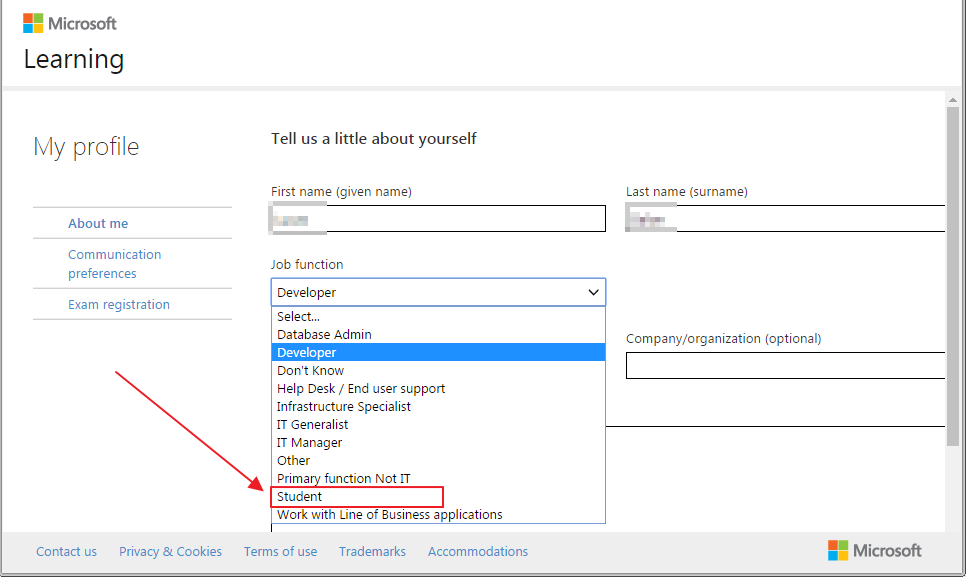
Choosing the “Student” option
When you select the “Student” option, you will be asked to verify your student account. Click on the “Get verified” link.
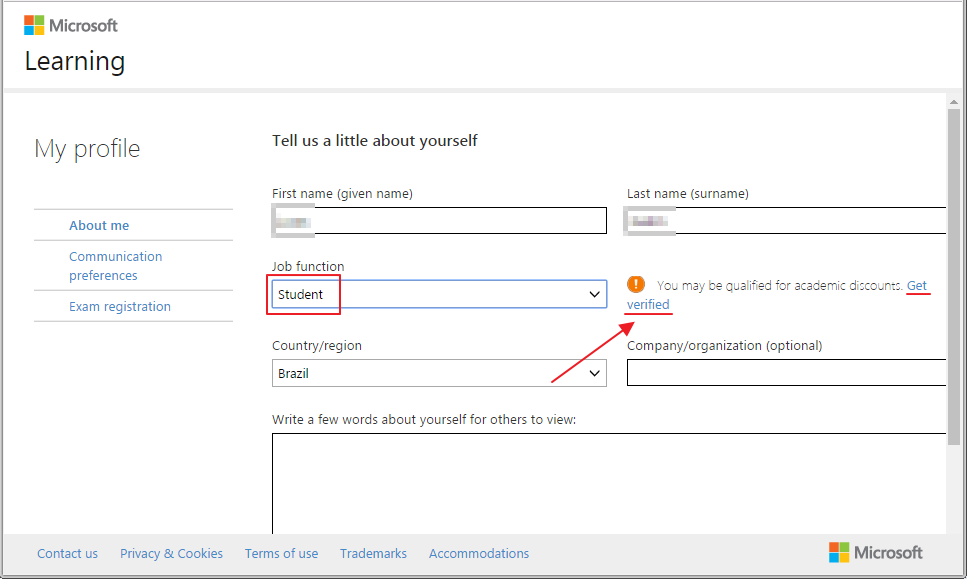
Clicking the “Get verified” button to validate your student account
On the screen that will open, you will have several ways to verify your student account, as shown below:
After verifying your student account, you will see “Verified” information, as shown in the screenshot below:
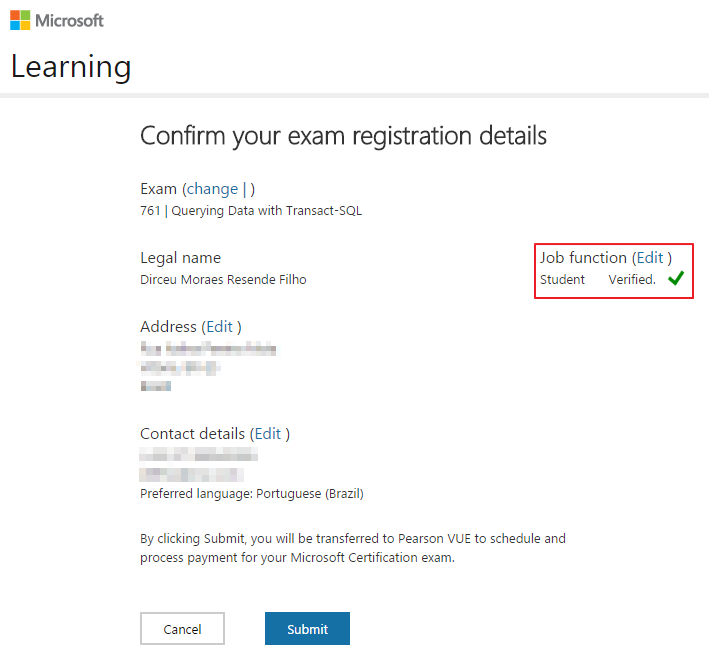
Ready. From now on, you pay half the original price for any Microsoft certification test. You can now stop making excuses and start making sure.
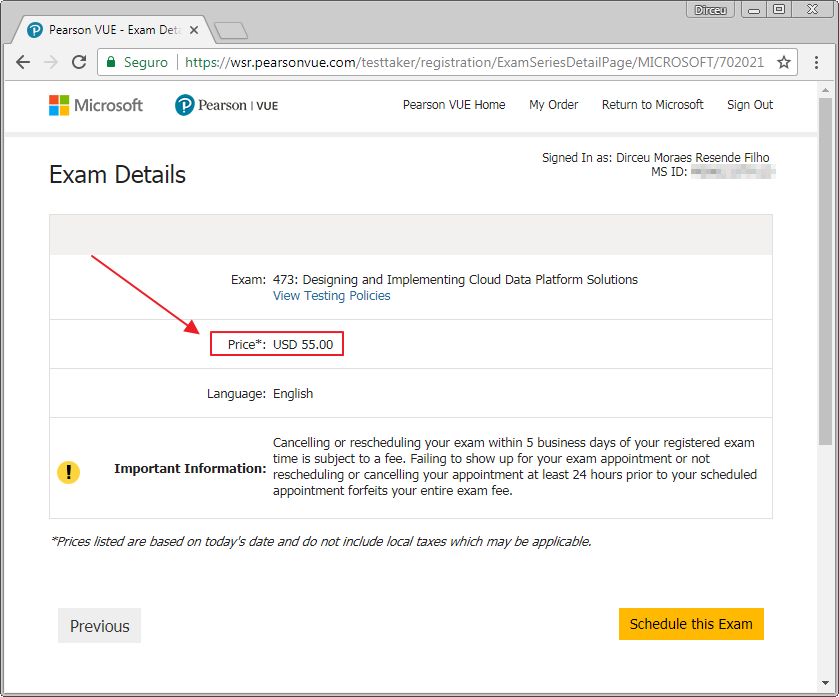
Big hug and see you in the next post.

Comments (0)
Loading comments...