
Hey guys,
Goodnight!
In this post I will demonstrate how to execute several batch scripts that are in a specific folder, generating an execution log, with just one line of code. This instruction is very simple, and allows for a series of customizations to meet your needs.
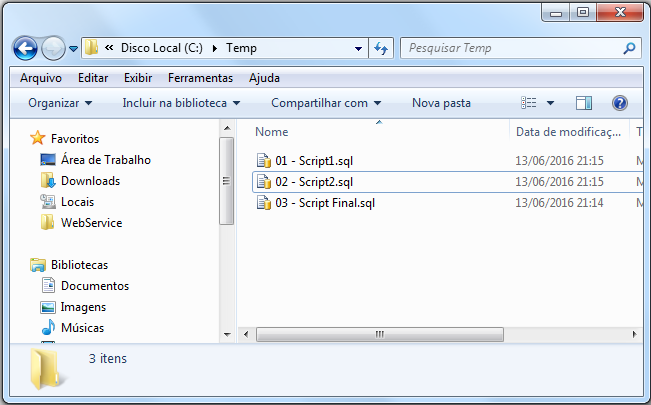
I believe that every DBA and most developers have already needed to execute several SQL scripts in a practical and quick way, not forgetting any and still logging the operations for possible questions. This activity is very common and today I needed to export some SP's and functions from one database to another, generating 174 SQL scripts (I always create 1 per object). And of course I wouldn't run them one by one manually.
For this solution, I will use the Windows Command Prompt language (CMD.exe) and the SQLCMD, the SQL Server command-line utility.
Remember that as the responsibility of every DBA, you must evaluate and validate all scripts that are sent to you to be executed, preferably in a testing, development and/or pre-production environment. Do not use the solution presented here to run several batch scripts directly in production without at least testing them in a test environment first.
Basic example
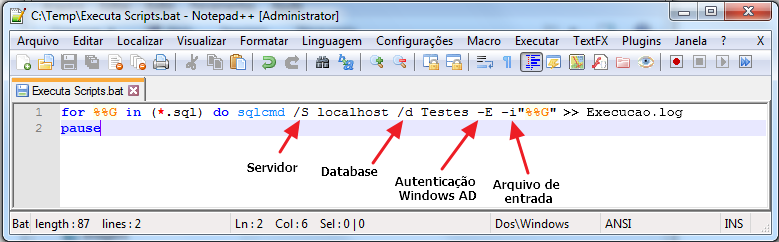
Create a .BAT file in your scripts directory (In this example, I will use the name “Executa Scripts.bat”) with the following command:
for %%G in (*.sql) do sqlcmd /S localhost\sql2014 /d Testes -E -i"%%G" >> Execucao.log
pause
where:
- /S: defines the server\instance where the scripts will be executed
- /d: defines the database where the scripts will be executed
- -E: specifies that the authentication mode will be Trusted Connection (Windows AD Authentication). If you want to use SQL authentication, use -Uusuario and -Psenha
- -i: specifies the input file that contains the commands that will be executed
Note that in this solution, the log is generated with the result of executing each script, without date and time information and without separation between the scripts. As a result, the results are not very organized within the file. If you don't care much about the log output, you can safely use this solution.
Advanced example:
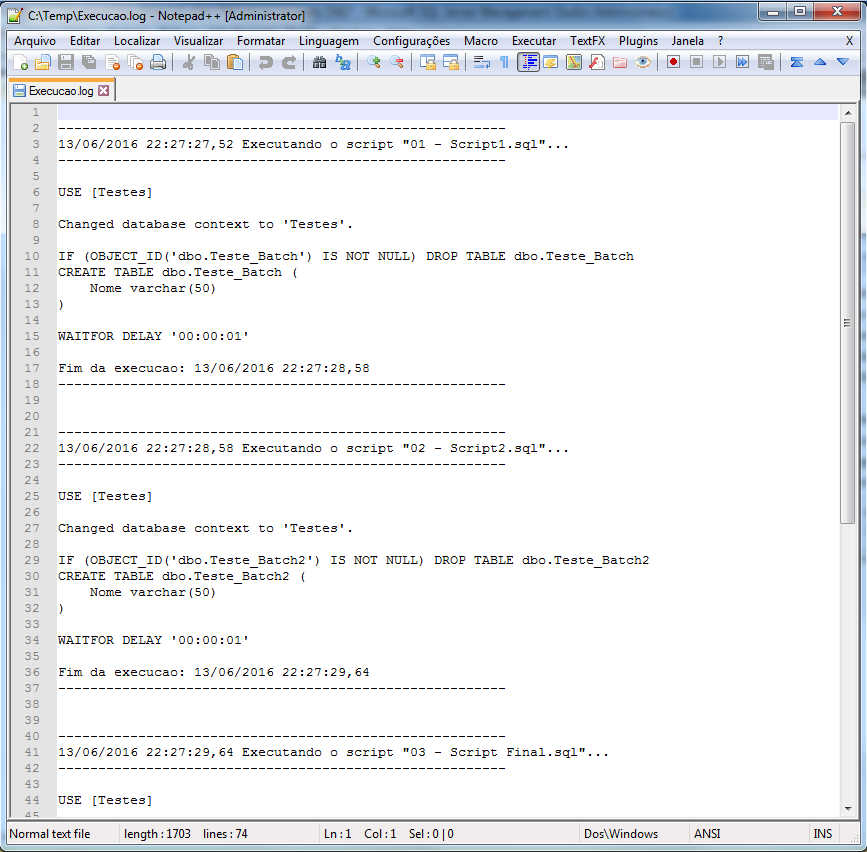
For those who like a little more organization in their execution logs, I will also provide a slightly more advanced solution, creating a really cool execution log. Furthermore, I added the -e parameter (if you don't like it, you can remove it), which displays, in addition to the result of the executed scripts, the content of the script itself, to further highlight the execution.
setlocal enableDelayedExpansion
@echo off
ECHO. > "Execucao.log"

for %%G in (*.sql) do (

	ECHO -------------------------------------------------------- >> "Execucao.log"
	ECHO !DATE! !TIME! Executando o script "%%G"... >> "Execucao.log"
	ECHO -------------------------------------------------------- >> "Execucao.log"
	ECHO. >> "Execucao.log"

	sqlcmd /S localhost\SQL2014 /d Testes -E -e -i"%%G" >> "Execucao.log"

	ECHO. >> "Execucao.log"
	ECHO Fim da execucao: !DATE! !TIME! >> "Execucao.log"
	ECHO -------------------------------------------------------- >> "Execucao.log"
	ECHO. >> "Execucao.log"
	ECHO. >> "Execucao.log"

)

PAUSE
Example of the execution log:
Thanks for visiting and see you in the next post!
Hug.
sql server execute batch script multiple scripts files from one folder sqlcmd batch execute processing
sql server execute batch script multiple scripts files from one folder sqlcmd batch execute

Comments (0)
Loading comments...