
Hey guys!!
Everything calm?
In this post, I'm going to share with you a very cool tool to practically share your execution plans on the web, whether in forums, Whatsapp groups, Telegram groups, etc.
Many times when someone asks for help in groups or in comments on blogs/forums, there is no option to attach the execution plan or even if you attach it, sometimes the person is on their cell phone and cannot open the plan right away (there is no Management Studio on their cell phone... lol)
To get around this type of problem, the famous SQL Server DBA, Brent Ozar, created a tool called Paste The Plan, which allows you to share execution plans on the Web, allowing anyone to easily view your plan, directly through your Web browser, generating a link so you can distribute it to other people.
How do I share my execution plan?
To share your execution plan with someone else, it's very simple: Just enable the execution plan (Current or estimated), copy the plan's XML code and paste it into the tool.
Don't you understand? Don't worry, I'll explain it in more detail.
Enable and manage the execution plan (Current or estimated)
To enable the execution plan estimated, just select the section you want to analyze, and press the shortcut keys Ctrl + L or in the Query > Display Estimated Execution Plan menu.
To enable the execution plan current, just select pressing the shortcut keys Ctrl + M or in the menu Query > Include Actual Execution Plan and execute the query you want to analyze.
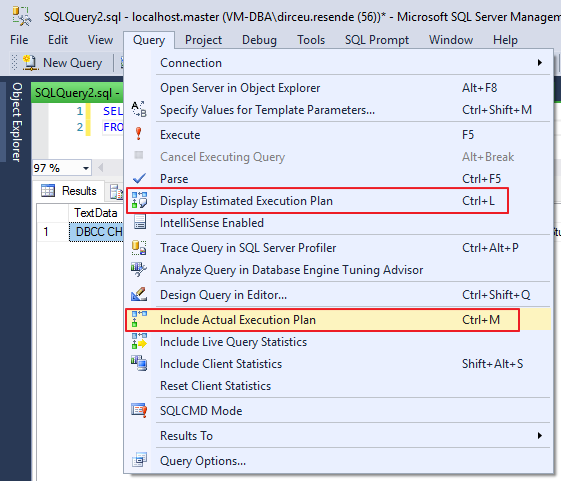
Option in the interface to display the execution plan
If you don't know the difference between the estimated plan and the current plan, read the post SQL Server – Introduction to the study of Performance Tuning.
View the execution plan XML
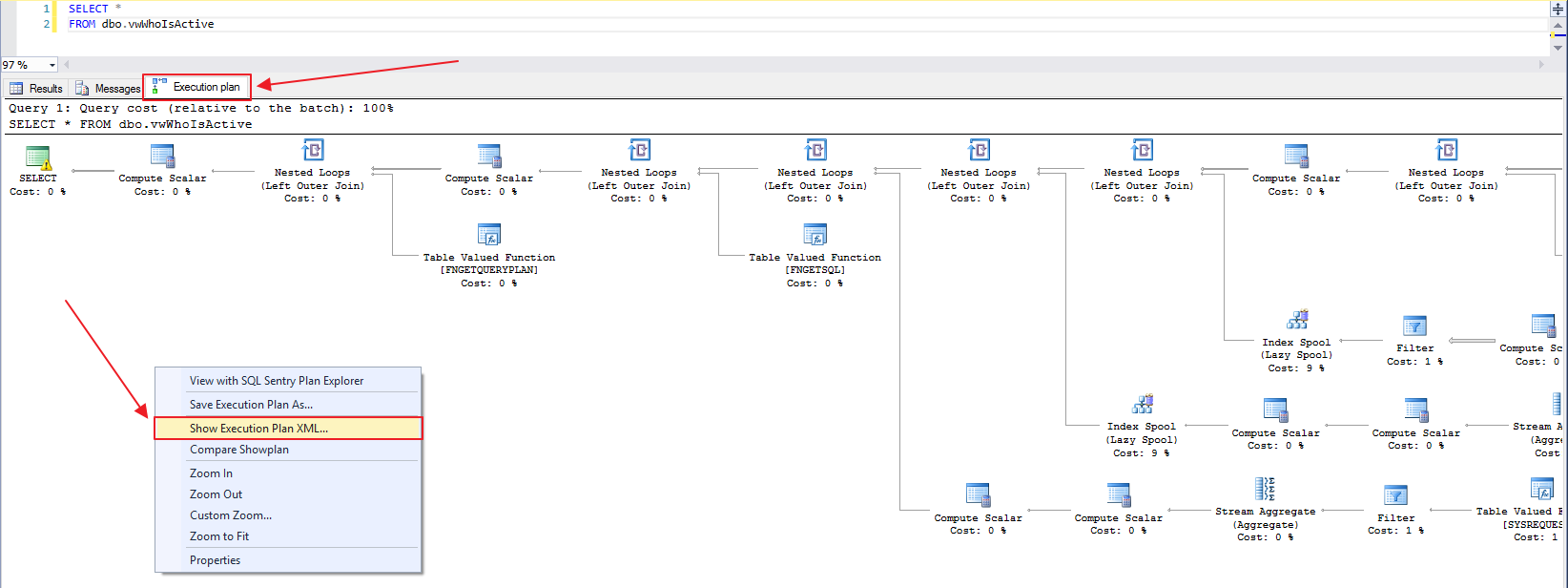
After executing/simulating your query to view the execution plan, click on the “Execution Plan” tab and then right-click and select the “Show Execution Plan XML…” option, as shown in the image below:
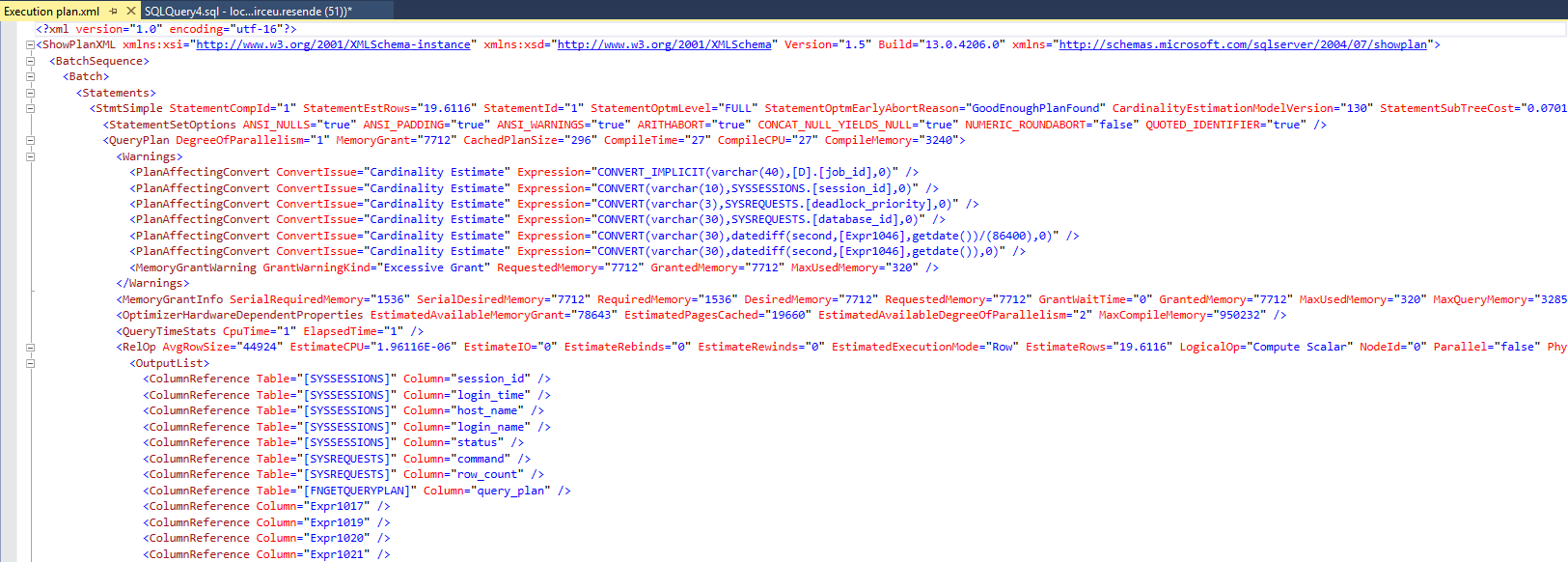
When opening the XML, copy all its contents.
Generate the link and share your execution plan
Now that you have copied the XML, go to the tool's website Paste The Plan and paste the copied XML there and click the “Submit” button.
With this, the website will process your XML data and will show the next screen, with your generated execution plan.
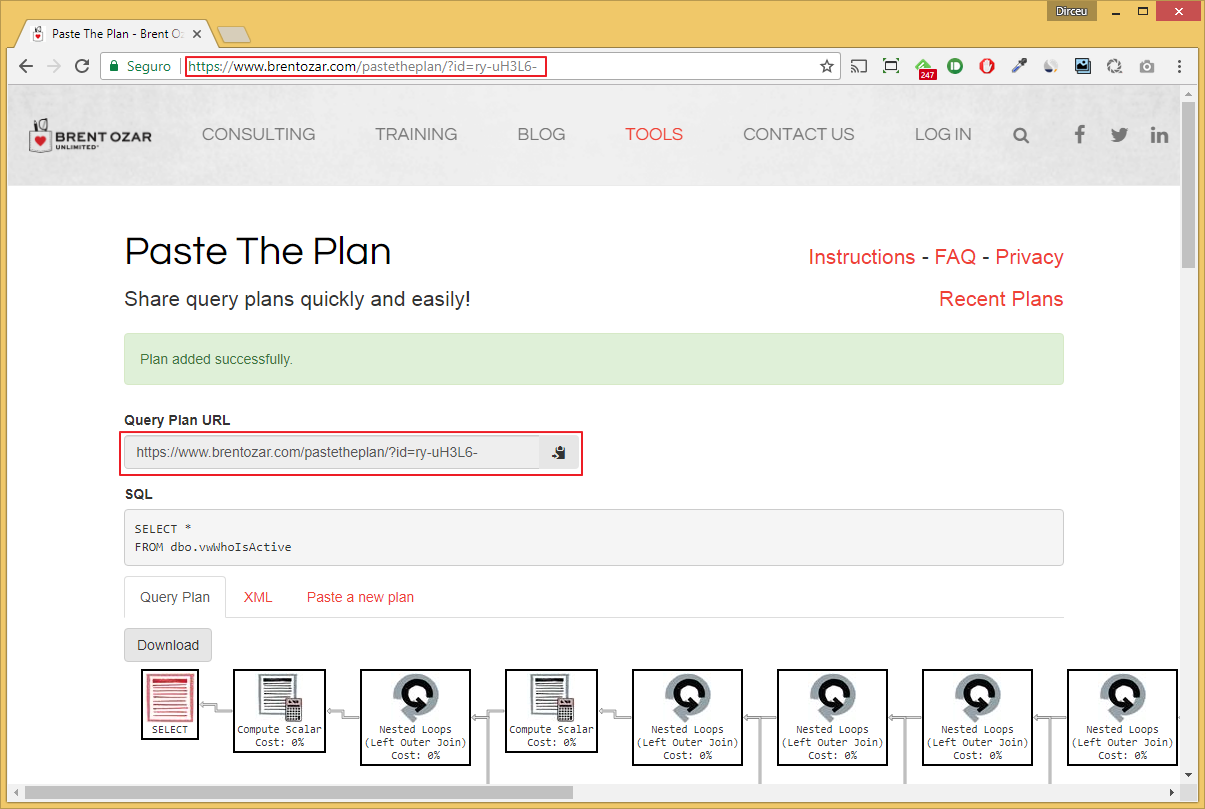
With your link generated (highlighted in red), you can now share it with your friends, colleagues and professional partners at will. They will have complete freedom to view their execution plan online via their Web browser, view the XML code of their plan and even download it to open in their favorite program (Management Studio, SQL Sentry, etc.)
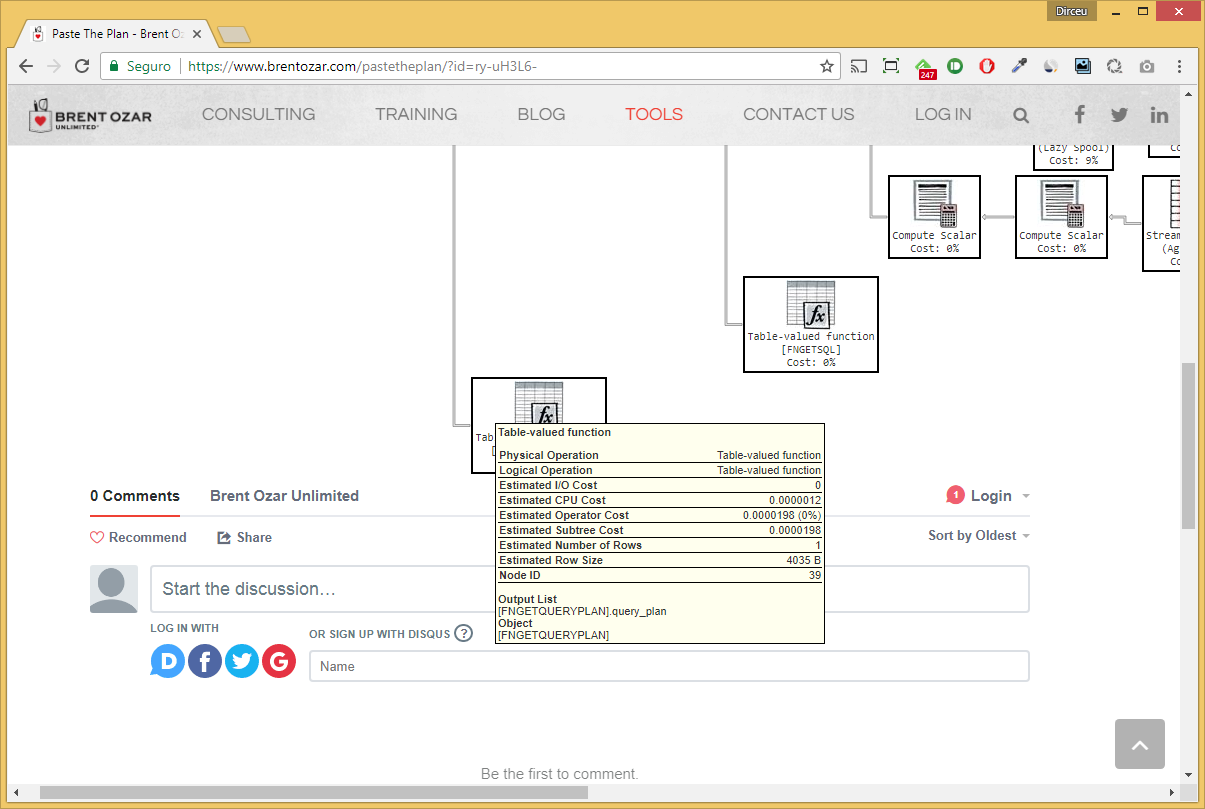
As you can see, this tool is very practical, and even displays tooltips with detailed information for each operator in the execution plan, such as estimated lines, returned lines, CPU cost, I/O, predicates, etc.
It also allows people to comment on your unique, personalized execution plan link through the Disqus commenting system.
However, alerts (Ex: implicit/explicit conversion) that are displayed in execution plans using traditional tools, such as Management Studio or SQL Sentry, and information about missing indexes (Missing index) are NOT displayed using this web tool (at least, until the date of publication of this post).
I hope you liked this tool tip and that it can help you in your everyday life.
If you have any questions, leave them here in the comments.
A hug and see you in the next post.

Comments (0)
Loading comments...