
Introduction
Hey guys!
In this post I will show you how to reset and recover the SSIS catalog password (SQL Server master key). Have you lost a SQL Server master key or SSIS catalog password? Let's get it back now 🙂
As you know, during the SSIS catalog creation process, you must set an encryption password.
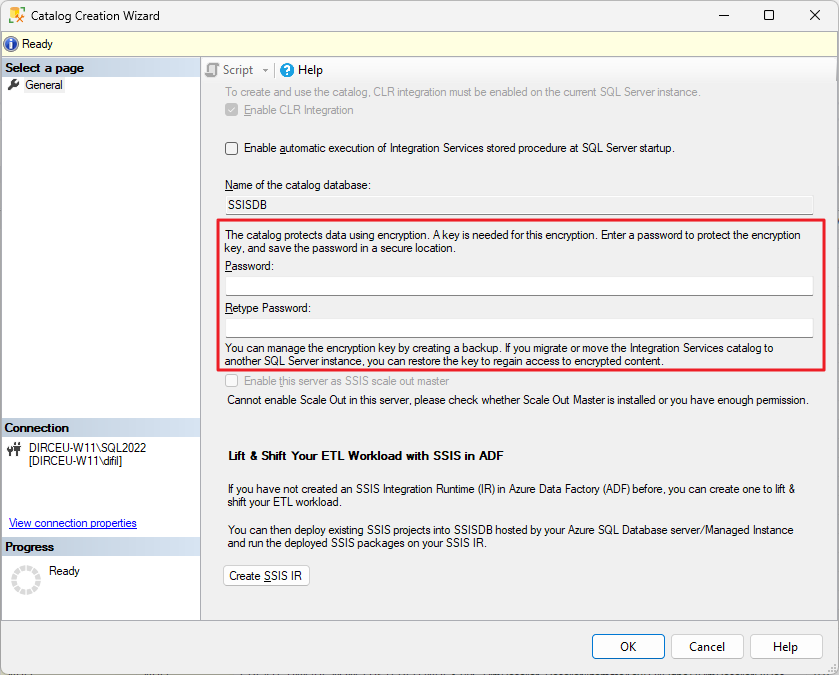
When you complete this step, the wizard will internally create a master key in the SSISDB database that is used to encrypt this SSIS database and packages.
And if you are not a methodical and organized person with your passwords and store them in a password vault, you may end up losing that password 🙂
So let's assume you are trying to add your SSIS catalog to an AlwaysOn node or simply move to another server/instance.
When you try to restore, you will be asked for the password used to encrypt your bank and you have lost this password.
Simulating the problem
To test whether the password you have saved is the correct SSIS catalog password, you can run this command here:
USE [SSISDB]
GO

OPEN MASTER KEY DECRYPTION BY PASSWORD = 'sua_senha_aqui'
GO
If the password is correct, you will see this message here:
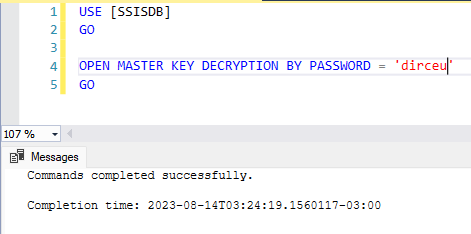
However, if the password is wrong, this error message will appear:
The key is not encrypted using the specified decryptor.
And now? What to do in this case?
How to reset and recover the SSIS catalog password (SQL Server master key)
To reset and recover the SSIS catalog password, the process is very easy and quick, although most people don't think it's possible to do it, it's so simple.
Simply connect to the SSISDB database, make a backup of the master key specifying a new password and restore the backup you just made.
Follow the script below, with all the necessary steps:
-- Acessa o banco "SSISDB", que é o banco de dados do SSIS
USE [SSISDB];
GO

-- Faz o backup da chave atual com o nome "SSISDB_masterkey" para o diretório "C:\". A nova senha dessa chave é "nova_senha"
BACKUP MASTER KEY
    TO FILE = 'C:\SSISDB_masterkey'
    ENCRYPTION BY PASSWORD = 'nova_senha'
GO

-- Restaura o backup recém realizado, utilizando a chave "nova_senha" para descriptografar e define essa mesma senha como a chave de criptografia
RESTORE MASTER KEY
    FROM FILE ='C:\SSISDB_masterkey'
    DECRYPTION BY PASSWORD = 'nova_senha'
    ENCRYPTION BY PASSWORD = 'nova_senha'
GO

-- Tenta abrir a master key com a senha "nova_senha"
OPEN MASTER KEY
    DECRYPTION BY PASSWORD = 'nova_senha'
GO

-- Fecha a master key
CLOSE MASTER KEY
GO
After doing this, the master key, which was previously “dirceu”, is now “new_password”:
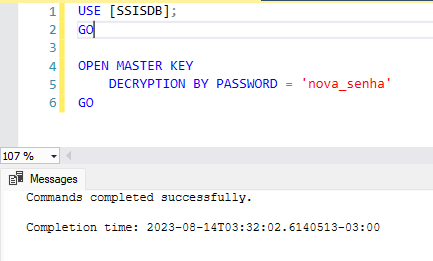
Now you can add this catalog to your AlwaysOn, restore to another server/instance or any other operation you are trying to do.
I hope you enjoyed this very practical tip for everyday life and see you next time!

Comments (0)
Loading comments...