
Hey guys!
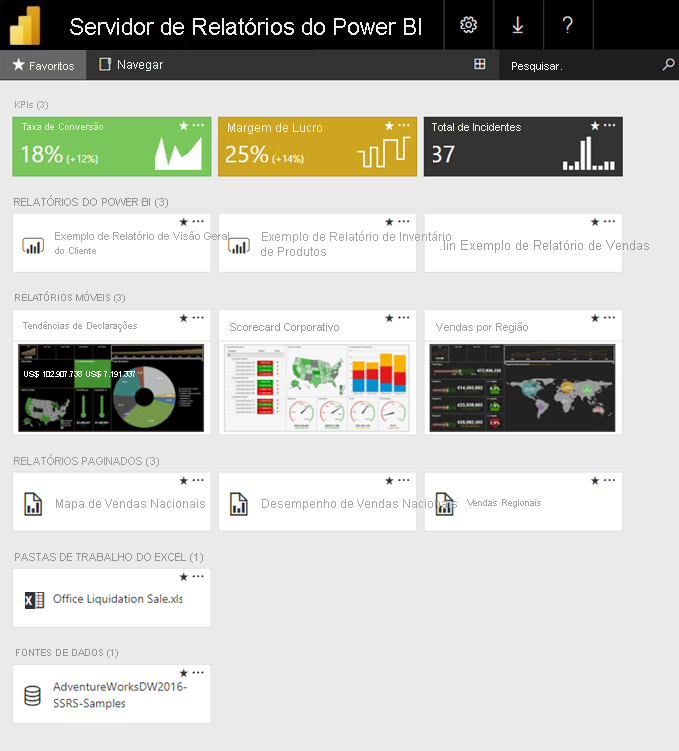
In this article, I will share with you more information about Power BI Report Server licensing. This license allows you to install a limited version of Power BI on a local server, where you do not need a PRO account to view the reports, it has “unlimited” updates (Up to 1,440 updates per day, for each dataset).
To be able to use this type of licensing, you only have 2 options:
– Own Power BI Premium license by Capacity.
– Have a SQL Server Enterprise Edition and also a Software Assurance support contract with Microsoft.
In this article, we will discover the characteristics of this type of licensing, when it is interesting and when it is not.
Summary of all Power BI license types:
| Free | PRO | PPU | Report Server | Premium by Capacity (SKU P) | Premium by Capacity (EM) | Embedded | Microsoft Fabric | |
|---|---|---|---|---|---|---|---|---|
| License Type | By User | By User | By User | Location | By Capacity | By Capacity | By Capacity | By Capacity |
| Value | R$ 0.00 | R$54.90 per user/month | R$ 109.80 per user/month | Included with Power BI Premium or SQL Server Enterprise + SA | From R$31,960.00 per month | From R$4,070.65 per month | From R$5.63 per hour on | From R$1.06 per hour on |
| Can share reports | No | Only with PRO accounts | Only with PPU or PRO accounts* | Yes, with any user on the local network | Yes, even with Free account users. | Yes, with any user on the local network | Yes, with any user. You don't even need to have a Power BI account. | Yes, with any user. You don't even need to have a Power BI account. |
| Pro account required to view reports | No (Does not allow sharing) | Yes | Yes | No | No | No | No | No |
| Form of hiring | Office 365 | Office 365 | Office 365 | Office 365 | Office 365 | Office 365 | Azure Portal | Azure Portal |
| How to access reports | powerbi.com | powerbi.com | powerbi.com | Local server | powerbi.com | Web portal created by the company | Web portal created by the company | Web portal created by the company |
| Maximum data model size | 1GB | 1GB | 100GB | Unlimited | 400GB (P5) | 10GB (EM3) | 400GB (A8) | 400GB (F1024+) |
| Daily updates | 1 | 8 | 48 | 1.440 | 48 | 48 | 48 | 48 |
| Allows you to embed reports | No | Yes (limited quantity for testing only) | Yes (limited quantity for testing only) | Yes (intranet and sharepoint only) | Yes | Yes (intranet and sharepoint only) | Yes | Yes |
Power BI on-premises report server
The Power BI Report Server license is aimed at large companies, with a large number of users, and with the need to keep data local within the company, especially due to some legal issue where the data cannot go to the cloud.
You can download a trial version of Power BI Report Server on this link here, to evaluate how the solution works and whether it makes sense for your company.
All access control is done using local Active Directory (AD).
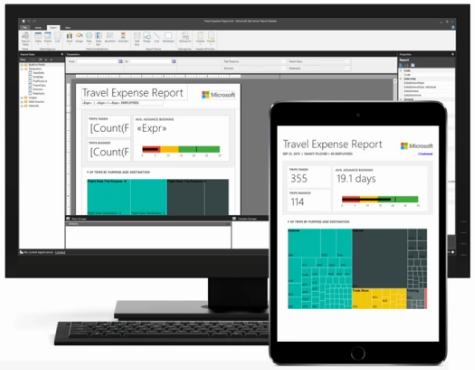
The process of creating and publishing reports has some differences: The user develops the report in Power BI Desktop, but has to download a specific version for the local server and it does not have several features available in the traditional version. The big difference in this version is the “Publish” button, which instead of publishing to a Power BI service workspace (powerbi.com), publishes the reports on the local server.
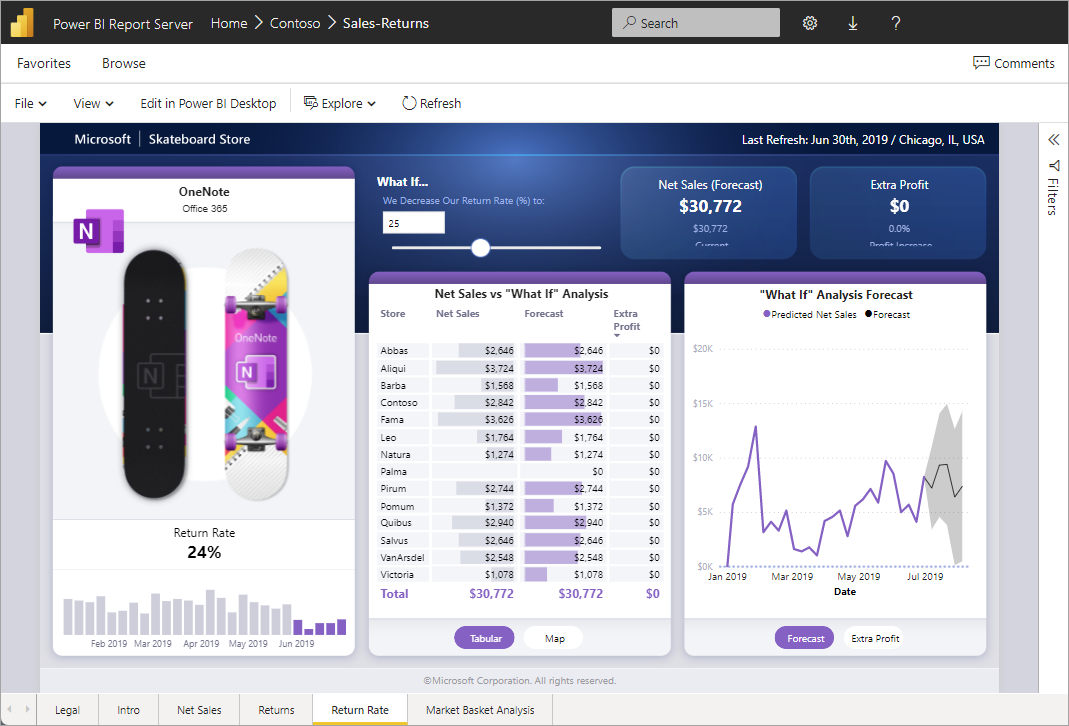
The form of contracting for this license is through the Office 365 admin portal or Volume Licensing Portal, where you can request the report server installation key if you meet the necessary requirements.
Portal Updates
Regarding the local report access portal, it is only updated 3 to 4 times a year, so be aware that you will be using a version that is very outdated in relation to the Power BI service, without having access to any of Power BI's premium features. If you need to share reports with people outside the company's network, this licensing may not be the best option, as this task will be a security challenge, where they will have to expose the local server to the Internet.
Talking about updates to Power BI Desktop optimized for the local server, the application is generally updated 3 to 4 times a year (not monthly like the traditional version), but the most recent version is currently from May/2023, that is, it has not been updated for more than 6 months.
Combined with the fact that the report server is updated 3 to 4 times a year, this lack of updates and even documentation gives the impression that there is not much investment from Microsoft in this product. Because the Power BI report server is nothing more than the old SQL Server Reporting Services (SSRS), which has been on the market since 2005 and was “revamped” in 2016, with support for viewing Power BI reports. There was no major investment in this product since its launch in June 2017.
Advantages of Local Reporting Server
In this type of licensing, users do not access the Power BI service (powerbi.com) but rather a local address where the report server is installed. For this reason, users do not need to pay for a license to view the reports, but anyone who publishes reports needs a PRO account.
If you want to send a copy of the reports by email, whether in PDF, Excel or other format, in the Power BI service you would only be able to send it to people who have a Pro account. But here on the local report server, you can configure email subscriptions, which send a copy of the report to any email, even if you don't have a Power BI account or it is an external email.
The local report server, as it is an “enhanced” SQL Server Reporting Services (SSRS) to support Power BI, has full support for paginated reports, where you create reports using the Report Builder.
Regarding the number of updates, in this type of licensing you have “unlimited” updates (Up to 1,440 updates per day, for each set of data), which is more than using other types of license.
If you need to increase the processing power of the capacity, be it increasing the disk speed, amount of memory or CPU, you just need to buy more hardware for the server (CAPEX – Investment). When you have the same need for dedicated capabilities (Fabric, Embedded or Premium), you need to double the processing tier and also, DOUBLE YOUR MONTHLY COST (OPEX – Cost). This could be an excellent opportunity for many companies that need a lot of processing power, but don't want to have a very high monthly cost.
On the local report server, you don't have the concept of workspaces, but rather folders, where you can create several levels of hierarchy in folders and reports, which I consider much better than the workspace idea, which doesn't allow you to create sub-groupings of reports.
Features and Limitations
What you can do with this license:
- Download Power BI Desktop (always free, even without an account)
- Create reports, connecting to any data source
- Publish reports to the local report server
- Share reports with anyone on the company's local network, without needing a PRO license
- Configure schedules for updating datasets, without update limits
- Use datasets without size limits
- Update datasets up to 1,440 times per day
- Generate links to embed the report in internal applications and Sharepoint
- Email report subscription to any email
- Use paginated reports
What you CANNOT do with this license:
- Share reports with users outside the company network (if necessary, you will need to expose the server to the Internet)
- Have access to the Power BI service portal (powerbi.com) and its resources, such as applications, dataflows, Q&A, Dashboards, etc…
- Have access to Premium Power BI features (AI, AutoML, Datamarts, Incremental update, Git integration, Deployment Pipelines, etc...)
- Access the latest Power BI news and features
Support materials
Slides used in the presentation
Click here to view the content
Live on Hugo Venturini's channel
Click here to view the content
Live on the .NET Channel
Click here to view the content
Live on the Microsoft Reactor channel
Click here to view the content
Playlist about Power BI Report Server
Click here to view the content
So that's it, folks!
I hope you enjoyed this post and follow the series where I will explore all types of Power BI licensing!

Comments (0)
Loading comments...